

Geemarc AmpliPOWER 40 Manual
PDF manual · 62 Pages
English



Quick check
Incorrect answer, please try again.
Chat with your Geemarc AmpliPOWER 40 manual using AI
Get instant AI answers from your Geemarc AmpliPOWER 40 manual
Ask anything about the Geemarc AmpliPOWER 40. Answers come from this manual, with the pages they are based on.
Ask a Question
Do you recommend AmpliPOWER 40?
Yes NoFrequently Asked Questions
It is designed for people who need clearer and louder landline calls, including users with hearing difficulties. Its volume, tone, visual alert, and optional vibration features also make it useful in busy or quiet environments.
Is this answer helpful?
The normal receiver volume range is 0 to 20 dB. Pressing the +40 dB control enables extra amplification, allowing adjustment from 20 to 40 dB along with tone correction.
Is this answer helpful?
Yes. A rear switch can set the extra volume and tone function to activate automatically whenever the handset is lifted. When switched off, the user activates it manually with the +40 dB button.
Is this answer helpful?
The phone can use the ringer alone, or combine ringing with a flashing LED or an optional shaker. Ringer volume can be set to high, low, or off, and nine melody settings are available.
Is this answer helpful?
It stores 12 direct-dial numbers: nine standard memory buttons and three priority memory buttons. Each memory can contain up to 21 digits.
Is this answer helpful?
Yes. The AMPLIPOWER40 supports handsfree calls using its speaker button and supports an optional compatible headset. The speaker volume can be adjusted during handsfree conversations.
Is this answer helpful?
Advantages and Disadvantages
Advantages

- Receiver volume can be boosted up to 40 dB, with adjustable bass and treble tone settings.
- Loud ringer, flashing LED alert, and optional shaker support improve incoming-call awareness.
- Includes 12 direct memories, including three priority buttons for important contacts.
- Supports handset, handsfree, and optional headset calling, with adjustable speaker volume.
- Wall mounting, tone/pulse dialing, recall settings, and message waiting support add flexibility.
Disadvantages

- High amplification can cause acoustic shock if the volume is not set carefully.
- AAA batteries are not included and are needed for ringing during a power failure.
- Stored numbers may be lost after the telephone is disconnected for several hours.
- Shaker, headset, and Direct Vibe handset are optional accessories sold separately.
Product Specification
Type
Analog telephone (corded)
Display
No
Phonebook
No
Call log
No
Interfaces
1x analog
Answering machine
No
Features
Large-button phone, hearing aid compatible, visual call indicator
Color
White
Dimensions
8.27 x 7.87 x 3.94 in
Product Description
Geemarc AMPLIPOWER40 White - Read, Download & Print Free
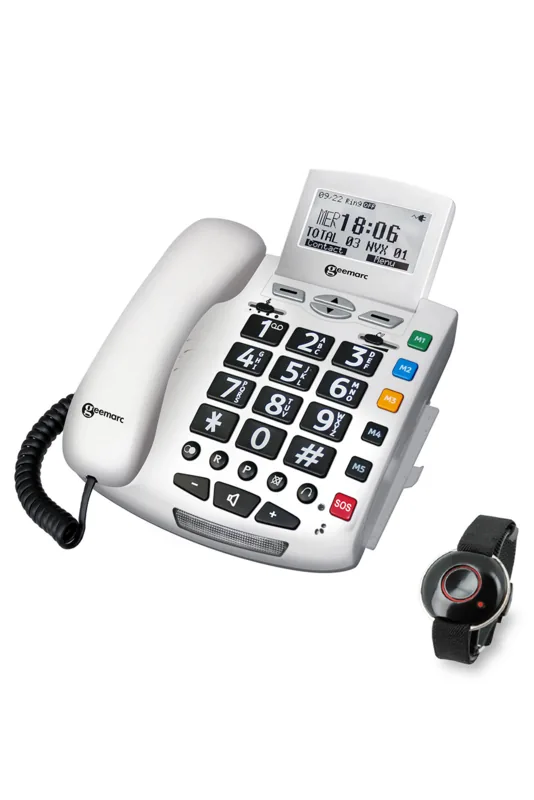
The Geemarc AMPLIPOWER40 white is a multifunction corded telephone designed to make everyday conversations clearer, louder, and easier to manage. Its accessible controls and powerful adjustable receiver make it a practical choice for people with hearing difficulties, older users, and households that value dependable landline communication.
Powerful adjustable listening
A key feature of the AMPLIPOWER40 is its enhanced receiver volume, which can be adjusted from 0 to 20 dB in normal use and boosted up to 40 dB when the extra amplification function is enabled. Users can also alter the receiving tone, selecting a more bass-focused or treble-focused sound to suit individual hearing preferences. A red indicator shows when the enhanced tone and volume mode is active.
Because the amplified setting is very powerful, it should be set carefully. Starting at the lowest comfortable level helps avoid sudden loud sound and makes the telephone safer for shared use. An automatic activation option is also available for users who prefer the enhanced listening setting to switch on whenever the handset is lifted.
Clear alerts and flexible calling
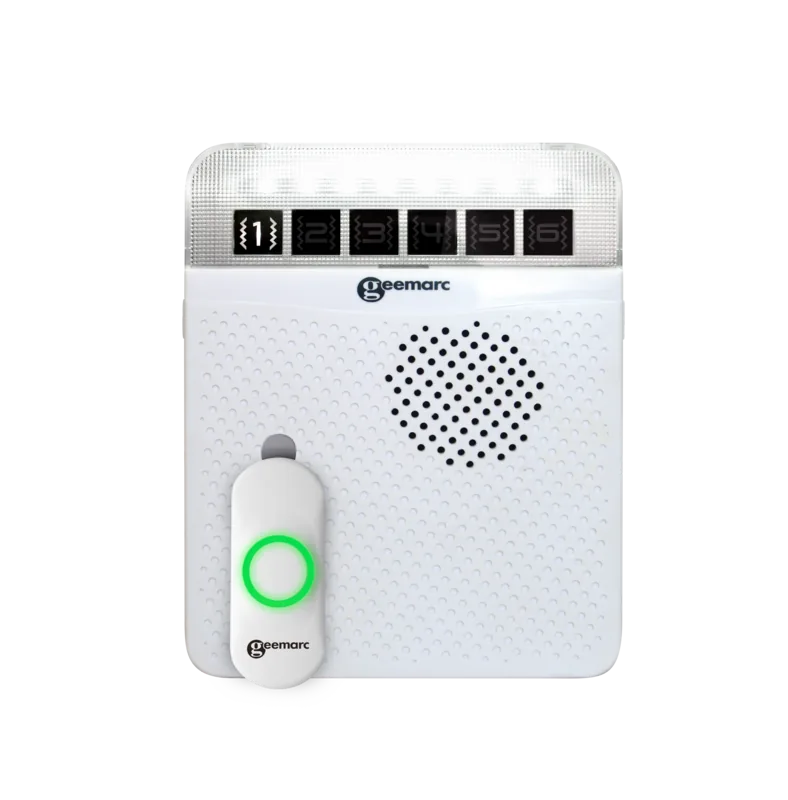
Incoming calls can be signaled by a loud ringer, a flashing LED, or an optional shaker. The ringer has high, low, and off settings, plus nine melody and volume combinations. This flexibility can help ensure calls are noticed in busy rooms or by users who may not hear a standard phone ring.
The telephone supports handset calls, handsfree conversations, and an optional headset. A separate speaker volume control makes handsfree use more comfortable, while the mute button lets users speak privately to someone nearby without the caller hearing. Last-number redial is included for convenient repeat dialing.
Memory, setup, and optional accessories
The AMPLIPOWER40 offers 12 direct memories, including three priority buttons that can be used for important contacts such as family, a doctor, or local services. Each memory can store up to 21 digits. The phone also supports tone or pulse dialing, selectable recall timing, wall mounting, and a hotel message waiting indicator.
Optional accessories include a Geemarc headset, a shaker, and a Direct Vibe handset for conductive hearing loss. Four AAA batteries are required to maintain ringing during a power interruption. For a reliable, adaptable white telephone with substantial hearing support, the Geemarc AMPLIPOWER40 combines simple controls with essential accessibility features.
Notes
- Set the receiver volume to a safe starting level before use.
- Stored numbers may be lost after the telephone is disconnected for several hours.
- Optional accessories must be connected and enabled where required.
Search for 67,706 Manuals online


Type-in Brand or Model