
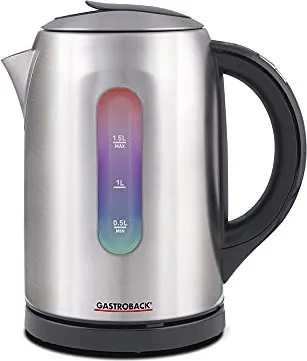
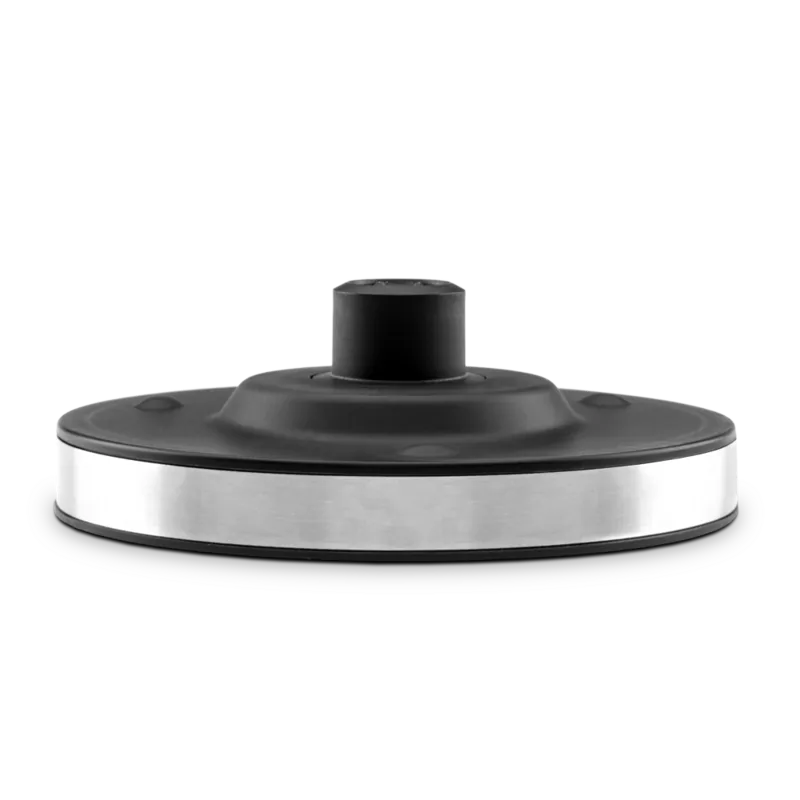
Gastroback 42427 Colour Vision Pro Manual
PDF manual · 48 Pages
English



Quick check
Incorrect answer, please try again.
Chat with your Gastroback 42427 Colour Vision Pro manual using AI
Get instant AI answers from your Gastroback 42427 Colour Vision Pro manual
Ask anything about the Gastroback 42427 Colour Vision Pro. Answers come from this manual, with the pages they are based on.
42427 Colour Vision Pro Maintenance Schedule
Check the kettle regularly for leaks, especially if water accumulates under the appliance or the exterior gets wet.
Clean the water filter regularly depending on water hardness and usage; rinse with tap water or brush if dry.
Descaling is required regularly based on water hardness to prevent damage and energy loss.
Soak the water filter in vinegar or citric acid solution regularly to remove scale buildup.
Ask a Question
Do you recommend 42427 Colour Vision Pro?
Yes NoFrequently Asked Questions
Its main advantage is precise temperature control. You can heat water to different preset levels, which is useful for brewing tea, coffee, or simply boiling water with better control.
Is this answer helpful?
Yes. It includes a keep-warm function that can maintain the selected temperature for up to 30 minutes before switching off automatically.
Is this answer helpful?
The purify function boils water for 3 minutes. It is designed for users who want water heated more thoroughly for a cleaner, more purified result.
Is this answer helpful?
Yes. The kettle shows the current water temperature on the handle display, and the illuminated interior changes colour to reflect the heating stage.
Is this answer helpful?
No. It is intended only for clear drinking water. Using other liquids or beverages may damage the appliance and create safety risks.
Is this answer helpful?
Clean the filter regularly, wipe the exterior with a damp cloth, and descale the kettle based on your water hardness. This helps maintain performance and reduce scale buildup.
Is this answer helpful?
Advantages and Disadvantages
Advantages

- Adjustable temperature settings make it easy to brew different drinks correctly.
- Keep-warm mode holds water at the chosen temperature for up to 30 minutes.
- Colour lighting and display provide clear visual feedback during heating.
- Purify function and automatic shut-off add convenience and safety.
Disadvantages

- Requires regular descaling, especially in hard-water areas.
- Performance depends on keeping the lid closed during use.
- The kettle is not meant for liquids other than drinking water.
- The short power cord may limit placement options.
Product Specification
Power
2400W
Color
stainless steel, black
Capacity
50.72 fl oz
Temperature settings
5
Temperature range
122F-212F (122F/140F/158F/185F/212F)
Filter
limescale filter (removable, washable)
Display
no
Special features
keep-warm function, 360-degree base, water level indicator (transparent)
Product Description
Gastroback 42427 Color Vision Pro: A Smart Kettle for Everyday Brewing
The Gastroback 42427 Color Vision Pro is more than a simple electric kettle—it is a temperature-guided water companion designed for tea lovers, coffee drinkers, and anyone who values precision. As highlighted in the Gastroback 42427 Color Vision Pro Manual, this model combines fast boiling, adjustable heat settings, and a stylish illuminated design that makes daily use both practical and enjoyable.
What makes this kettle stand out is its flexible temperature control. Instead of heating water only to boiling point, it allows you to choose from several preset temperatures between 50°C and 85°C, with a full boil option up to 100°C. That is especially useful for brewing different teas at their ideal temperatures, from green tea at lower heat to black tea and coffee with hotter water. The colour-changing interior lighting adds a visual cue that helps you track the heating process at a glance.
Another strong point is the keep-warm feature, which can hold the selected temperature for up to 30 minutes. This is ideal for busy mornings, repeated pours, or relaxed tea sessions where you do not want to reheat the water every few minutes. The purify mode is also a thoughtful addition: it keeps the water boiling for three minutes, helping users who want a more thoroughly heated result.
The design is built for convenience too. A removable water filter helps catch scale particles, while the display in the handle shows the current water temperature. Acoustic signals confirm actions and cycles, so you always know what the kettle is doing. Safety is clearly a priority, with automatic shut-off, overheat protection, and guidance for correct filling levels.
For best performance, regular care matters. The kettle should be descaled depending on water hardness, and the filter should be cleaned often to maintain smooth operation. Overall, the Colour Vision Pro offers a blend of precision, safety, and modern presentation that fits well in a thoughtful kitchen setup.
Notes
- Best suited for users who brew tea at different temperatures.
- Keep the lid closed during operation for accurate control.
- Regular descaling helps preserve performance and energy efficiency.
Search for 67,706 Manuals online


Type-in Brand or Model
maria_k
10 months ago
Does this electric kettle hold the selected temperature accurately for tea, and is the sound/buzzing during heating very loud?
Manual.ly
10 months ago
Yes. Users report that the temperature preset is followed closely (around +/- 2 C) and that the currently set temperature is shown during the heating process. When you place the kettle on the base, it typically beeps briefly (about 1 second). After selecting either 100 C or a temperature range (50-85 C), it beeps once again when the target temperature is reached, then runs quietly. If the kettle reaches the selected temperature, it holds it automatically for about 30 minutes, and the keep-warm function can be turned off with a button. Overall, it is designed to be low-noise compared to kettles that continuously chirp.