

Gastroback 42398 Design Toaster Pro 4S Manual
PDF manual · 36 Pages
English



Quick check
Incorrect answer, please try again.
Chat with your Gastroback 42398 Design Toaster Pro 4S manual using AI
Get instant AI answers from your Gastroback 42398 Design Toaster Pro 4S manual
Ask anything about the Gastroback 42398 Design Toaster Pro 4S. Answers come from this manual, with the pages they are based on.
42398 Design Toaster Pro 4S Maintenance Schedule
Pull out and empty the crumb tray, then reinsert it correctly before operating the toaster.
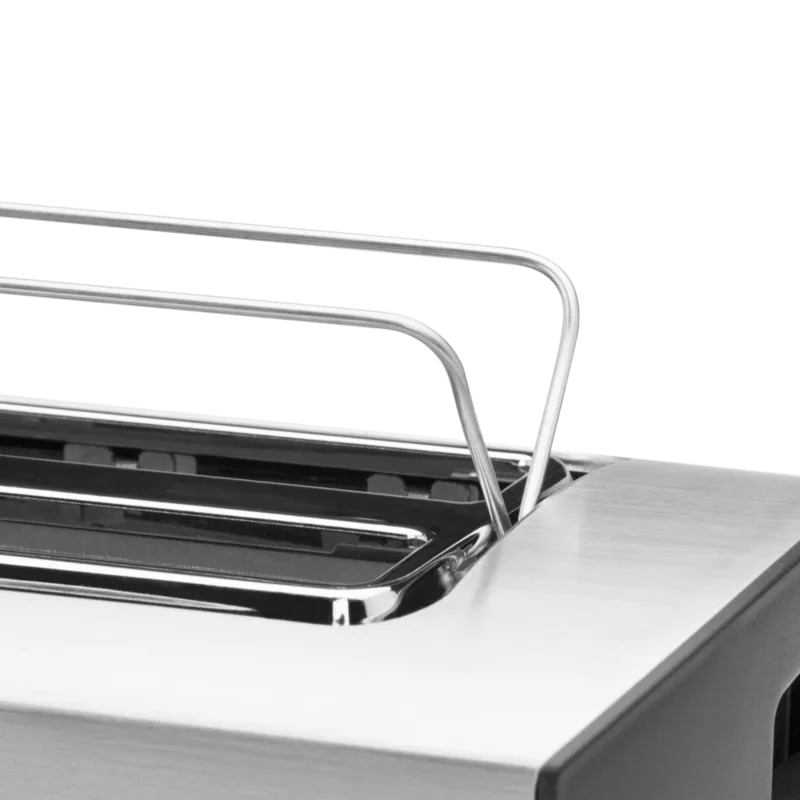
After cooling and unplugging, clean the crumb tray, exterior and cord. Wipe the bun warmer wires if used.
Check the appliance and power cord for proper operation and damage, such as distortion, discoloration, cracks or corroded plug pins.
Ask a Question
Do you recommend 42398 Design Toaster Pro 4S?
Yes NoVideo Manual
Best Toaster 2021
Frequently Asked Questions
The toaster operates at 220–240 V, 50/60 Hz with a maximum power of 1,500 W, a 100 cm cord, and carries DEKRA certification. It is designed for standard household electrical supplies and should be used with a properly protected outlet.
Is this answer helpful?
REHEAT applies a shortened cycle to warm previously toasted bread without changing browning settings; DEFROST increases toasting time to properly brown frozen slices. Both must be selected within 10 seconds after lowering the lever, and LEDs indicate status.
Is this answer helpful?
Yes — while the toaster remains connected to power it retains the last browning level. The memory clears if the power is interrupted or if you press CANCEL during a cycle, reverting to the default level 5 on next use.
Is this answer helpful?
Always unplug and let the toaster cool (about 30 minutes) before cleaning. Remove and empty the crumb tray, wipe exterior and bun warmer wires with a damp cloth, dry thoroughly, and never immerse the housing or cord in water or use abrasive cleaners.
Is this answer helpful?
No — use the fold-out bun warmer for rolls, croissants and small cakes. Never place food directly over the bread slots or heat items that may drip, as this risks overheating, fire, or electrical damage.
Is this answer helpful?
Keep at least 50 cm from flammable objects, place on a stable heat-resistant surface, never insert metal utensils into slots, avoid oversized or dripping foods, supervise children and never leave the toaster unattended while operating.
Is this answer helpful?
Gastroback provides a warranty for manufacturing defects (terms vary by region). For service in Germany and Austria, send devices to Gastroback GmbH; customers elsewhere should contact their dealer. Keep the purchase receipt for claims.
Is this answer helpful?
Advantages and Disadvantages
Advantages

- Nine adjustable browning levels with LED progress display for precise control.
- REHEAT and DEFROST modes handle cooled and frozen bread without thawing.
- Fold-out bun warmer for rolls and pastries and removable crumb tray for easy cleaning.
- Memory function retains last setting while the unit remains powered.
- Compact, stable design with DEKRA certification and 1,500 W performance.
Disadvantages

- Not suitable for commercial use — intended strictly for household operation.
- Maximum slice size and thickness limits (approx. 12.5 x 12.5 cm, 2.5 cm) restrict oversized items.
- Cannot use metal utensils in slots; requires careful handling to avoid burns.
- Memory resets when power is removed or CANCEL is pressed.
- Must observe clearance from flammable items and avoid unattended operation.
Product Specification
Power
1500W
Color
stainless steel
Capacity
4 slices of toast
Temperature levels
9
Special features
Defrost function, Reheat function, Bun attachment, Crumb tray
Product Description
Gastroback 42398 Design Toaster Pro 4S — Practical, Precise, Pleasant
The Gastroback 42398 Design Toaster Pro 4S combines thoughtful engineering with user-friendly features to deliver consistent, customizable toasting for everyday breakfast and baking needs. With nine browning levels, a memory function, and dedicated REHEAT and DEFROST modes, this toaster adapts to different bread types — from thin sliced sandwich bread to thicker artisanal loaves and frozen slices — offering predictable results every time.
A clear 9-LED progress display indicates the chosen browning setting and visually counts down the toasting cycle. The device remembers the last browning level while it remains connected, reverting to the factory default only after power is removed or CANCEL is pressed. For convenience, the fold-out bun warmer reheats rolls, croissants and small pastries without placing food directly in the slots; a removable crumb tray keeps the interior tidy and simplifies cleaning.
Safety and durability are central to the Design Toaster Pro 4S. The housing and controls are designed to stay accessible while hot parts remain protected; the manual emphasizes correct use, electrical safety, and clearance from flammable items. Technical specs include 1,500 W power, 220–240 V operation, a 100 cm cord, and DEKRA certification. The unit is compact and stable (approx. 36.5 x 17.5 x 18.5 cm) and weighs about 2.3 kg, making it suitable for most kitchen counters.
Operation is straightforward: insert slices, lower the lever, choose one of nine browning levels or engage DEFROST/REHEAT within the initial 10 seconds, and the toaster handles the rest — automatically ejecting toast when finished. Maintenance is simple: unplug, allow cooling, empty and wipe the crumb tray and exterior with a damp cloth, and fold away the bun warmer for storage. The manual includes clear warnings about avoiding oversized or dripping foods, not using metal utensils in the slots, and keeping the appliance out of reach of children.
Practical for home kitchens, the Gastroback 42398 Design Toaster Pro 4S balances performance and safety with intuitive controls. It’s a reliable choice for anyone who wants consistent toasting, easy upkeep, and a compact, feature-rich countertop appliance.
Notes
- Includes removable crumb tray and foldable bun warmer for versatile heating.
- Memory function retains last browning level until power is removed or CANCEL is used.
- Follow safety guidance: allow cooling before cleaning, keep clearances, and do not use with damaged cables.
Search for 67,706 Manuals online


Type-in Brand or Model
Marta König
7 months ago
On my Gastroback 42398 Pro 4S, the toast gets too dark even on setting 1. Is there a way to reduce browning or prevent burning?
Manual.ly
7 months ago
Yes. Many users find the browning is very fast on the lowest setting, especially with thicker slices or when toasting several rounds back-to-back. Try these steps: use the thinnest bread you have, start at the lowest setting and watch the first batch closely, then reduce by one level if you still get dark results. If you add a second round, lower the setting by one step because the toaster is already hot. Also avoid toasting many slices consecutively; give it a short cool-down. Clean the crumb tray regularly, since built-up crumbs can affect heat distribution. If it still burns immediately on the lowest setting, please contact support or have the unit checked.