
GameSir X2 Pro Manual
PDF manual · 28 Pages
English



Quick check
Incorrect answer, please try again.
Chat with your GameSir X2 Pro manual using AI
Get instant AI answers from your GameSir X2 Pro manual
Ask anything about the GameSir X2 Pro. Answers come from this manual, with the pages they are based on.
Ask a Question
Do you recommend X2 Pro?
Yes NoFrequently Asked Questions
Android devices running version 8.0 or higher with USB Type-C ports are supported. Phone length should range from 110 to 179 millimeters. OTG must be active.
Is this answer helpful?
Press View and LT together for 3 seconds. Rotate sticks fully three times. Press triggers fully three times. Finally press LB and RB together until LEDs stop flashing.
Is this answer helpful?
Yes, the controller supports pass-through charging so you can play while charging. However, this depends on your specific phone model allowing this function.
Is this answer helpful?
Hold View, Menu, and M1/M2 buttons for 3 seconds. Wait for LEDs to flash. Tap the button you want to assign to the M1 or M2 position.
Is this answer helpful?
The package includes the controller, a carry case, concave and convex thumbstick caps, a user manual, a service card, a sticker, and a certification document.
Is this answer helpful?
Scan the QR code provided with the manual to download the GameSir App. Use it to test inputs and update firmware.
Is this answer helpful?
Warranty covers defects for one year. Three months replacement is available for non-human damage. Contact support via QQ or phone number listed on the card.
Is this answer helpful?
Advantages and Disadvantages
Advantages

- Pass-through charging allows gameplay while charging device efficiently
- Rear M1/M2 buttons offer customizable extra controls for gaming
- App support enables firmware updates and button mapping customization
- Detachable design fits various phone sizes securely during play
- Includes multiple thumbstick caps for grip preference customization
Disadvantages

- Wired connection limits movement distance from the device significantly
- Compatibility restricted to Android phones with Type-C ports available
- Pass-through charging not supported on every single device model
- Phone size limits restrict use with larger tablet devices effectively
- Calibration requires following specific button sequences to reset
Product Specification
Type
Gamepad
Compatibility
Android
Power Source
USB
Buttons
14 (Total), 2 (Function Buttons), 4 (Action Buttons), 2 (Triggers), 2 (Shoulder Buttons), 2 (Analog Sticks), 2 (Back)
Analog Sticks
1 Straight (Left Above D-Pad), 1 Straight (Right Below Action Buttons)
D-Pad
Convex
Features
Customizable Controls
Product Description
Elevate Your Mobile Gaming Experience
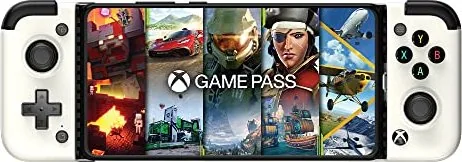
Welcome to the world of premium mobile controls. The GameSir X2 Pro Gamepad Manual provides the roadmap for an unparalleled gaming experience on mobile devices. This powerful accessory transforms your smartphone into a dedicated gaming console. Designed for enthusiasts, it bridges the gap between touch interfaces and physical buttons. If you desire precision and comfort, this device delivers. Following the guidelines ensures optimal performance across various titles ranging from shooters to racing.
Comprehensive Features
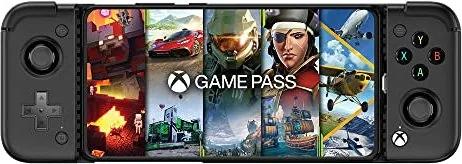
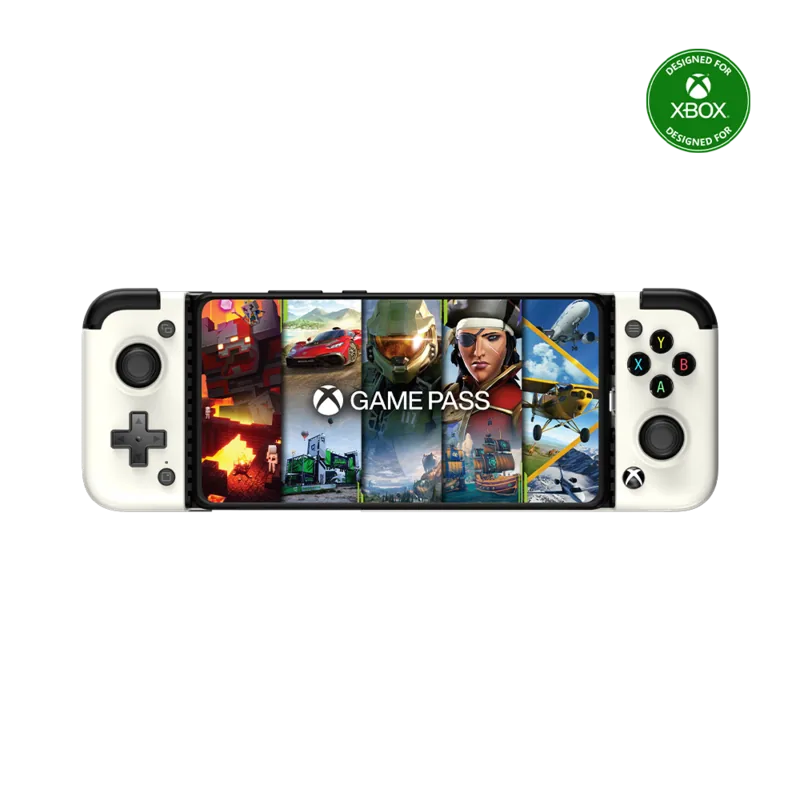
The kit includes a durable controller designed for long sessions without fatigue. It supports pass-through charging capabilities so you never lose power during intense matches. The layout features standard ABXY buttons alongside rear paddles and triggers. Users can swap position values for personalized layouts according to their genre. Joystick calibration is straightforward using specific button combinations found in guides. The package contains concave and convex thumbstick caps for grip preference. A premium carry case ensures safe transport during travel. You also receive a sticker and service card for support. The LED indicators provide clear status feedback for connectivity.
Setup and Connectivity
Android devices must run version 8.0 or higher with USB Type-C ports. Phone length should strictly range from 110 to 179 millimeters for a secure fit. OTG functionality must be active on the host device for proper recognition. Once attached, a solid white LED indicates a successful connection state. The controller charges the phone while you play, provided your device allows pass-through charging. Users download the companion app to update firmware and test inputs for latency issues. Connecting is plug and play on supported models like Samsung or Google.
Configuration and Calibration
Mapping the M1 and M2 buttons is simple and effective. Hold View, Menu, and the target button for three seconds simultaneously. The LEDs flash to confirm completion and save settings immediately. Calibration involves rotating sticks fully and pressing triggers to reset sensitivity. This ensures linear response for competitive play. Back buttons are default preset free for customization without locked settings. You can scan a QR code to access deeper features and app testing. Troubleshooting tips are embedded within the text instructions to help new users.
Important Notes and Warranty
Warranty covers defects for a specific time period as stated by policies. Avoid exposure to extreme heat and direct sunlight to preserve longevity. Cleaning requires a dry cloth only without harsh chemicals. Do not attempt to disassemble the unit yourself as voids coverage. Some phones block pass-through charging capabilities entirely. Always check compatibility with your specific Android model before purchase. Enjoy winning with this robust gear and secure your setup today.
Search for 67,706 Manuals online


Type-in Brand or Model