
GameSir VX2 AimSwitch Manual
PDF manual · 26 Pages
English



Quick check
Incorrect answer, please try again.
Chat with your GameSir VX2 AimSwitch manual using AI
Get instant AI answers from your GameSir VX2 AimSwitch manual
Ask anything about the GameSir VX2 AimSwitch. Answers come from this manual, with the pages they are based on.
Ask a Question
Do you recommend VX2 AimSwitch?
Yes NoFrequently Asked Questions
Enable Pro Controller Wired Communication in system settings. Connect the VX2 receiver to the dock USB port. Plug the mouse into VX2 and turn on VX2. Wait for indicator lights to confirm connection. If issues persist, change grip order in settings.
Is this answer helpful?
The default DPI is 1600. You can switch between seven levels ranging from 400 DPI to 12000 DPI. The mouse backlight flashes in different colors to indicate the current DPI setting during adjustment.
Is this answer helpful?
Press the FN key and the ESC key simultaneously on the VX2 keypad. This action will reset the device to factory settings. Ensure you press both keys together firmly for the reset to register correctly.
Is this answer helpful?
Yes, the system requirements support Windows 7, 8, and 10. Windows PC connection is automatic via the included receiver. Drivers install automatically once the device is recognized by the system.
Is this answer helpful?
The recommended charging time is between two to three hours. Use a 5V/1A adapter for best results. The power indicator will be blue when connected and charging, flashing green during the process.
Is this answer helpful?
If the battery drops below 5 percent, the device will automatically power off to protect the battery. When below 15 percent, the battery indicator will stay red. Wake the device by pressing any key if sleeping.
Is this answer helpful?
Advantages and Disadvantages
Advantages

- Supports multiple platforms including PC, PS4, Xbox One, and Nintendo Switch
- Feature G-Crux software for deep customization of buttons and lighting
- High performance GM400 mouse with adjustable DPI up to 12000
- Dedicated media keys on keypad for volume and mute control
- Status LEDs provide clear feedback on battery and connection health
Disadvantages

- Mandatory registration online for warranty benefits and updates
- Automatic sleep mode may wake up unexpectedly without sleep settings adjustment
- Switch Lite model requires separate Type-C to USB purchase for connection
- Charging time takes up to three hours for full battery capacity
- Small parts present a choking hazard for children under age 3
Product Specification
Type
Keypad (VX2 AimSwitch), Mouse (GM400)
Compatibility
PC, PS4, PS3, Xbox One, Switch
Key Type
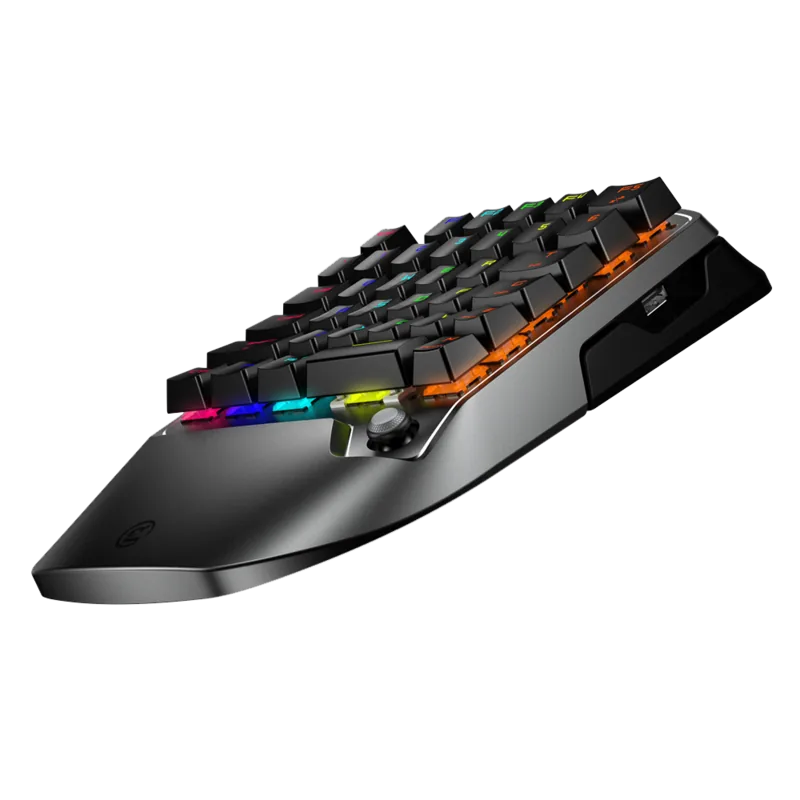
Mechanical (36x TTC Red Switches)
Keys
38 (total, Keypad), 6 (total, Mouse)
Analog Sticks
1 convex (Alps Ultra-Thin 3D Joystick, bottom right)
D-Pad
N/A
Lighting
Multi-Color (RGB)
Key Height
High
Key Shape
Concave
Palm Rest
Fixed
Housing
Metal, Plastic
Housing Color
Multi-Color, Black, Gray
Connection
Wireless (2.40GHz, Keypad), Wired (Mouse)
Power Supply
Battery (built-in), USB (Mouse)
Features
Programmable keys, detachable USB cable (USB-C to USB-A), LED lighting, frameless
Product Description
Enhance Your Multi-Platform Gaming Experience
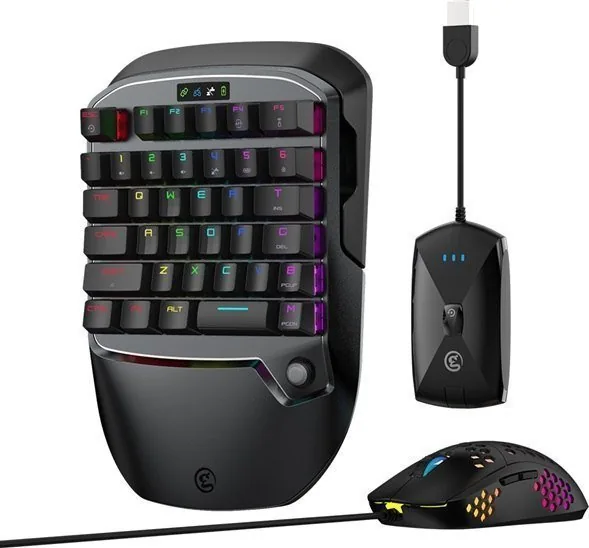
Gaming requires flexibility, especially when switching between different systems. The GameSir VX2 AimSwitch Combo with Gaming Mouse (PC/PS4/PS3/Xbox One/Switch) Manual provides essential insights into utilizing this powerful hardware suite. This comprehensive kit merges a mechanical keypad with a high-performance mouse to deliver precision control.
System Integration and Setup
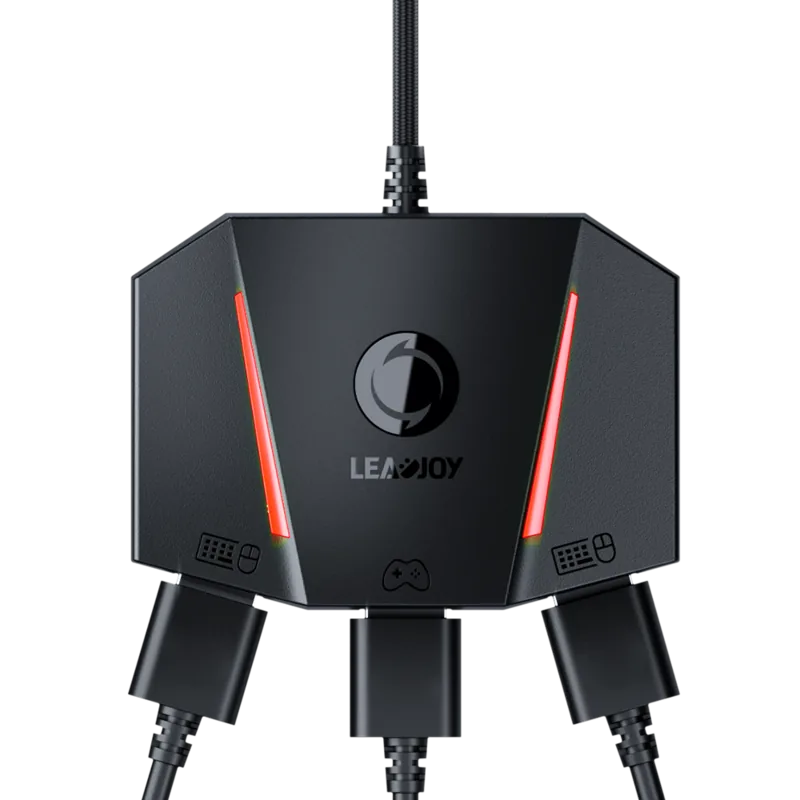
Compatibility is a major priority for modern gamers. This combo supports a wide range of devices including PC, PS4, Xbox One, and Nintendo Switch. The user manual details the step-by-step connection process for each platform. You can use the included wireless receiver to establish a stable connection without excessive cable clutter. The status LEDs provide immediate feedback on battery and connection health, making troubleshooting straightforward. Specific instructions help you pair the controller to the receiver for console mode operation.
Performance Customization
Advanced control is key to competitive play. The G-Crux software allows deep customization of button mappings. You can assign macros to complex actions or adjust sensitivity settings tailored to your preference. The GM400 mouse features adjustable DPI levels ranging from 400 to 12000. This ensures accuracy whether you are playing a tactical shooter or a fast-paced racing game. The backlighting also helps in low-light environments. Adjustable polling rates allow you to balance responsiveness and power consumption.
Power Management
Battery life is crucial for wireless peripherals. The VX2 unit manages power efficiently with automatic sleep modes. When disconnected, it enters sleep quickly to save energy. When connected, it maintains performance longer before sleep. The charging process takes only a few hours using the standard USB Type-C cable included in the box. LED indicators clearly display current battery status in blue, green, or red depending on the charge level.
Control Functions
The keypad includes dedicated media keys for volume and mute control. You can switch joystick modes using function keys to toggle between D-pad and WASD configurations. This adds versatility for different game genres. The reset function is available if settings become unstable. The mouse polling rate defaults to 1000Hz for minimum latency during intense matches.
Maintenance and Support
To ensure longevity, avoid exposing the device to water or dust. Do not disassemble the unit as this voids the warranty. Register your GameSir ID online to receive updates and warranty benefits. The company offers technical support via email or hotline for any issues that arise during operation. Always follow the guidelines in the GameSir VX2 AimSwitch Combo with Gaming Mouse (PC/PS4/PS3/Xbox One/Switch) Manual to maintain peak performance.
Essential User Reminders
Keep remote controls and small parts away from young children. If you encounter issues with controller recognition on Switch, check system settings for wired communication modes. Drivers for Windows install automatically but manual verification is sometimes required. Regular cleaning with a dry cloth is recommended.
This solution offers exceptional value for enthusiasts wanting a unified peripheral setup. By following the manual carefully, you maximize compatibility and control across your favorite titles. The ergonomic design ensures comfort during marathon gaming sessions. The included certificate validates quality assurance upon purchase.
Search for 67,706 Manuals online


Type-in Brand or Model