
GameSir GM500 Manual
PDF manual · 8 Pages
English



Quick check
Incorrect answer, please try again.
Chat with your GameSir GM500 manual using AI
Get instant AI answers from your GameSir GM500 manual
Ask anything about the GameSir GM500. Answers come from this manual, with the pages they are based on.
Ask a Question
Do you recommend GM500?
Yes NoFrequently Asked Questions
The GameSir GM500 supports a maximum DPI of 12000. It offers seven distinct levels: 400, 800, 1600, 2400, 3200, 6400, and 12000, each indicated by a specific LED color.
Is this answer helpful?
To adjust the polling rate, press the scroll wheel and the DPI button simultaneously. This cycles through four options: 125Hz, 250Hz, 500Hz, and 1000Hz. The backlight will flash to indicate the current setting.
Is this answer helpful?
Yes, you can cycle through three lighting effects by pressing Mouse Button 5 and the DPI button. Options include Seven Colors (default), Monochrome Permanent, and Monochrome Breathing. Brightness is also adjustable.
Is this answer helpful?
The product documentation specifies requirements for a PC with one available USB port. While it may function on Mac, full compatibility and feature support are primarily tested and guaranteed for Windows-based PCs.
Is this answer helpful?
Keep the device away from fire, direct sunlight, and humid areas. Do not disassemble it, touch the USB port directly, or look into the optical light. Clean only with a soft dry cloth and avoid chemicals.
Is this answer helpful?
Advantages and Disadvantages
Advantages

- Seven adjustable DPI levels up to 12000 for versatile sensitivity control
- Four selectable polling rates up to 1000Hz for reduced latency
- Customizable RGB lighting with multiple colors and breathing effects
- Ultralight ergonomic design minimizes hand fatigue during extended play
- Simple button combinations allow quick access to all settings
Disadvantages

- No wireless connectivity option as it relies solely on USB cable
- Limited software support mentioned for advanced macro programming
- LED indicators may be distracting in very dark environments
- Cable durability depends on user handling to prevent bending damage
- Not suitable for left-handed users due to right-handed ergonomic shape
Product Specification
Suitability
right hand
Keys
6 (total), 2 (main), 1 (top), 2 (left), 1 (scroll wheel click)
Scroll Wheel
1x 2-way
Tracking
LED red/IR
Resolution
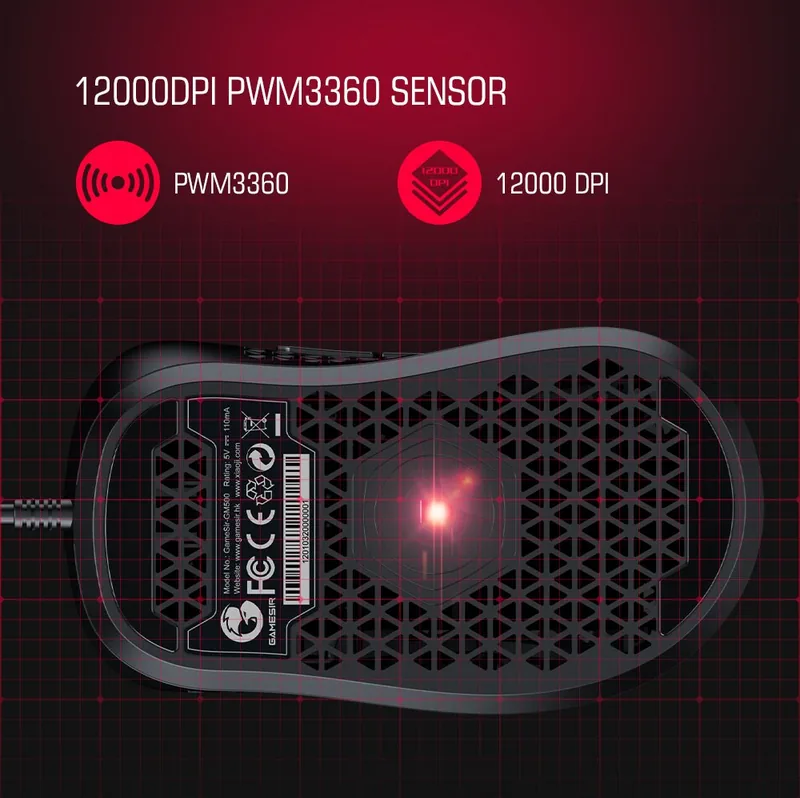
12000 dpi, adjustable to 6400/3200/1600/800/400 dpi
Sensor
PixArt PMW 3360
Buttons
mechanical buttons, Kailh, 20 million clicks
Polling Rate
1000 Hz, adjustable to 500/250/125 Hz (wired USB)
Lighting
RGB
Connection
wired (63 in), USB-A 2.0
Power Supply
USB
Dimensions (WxHxD)
2.76x1.77x4.72 in
Approximate Volume
6.04 cu in (approximate shape)
Weight
2.61 oz (without cable)
Color
solid black with logo
Features
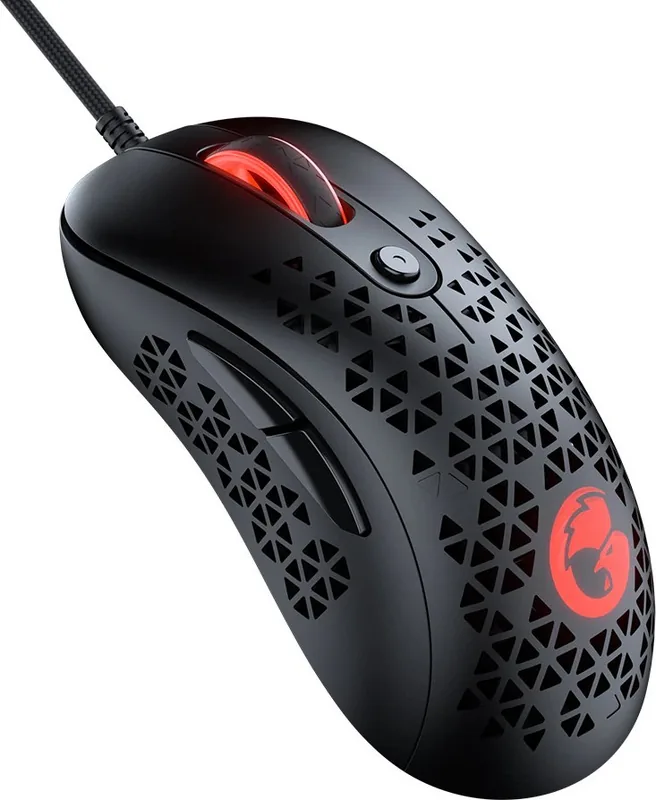
thumb rest, perforated surface (pyramid structure), textile cable
Product Description
Elevate Your Gaming with the GameSir GM500
The GameSir GM500 Ultralight Ergonomic Gaming Mouse is designed for players who demand precision, speed, and comfort. This sleek black USB device redefines performance by offering a highly customizable experience that adapts to your unique playstyle. Whether you are engaging in fast-paced shooters or strategic MOBA games, the GM500 ensures you maintain an edge over your opponents.
At the heart of this mouse is its impressive DPI adjustment system. With seven distinct levels ranging from 400 to 12000 DPI, users can fine-tune cursor sensitivity instantly. The default setting sits at 1600 DPI, but switching modes triggers a vibrant LED indicator light that changes color to match your selected level. From green for low sensitivity to white for maximum speed, visual feedback helps you confirm your settings without looking away from the screen.
Performance extends beyond sensitivity with adjustable polling rates. You can switch between 125Hz and 1000Hz using a simple button combination on the scroll wheel and DPI key. Higher polling rates reduce response time, ensuring your movements translate to on-screen actions with minimal delay. The mouse also features extensive lighting customization. Users can cycle through three dynamic lighting effects including seven-color rainbow, monochrome constant, and monochrome breathing modes. Additionally, brightness levels can be adjusted to suit any environment, preventing glare during intense night sessions.
Ergonomics play a crucial role in long gaming sessions. The GM500 boasts an ultralight design that reduces hand fatigue while maintaining a secure grip. Its durable construction withstands rigorous use, provided it is kept away from moisture, extreme heat, and direct sunlight. Always clean the device with a soft dry cloth and avoid chemical solvents to preserve its finish and functionality.
Key Highlights
- Seamless integration with any PC featuring a standard USB port.
- Intuitive controls for DPI, polling rate, and lighting adjustments.
- High-performance sensors for accurate tracking.
- Safe usage guidelines ensure longevity and user safety.
Important Notes
Always keep small parts out of reach of children under three years old. Do not disassemble the unit or expose it to fire. Avoid looking directly at the optical light source to protect your eyes. If interference occurs with radio equipment, reorient the receiving antenna or increase separation distance.
Search for 67,706 Manuals online


Type-in Brand or Model