
GameSir GM300 Manual
PDF manual · 10 Pages
English



Quick check
Incorrect answer, please try again.
Chat with your GameSir GM300 manual using AI
Get instant AI answers from your GameSir GM300 manual
Ask anything about the GameSir GM300. Answers come from this manual, with the pages they are based on.
Ask a Question
Do you recommend GM300?
Yes NoFrequently Asked Questions
Toggle the power switch on the mouse, plug the Agility X 2.4GHz wireless dongle into your PC USB port, and wait a moment for the mouse to pair. The mouse should be ready to use without manual driver installation on most systems.
Is this answer helpful?
Yes. Connecting the Type-C cable switches the mouse to wired mode, charges the battery automatically, and disables the 2.4GHz wireless connection so you can continue gaming while charging.
Is this answer helpful?
G-Core lets you adjust DPI stages, remap buttons, create macros, tweak polling rates, and customize RGB lighting effects (spectrum cycling, steady, breathing). It also ties LED colors to DPI levels for visual feedback.
Is this answer helpful?
At 15% battery the LED logo flashes red three times every 15 seconds as a warning. At 5% the mouse will auto-shutdown to preserve battery. Connect the Type-C cable to charge (recommended 5V/1A; ~1.5–2 hours).
Is this answer helpful?
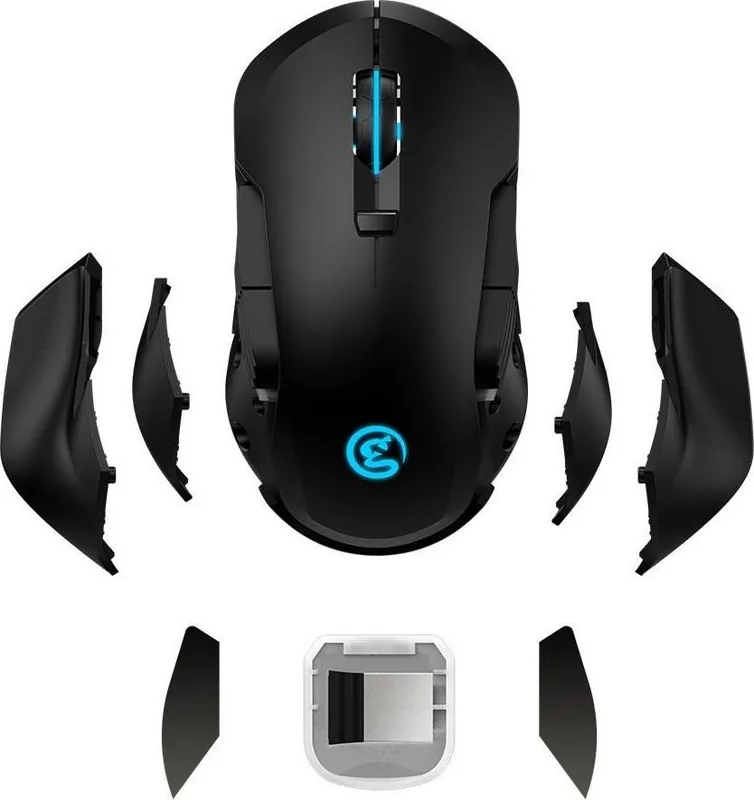
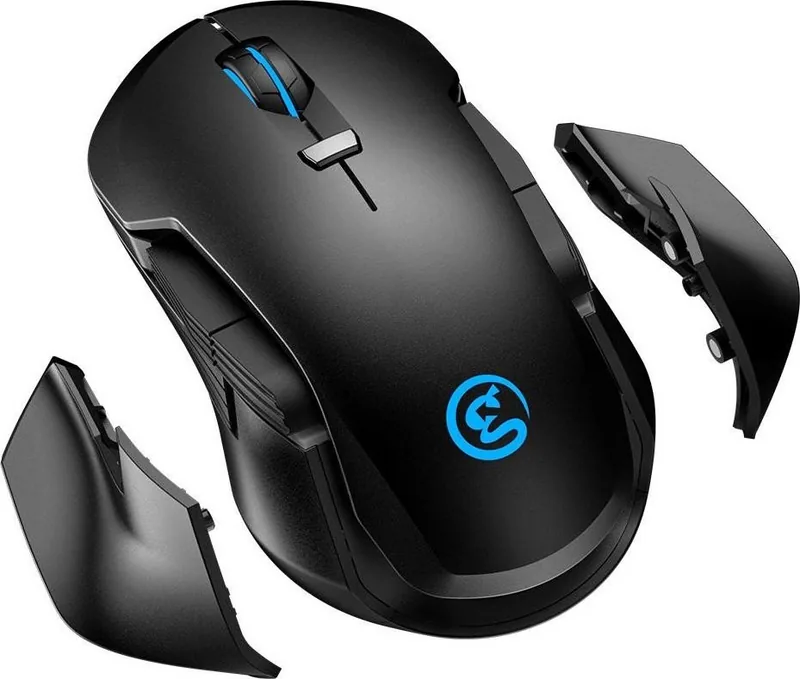
Yes. The GM300 includes magnetic counterweights (6.5 g each) and two sets of side plates (standard and enhanced) so you can adjust weight distribution and side feel to match your grip and preference.
Is this answer helpful?
G-Core supports Windows 7 (or later) and macOS. Expect around 100MB of free storage for installation. Basic mouse functionality works without the software.
Is this answer helpful?
Register your GameSir ID on the official site to access warranty tracking and benefits. The product offers online technical support and a limited warranty (manufacturer coverage varies by region; check GameSir support for details).
Is this answer helpful?
Advantages and Disadvantages
Advantages

- High-precision PMW3389 sensor up to 16,000 DPI for accurate tracking and fast response.
- Versatile connectivity: Agility X 2.4GHz wireless dongle and Type-C wired mode that charges while connected.
- Extensive customization via GameSir GM300 G-Core: DPI stages, macros, button remaps, polling rate and RGB control.
- Physical customization: magnetic counterweights and interchangeable side plates for tailored ergonomics and balance.
- Quick charge and battery safeguards: 1.5–2 hours charge, LED low-battery alerts and auto-shutdown to preserve battery.
Disadvantages

- Requires GameSir G-Core on PC (Windows or macOS) for full feature access; basic functions remain without software.
- Battery life specifics not listed; reliance on occasional charging for wireless use.
- Extra buttons and customization may overwhelm casual users who prefer simple plug-and-play devices.
- Small magnetic parts and accessories risk loss and are unsuitable for young children.
- Some advanced settings and updates depend on driver installation and account registration on GameSir site.
Product Specification
Suitability
ambidextrous (left hand, right hand)
Buttons
8 (total), 2 (main), 1 (top), 2 (left), 2 (right), 1 (scroll wheel click)
Scroll wheel
1x 2-way
Tracking
LED-red/IR
Resolution
16,000 dpi, reducible to 3,200/1,600/800/400 dpi
Sensor
PixArt PMW 3389
Switches
mechanical switches, Omron
Polling Rate
1,000 Hz, adjustable to 500/250/125 Hz
Lighting
RGB
Connection
wired (70.87 in), USB-C or wireless (2.40 GHz)
Power supply
Rechargeable battery (built-in)
Color
black
Special features
Thumb rest, adjustable geometry, weight magazine (2x 0.23 oz), textile cable, stowable receiver
Product Description
GameSir GM300 Wireless Gaming Mouse — Black, USB Manual
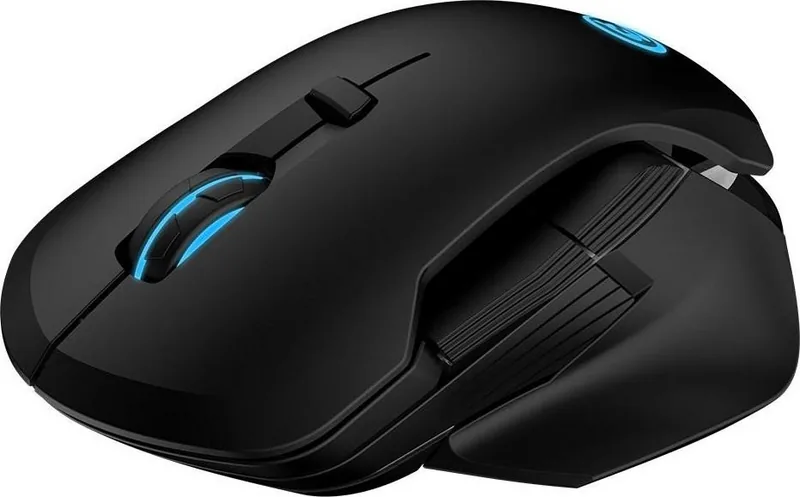
The GameSir GM300 Wireless Gaming Mouse in black combines competitive hardware with thoughtful customization for gamers seeking a reliable, flexible mouse. Powered by the PMW3389 optical sensor with up to 16,000 DPI, the GM300 delivers precise tracking and fast response whether you use the included Agility X 2.4GHz wireless dongle or a wired Type-C USB connection. Its low-friction Teflon skates and magnetic counterweights allow fine-tuning of glide and balance to suit different playstyles.
Ergonomically shaped for extended sessions, the GM300 features multiple programmable buttons (including six side and extra buttons) and a dedicated DPI switch. The mouse supports both plug-and-play wired operation and a seamless 2.4GHz wireless mode; connecting via Type-C charges the internal battery while disabling the wireless link. Charge time is short (about 1.5–2 hours) and the mouse includes battery-level indicators—LED warning at 15% and automatic shutdown at 5% to preserve battery life.
Customization is a major focus: GameSir’s G-Core software (GM300 G-Core) enables DPI stage adjustment, macro recording, button remapping, polling rate tweaks, and layered lighting control. The RGB LED logo offers spectrum cycling, steady color, and breathing effects across 16.8 million colors, with color feedback tied to DPI stages for quick visual cues.
The GM300 ships with interchangeable side plates (standard and enhanced), magnetic counterweights (6.5 g each for left and right), a Type-C USB cable, and a storage compartment for the 2.4GHz dongle. System requirements are minimal—Windows 7 or later or macOS with ~100MB free storage for the G-Core driver. Registration on GameSir’s site unlocks warranty tracking and access to support.
With a recommended charging voltage of 5V/1A and clear safety and care instructions, the GM300 balances performance and practicality. It’s suitable for esports players and casual gamers who want a tunable, responsive mouse with strong wireless performance and rich software features.
Notes
- Charge fully before first use. 1.5–2 hours typical charge time. 5V/1A recommended.
- LED flashes at 15% battery; auto-shutdown at 5% to protect battery.
- Use G-Core to customize DPI, macros, lighting, and button mapping.
- Keep small parts away from children; avoid liquid, extreme heat, or disassembly.
Search for 67,706 Manuals online


Type-in Brand or Model