
Gamdias Hermes P3 RGB Manual
PDF manual · 41 Pages
English



Quick check
Incorrect answer, please try again.
Chat with your Gamdias Hermes P3 RGB manual using AI
Get instant AI answers from your Gamdias Hermes P3 RGB manual
Ask anything about the Gamdias Hermes P3 RGB. Answers come from this manual, with the pages they are based on.
Ask a Question
Do you recommend Hermes P3 RGB?
Yes NoFrequently Asked Questions
It combines mechanical switches, macro support, gaming profiles, and shortcuts with game-focused features like Windows key lock and WASD/arrow swap. These tools help reduce distractions and speed up common actions during play.
Is this answer helpful?
Yes. It includes RGB-style lighting with several effects such as wave, rotation, slide-in, and static or off modes. Brightness can also be adjusted across multiple levels for different environments.
Is this answer helpful?
Yes, basic on-the-fly macro recording is supported directly from the keyboard using Fn + F9. For deeper customization and extra lighting options, the HERA software is needed.
Is this answer helpful?
Yes. Its compact layout is designed to reduce space usage while keeping important gaming controls close at hand. That makes it a strong option for tighter setups or portable use.
Is this answer helpful?
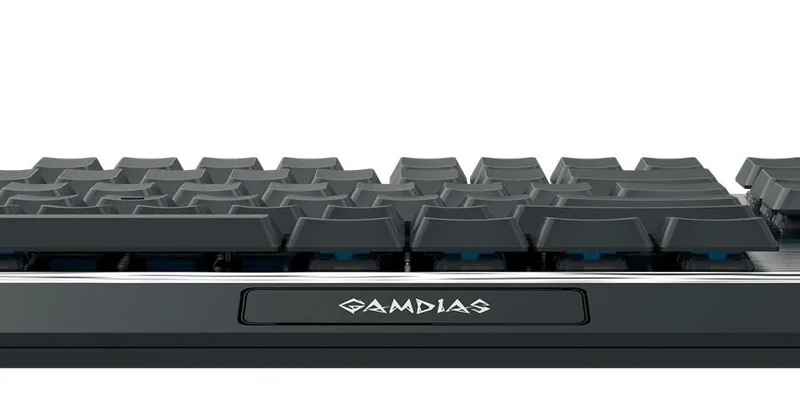
Low profile blue switches provide a mechanical feel in a slimmer design. They are well suited to users who want responsive keypresses with a more compact and streamlined keyboard shape.
Is this answer helpful?
Yes. The keyboard is designed for Windows XP, Vista, 7, 8, and 10, and it connects through USB. Software features may require an internet connection for installation.
Is this answer helpful?
Advantages and Disadvantages
Advantages

- Compact mechanical design saves desk space without sacrificing core gaming features.
- Six profiles and two macro keys make it easy to switch between different setups quickly.
- RGB lighting offers multiple effects and brightness levels for a personalized look.
- Game mode, key lock, and WASD swap improve control during fast-paced play.
Disadvantages

- Some lighting options require HERA software and internet access for full customization.
- Only two dedicated macro keys may feel limited for users who rely heavily on macros.
- Brightness adjustment is limited to four levels, which reduces fine-tuning.
- Advanced features depend on software setup, which may take extra time for new users.
Product Specification
Layout
UK
Type
mechanical
Switch designation
Gamdias LOW PROFILE BLUE
Lighting
RGB, individual per key
Keycap design
elevated, frameless
Keycap profile
flat
Keycap surface
concave
Numeric keypad
Standard
Cursor block
Standard
Control keys
Standard
Enter key
shortened
Delete key
Standard
Status indicator
Capslock, Num, Scroll
Palm rest
N/A
Case
Metal
Connection
wired (4.92 ft), USB-A 2.0
Power supply
USB
Dimensions (WxHxD)
18.58x0.83x6.57in
Weight
3.44lb
Special features
Anti-Ghosting (N-Key-Rollover), splash-proof, FN key, replaceable cursor keys, replaceable WASD keys
Switch manufacturer
Gamdias
Switch module
Gamdias LOW PROFILE
Switch model
BLUE
Switch characteristic
low profile, tactile
Contact feedback
Click
Dampening
none
Product Description
GAMDIAS Hermes P3 RGB: Compact Control for Faster, Cleaner Gaming
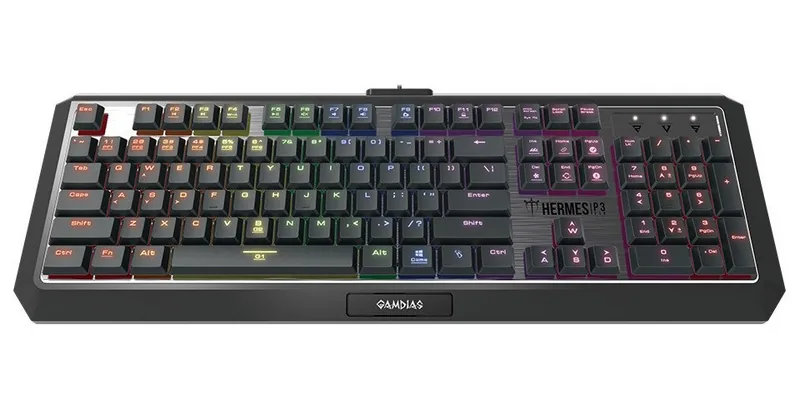
The Gamdias Hermes P3 RGB, RGB LEDs, Low Profile Blue, USB, UK Manual-ready keyboard is built for players who want a smaller footprint without giving up essential gaming features. It blends a mechanical feel with a compact layout, making it a smart match for tight desk spaces, travel setups, or anyone who prefers a more mobile gaming station.
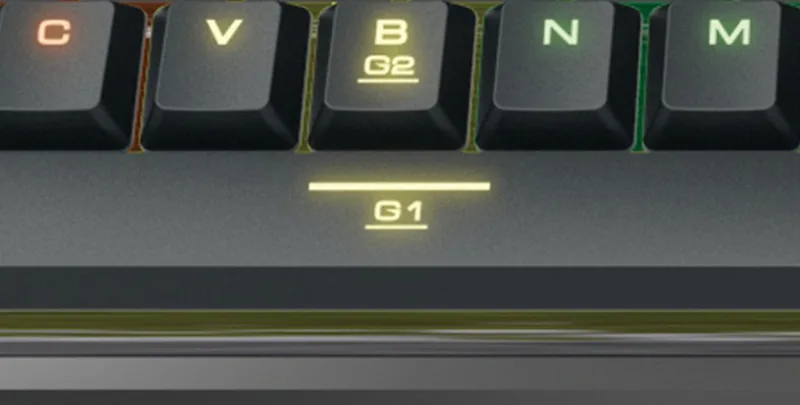
What stands out first is its balance between simplicity and customization. The keyboard includes six switchable gaming profiles, two programmable macro keys, and six multimedia shortcuts, so everyday control and in-game actions stay within easy reach. That means less time reaching for extra software menus and more time staying focused on the match. The UK layout also makes it a practical choice for users who want a familiar typing experience.
Lighting is another major highlight. The RGB backlighting supports multiple effects such as wave, rotation, slide-in, and static modes, while brightness can be adjusted across four levels. This gives the board a flexible look that can feel subtle during work or vivid during late-night gaming sessions. The low profile blue switches add a crisp mechanical response, helping each keypress feel fast and deliberate.
The Hermes P3 is also designed for gaming convenience. Game mode disables the Windows key to help prevent accidental interruptions, while the WASD/arrow swap feature adds flexibility for different play styles. On top of that, on-the-fly macro recording lets users create commands directly from the keyboard, which is especially useful for repetitive actions in strategy, MMO, or productivity workflows.
Setup is straightforward through USB, and the HERA software opens up deeper customization for lighting and profiles. Once configured, the keyboard can save lighting choices and macro behavior to the active profile, making it easy to move between preferred setups.
Notes
- Ideal for compact gaming desks and portable use.
- Best for users who value macros, shortcuts, and lighting control.
- Advanced lighting features work best with HERA software support.
Search for 67,732 Manuals online


Type-in Brand or Model