
Gamdias Hermes P2 RGB Manual
PDF manual · 41 Pages
English



Quick check
Incorrect answer, please try again.
Chat with your Gamdias Hermes P2 RGB manual using AI
Get instant AI answers from your Gamdias Hermes P2 RGB manual
Ask anything about the Gamdias Hermes P2 RGB. Answers come from this manual, with the pages they are based on.
Ask a Question
Do you recommend Hermes P2 RGB?
Yes NoFrequently Asked Questions
It is a compact mechanical gaming keyboard built for fast input, customizable profiles, macro use, and RGB lighting effects. The Optical Blue version is aimed at users who want a responsive and tactile-feeling switch style.
Is this answer helpful?
Yes. It includes two programmable macro keys and on-the-fly macro recording. This lets you record actions directly on the keyboard and reuse them during games without interrupting your session.
Is this answer helpful?
The keyboard offers four main lighting modes: wave, rotation, slide-in, and static/off. Brightness and speed can also be adjusted, and more options may be available through HERA software.
Is this answer helpful?
Yes. It uses a USB connection and is intended to be simple to set up on a compatible Windows PC. Basic installation is straightforward, while software adds extra customization.
Is this answer helpful?
Game mode locks the Windows key so you do not accidentally exit a match. It helps keep focus during gameplay and reduces interruptions from unintended key presses.
Is this answer helpful?
It is a strong fit for gamers who want a compact mechanical board with macros, lighting control, and quick access keys. It also suits users who prefer portable setups and a cleaner desktop layout.
Is this answer helpful?
Advantages and Disadvantages
Advantages

- Compact design saves desk space while keeping gaming features within easy reach.
- Two programmable macro keys and on-the-fly recording improve in-game efficiency.
- Six profiles and lighting presets make it easy to switch setups quickly.
- RGB effects and brightness controls add customization without complex steps.
- Game mode, key lock, and WASD swap support competitive play.
Disadvantages

- Advanced lighting options depend on HERA software support.
- Only two dedicated macro keys may feel limited for heavy macro users.
- Compact layout may take time to adapt to if you prefer larger keyboards.
- Best features require Windows and software setup, not pure hardware use.
Product Specification
Layout
UK
Type
mechanical-optical
Switch Designation
Gamdias Optical BLUE
Lighting
RGB, individual key illumination
Keycap Level
elevated, frameless
Keycap Format
regular
Keycap Top
concave
Numeric Keypad
Standard
Cursor Block
Standard
Control Keys
Standard
Enter Key
shortened
Delete Key
Standard
Status Indicator
Caps Lock, Num Lock, Scroll Lock
Palm Rest
fixed
Case
Metal
Case Color
multicolored, silver/black
Keycap Design
monochrome, black
Key Legend
monochrome, white (translucent)
Connection
wired (5 ft 11 in), USB-A 2.0
Power Supply
USB
Dimensions (WxHxD)
18.03x1.73x8.66 in
Weight
2.42 lbs
Special Features
1x Volume rotary control (scroll wheel, top right), Anti-Ghosting (N-Key Rollover), splash-proof, FN key, exchangeable cursor keys, exchangeable WASD keys
Switch Manufacturer
Gamdias
Switch Module
Gamdias Optical
Switch Model
Optical BLUE
Product Description
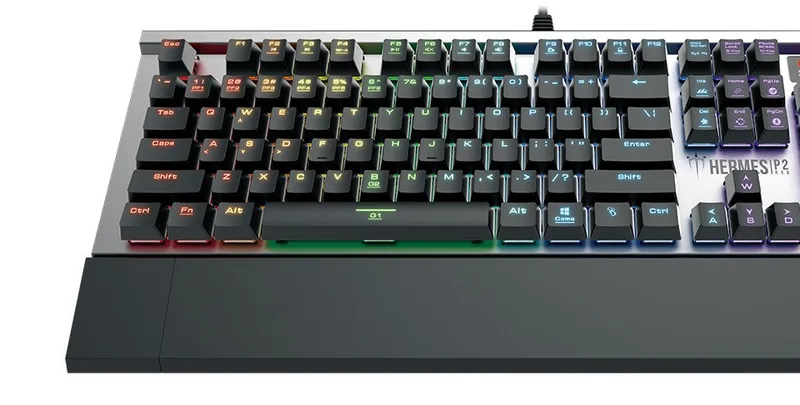
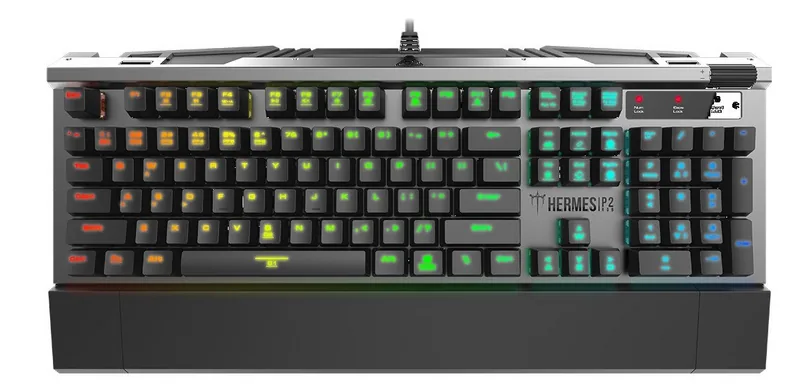
Gamdias Hermes P2 RGB: Compact Gaming Power with Blue Optical Flair
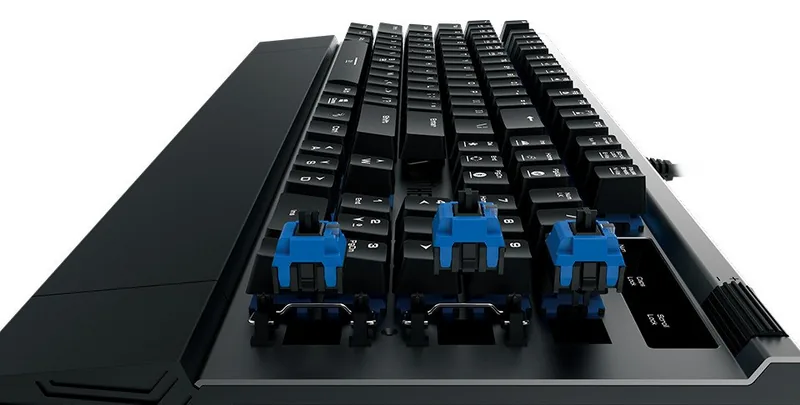
The Gamdias Hermes P2 RGB blends a compact mechanical layout with gaming-focused controls, making it a smart choice for players who want speed, mobility, and customization in one board. With RGB LEDs, a USB connection, and a UK Manual included in the product bundle, it is designed to be straightforward to set up while still offering plenty of room for personal tuning. The Optical Blue switch version adds a crisp, responsive feel that suits fast typing and competitive play.
What stands out most is how the Hermes P2 balances size and functionality. Instead of overwhelming the desk, it keeps a streamlined footprint while still offering six customizable gaming profiles, multimedia shortcut keys, and dedicated lighting controls. This makes it useful not only for gaming sessions, but also for everyday use when quick access to volume, playback, and lighting modes matters.
For players who like to optimize every action, the keyboard includes two programmable macro keys and on-the-fly macro recording. That means you can capture complex in-game sequences without leaving the match to open software. The keyboard also supports game mode and full key lock functions, helping prevent accidental Windows key presses or unwanted input during intense moments.
The RGB lighting system adds another layer of personality. Users can switch between wave, rotation, slide-in, and static/off lighting effects, while brightness and speed can be adjusted directly from the keyboard. When paired with GAMDIAS HERA software, the lighting options become even more flexible, and profile storage lets your settings travel with you across different systems.
This keyboard is especially appealing to gamers who want a practical mix of portability, customization, and visual style. It does not try to be oversized or overly flashy; instead, it focuses on the essentials that matter during play. If you want a compact mechanical board with strong macro support and eye-catching illumination, the Hermes P2 RGB is easy to appreciate.
Notes
- USB setup keeps installation simple.
- HERA software unlocks deeper customization.
- Best suited for users who value compact gaming layouts.
Search for 67,732 Manuals online


Type-in Brand or Model