
Gamdias Hermes E2 Manual
PDF manual · 23 Pages
English



Quick check
Incorrect answer, please try again.
Chat with your Gamdias Hermes E2 manual using AI
Get instant AI answers from your Gamdias Hermes E2 manual
Ask anything about the Gamdias Hermes E2. Answers come from this manual, with the pages they are based on.
Ask a Question
Do you recommend Hermes E2?
Yes NoFrequently Asked Questions
It is designed as a compact mechanical gaming keyboard with essential features for fast control, portability, and everyday comfort. It focuses on practical functions rather than advanced extras.
Is this answer helpful?
Yes. The Hermes E2 uses a USB connection, making setup simple and reliable. Just plug it into a compatible PC and it is ready for use.
Is this answer helpful?
The manual lists Windows XP, Vista, 7, 8, and 10. That gives it broad compatibility across older and newer systems.
Is this answer helpful?
Yes. Game mode locks the Windows key, so accidental presses will not interrupt gameplay. Press the same shortcut again to unlock it.
Is this answer helpful?
The keyboard supports multiple brightness levels. You can increase or decrease the lighting with Fn key combinations to match your preference and environment.
Is this answer helpful?
It lets you switch between WASD movement and arrow key input. This is useful for users who prefer different control layouts in different games or tasks.
Is this answer helpful?
Advantages and Disadvantages
Advantages

- Compact and lightweight design makes it easy to carry and use in tight desk setups.
- Six multimedia shortcut keys speed up volume and playback control.
- Game mode and keyboard lock help prevent accidental key presses during play.
- WASD and arrow swap adds flexibility for different game styles and habits.
Disadvantages

- Backlight options are limited compared with more advanced customizable keyboards.
- The feature set is basic, so power users may want more macros or software control.
- System support in the manual is centered on older Windows versions.
Product Specification
Layout
DE
Type
mechanical
Lighting
red, green, blue, orange, violet, pink
Keycap level
elevated, frameless
Keycap format
regular
Keycap dome
concave
Numeric keypad
N/A
Cursor block
Standard
Control keys
Standard
Enter key
shortened
Delete key
Standard
Status indicator
Caps Lock, Scroll Lock
Palm rest
N/A
Housing
Metal
Connection
wired (59.06in), USB-A 2.0
Power supply
USB
Dimensions (WxHxD)
14.57x1.18x5.51in
Weight
1.49lb
Special features
Anti-Ghosting (N-Key-Rollover), FN key, Swappable cursor keys, Swappable WASD keys
Product Description
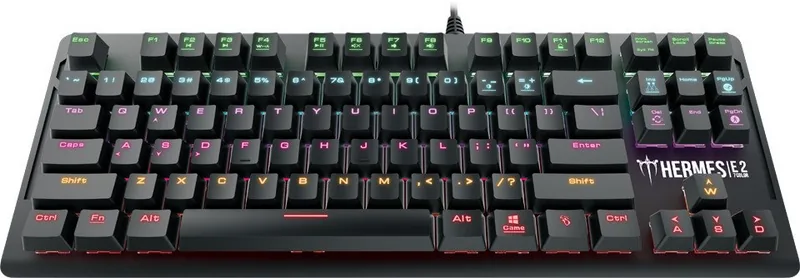
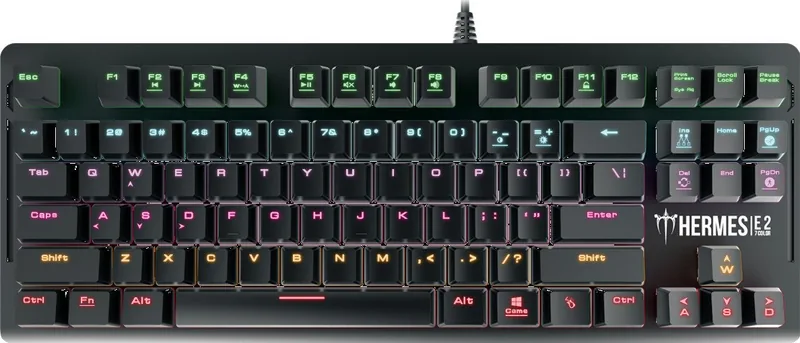
Gamdias Hermes E2 7 Color, USB, DE Manual: Compact Gaming Power
The Gamdias Hermes E2 is a mechanical keyboard built for players who want a simple, responsive, and portable setup without unnecessary extras. Its compact shape and lightweight design make it easy to move between home, office, and tournament-style gaming spaces, while still keeping the feel of a serious gaming peripheral. The 7 Color edition adds a vivid visual style that fits cleanly into a modern desktop environment.
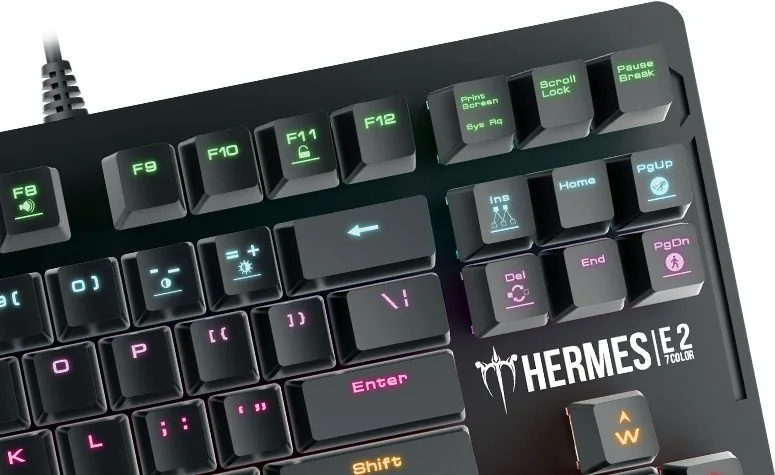
At its core, this keyboard focuses on practical control. You get six multimedia shortcut keys for track control, playback, mute, and volume changes, so common actions stay within easy reach. The backlight can be adjusted through multiple brightness levels, letting users tune the look to their preference and the lighting of the room. It is a small detail, but it makes the keyboard more comfortable to use during long sessions.
For gaming, the Hermes E2 includes features that matter most. Game mode can lock the Windows key to prevent accidental interruptions, while keyboard lock adds another layer of control when precision is important. The WASD and arrow key swap function is especially useful for users who switch between movement styles or play different genres. These functions keep the experience flexible without making the keyboard complicated.
The USB connection makes setup straightforward, and compatibility with Windows XP through Windows 10 gives it wide support for older and newer systems alike. That makes the keyboard appealing for users who want dependable plug-and-play operation rather than software-heavy customization. In practice, it feels like a focused tool: easy to learn, easy to use, and built around the basics that many gamers still value.
Overall, the Gamdias Hermes E2 7 Color, USB, DE Manual version is a solid choice for anyone looking for a compact mechanical keyboard with gaming-friendly shortcuts and a clean, straightforward layout. It does not try to overwhelm the user. Instead, it delivers a balanced mix of convenience, portability, and control that works well for everyday typing and casual competitive play.
Notes
- Best suited for users who prefer a compact keyboard footprint.
- Helpful for gaming sessions thanks to lock and swap functions.
- A practical pick for simple, reliable USB use.
Search for 67,732 Manuals online


Type-in Brand or Model