
Gamdias Aura GC2 Manual
PDF manual · 13 Pages
English



Quick check
Incorrect answer, please try again.
Chat with your Gamdias Aura GC2 manual using AI
Get instant AI answers from your Gamdias Aura GC2 manual
Ask anything about the Gamdias Aura GC2. Answers come from this manual, with the pages they are based on.
Ask a Question
Do you recommend Aura GC2?
Yes NoFrequently Asked Questions
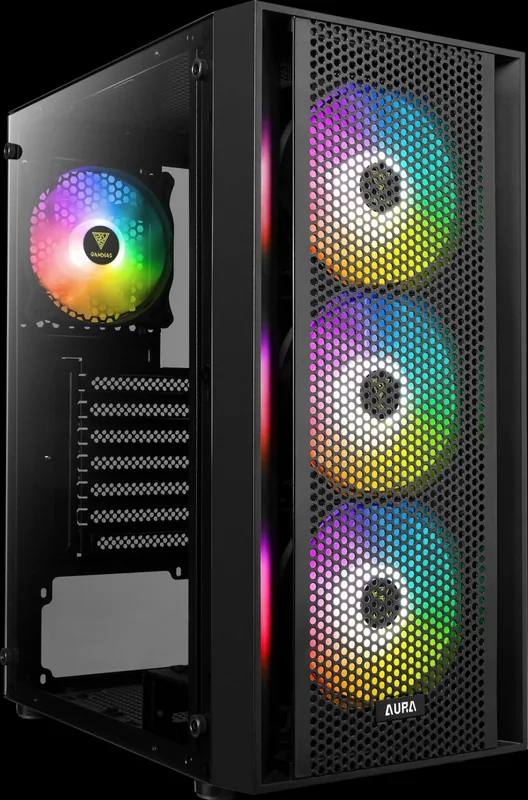
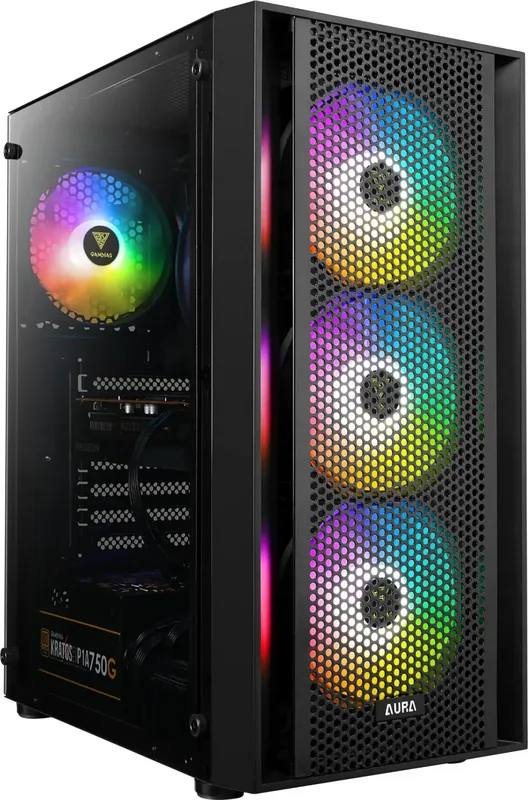
Yes, the case comes fully installed with front and rear fans. The front panel has three ARGB fans and the rear has one. There is also a control board for managing colors.
Is this answer helpful?
This enclosure supports ATX, Micro-ATX, and Mini-ITX motherboards. It features standard mounting points for each form factor, making it versatile for different builds.
Is this answer helpful?
Yes, the case supports 240mm radiators on the front and top panels. You can also install a 120mm radiator at the rear. Air cooling is also supported within specific clearances.
Is this answer helpful?
Side panel removal is straightforward. Use the provided hardware tools to unscrew the fasteners. The design ensures easy access to internal components for installation or upgrades.
Is this answer helpful?
Yes, the case features ARGB lighting. There is a button on the top panel for manual LED control. You can also sync with the motherboard using the 5V 3-Pin Addressable Header.
Is this answer helpful?
The case accommodates graphics cards up to 260 mm in length. Users should measure their specific card before assembly to ensure it fits within the chassis volume.
Is this answer helpful?
Yes, the top panel includes dust filters. This helps trap particles and keep the internal environment cleaner for longer periods of operation between cleanings.
Is this answer helpful?
Advantages and Disadvantages
Advantages

- Includes pre-installed ARGB fans for immediate lighting effects
- Tempered glass side panel showcases internal hardware clearly
- Supports multiple radiator sizes for advanced cooling
- I/O panel features USB 3.0 for fast transfer speeds
- Comes with necessary screws and cable ties for assembly
Disadvantages

- PSU length limitation restricts larger power supply options
- I/O connector pin-outs vary by motherboard
- No fan hub included for central lighting control
- Side panel removal requires tools for full access
- Limited clearance for very large GPU or cooler combinations
Product Specification
External
N/A
Internal
1x 3.5" (horizontal, Drive Bays), 1x 2.5"/3.5" (horizontal, Hard Drive Cage), 2x 2.5"
Connectors
1x USB-A 3.0 (5Gb/s), 2x USB-A 2.0 (480Mb/s), 1x 3.5mm Jack (Line-Out), 1x 3.5mm Jack (Line-In)
PCI Slots
7
Fan (Front)
3x 4.72 in (RGB Illuminated) or 2x 5.51 in (Optional)
Fan (Back)
1x 4.72 in (RGB Illuminated)
Fan (Left)
N/A
Fan (Right)
N/A
Fan (Top)
2x 4.72 in (Optional)
Fan (Bottom)
N/A
Fan (Other)
N/A
Radiator Sizes
4.72/9.45 in Front, N/A Top, 4.72 in Back
Motherboard
up to ATX
Supported Motherboards
Mini-ITX (6.7x6.7) / mATX (9.6x9.6) / ATX (12x9.6)
Power Supply
ATX (max 5.91 in deep)
PSU Position
bottom
CPU Cooler
max 6.30 in height
Graphics Cards
max 10.24 in
Color
Black, Black Interior
Lighting
RGB Header 3-Pin ARGB (+5V/DATA/GND), Integrated LED Control, Illuminated Fans
Dimensions (WxHxD)
7.87x17.40x13.86 in
Volume
31.12 L
Weight
10.80 lbs
Chassis Type
Mid Tower
Front
Mesh
Top
Partially closed, mostly fan grille, Dust filter outside
Bottom
Partially closed, Fan grille back
Left
Closed, Glass
Right
Closed
Back
Partially closed, Fan grille top right, PCI Slots (7x horizontal)
Front I/O Position
Case Side: Top, Height: Front, Position: Center
Motherboard Orientation
Motherboard Orientation: Left
Features
Cable Management, Dust Filter, Glass Window
USB Orientation
Left
Product Description
Gamdias Aura GC2 Review
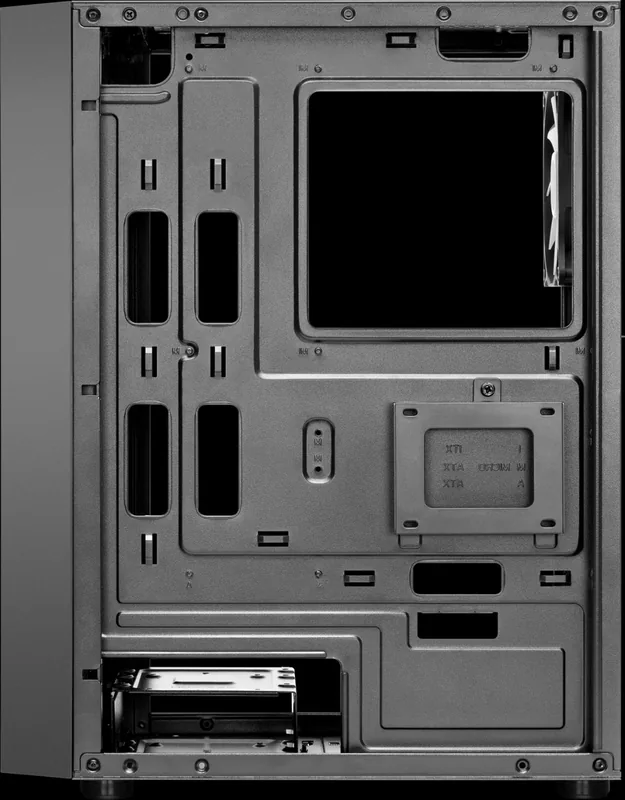
The Gamdias Aura GC2 stands out as a premium mid-tower PC case designed for enthusiasts who demand both style and performance. Featuring a sleek black chassis with a prominent tempered glass side window, this case offers a modern aesthetic that highlights internal hardware. The glass panel allows users to showcase their carefully built systems. Lighting plays a significant role in the Aura GC2 experience. It comes pre-installed with multiple ARGB fans at the front and rear. These fans connect via a 5V 3-Pin Addressable Header, allowing for synchronization with compatible motherboards for a cohesive look. Users can manage the lighting effects directly through the case buttons if they prefer individual control over automated syncing routines.
Cooling solutions are robust within this enclosure. The design supports radiator mounts on the top and front panels, accommodating 240 mm radiators effectively. This flexibility makes it ideal for users opting for liquid cooling to maintain optimal temperatures during intense gaming sessions. Air cooling is also viable, with clearances for towers up to 160 mm in height. The chassis accommodates various motherboard sizes, providing versatility for different build sizes up to standard ATX formats. Storage options are generous, featuring drive bays for both 3.5-inch HDDs and 2.5-inch SSDs. Management is simplified with tie points and ample space to route cables neatly, keeping airflow unobstructed inside the chassis to maximize thermal efficiency.
Connectivity is handled through a well-positioned I/O panel on the top. It includes USB 3.0 ports for fast data transfer, USB 2.0 ports for peripheral devices, and HD audio jacks for high-fidelity sound. An LED control button is also present, offering manual control over the lighting effects if direct adjustment is preferred. Assembly is straightforward, as installation guides are available for components like the motherboard and PSU. The inclusion of rubber feet helps stabilize the case on desks, while dust filters on the top panel help maintain cleanliness within the environment. Specific screw types are included for mounting drives and panels, ensuring a secure fit.
Constructed from steel and plastic, the Aura GC2 ensures longevity without sacrificing weight efficiency. The tempered glass adds structural integrity while maintaining transparency. The case accommodates VGA lengths up to 260 mm, which is crucial for larger graphics cards. Accessory kits include various screws and cable ties, streamlining the initial setup process for builders of all skill levels. Removing the side panel is simple using the provided hardware, ensuring easy access to internal components for future upgrades. I/O connector pin-outs vary, so consulting the motherboard manual is recommended for exact header locations.
Overall, the Gamdias Aura GC2 balances functionality with visual appeal. It is a solid choice for building a gaming PC that looks impressive. The combination of tempered glass, ARGB lighting support, and flexible cooling options makes it a favorite among gamers who want their hardware to shine. Whether upgrading an existing rig or starting fresh, this case provides a reliable foundation for a powerful machine. Its attention to detail in cable management and fan support demonstrates a focus on user experience and system longevity in high-performance environments.
Search for 67,732 Manuals online


Type-in Brand or Model
Lars Schmidt
7 months ago
Does this case have a cover for the power supply to help with cable management?
Manual.ly
7 months ago
The power supply area does not include a cover. To achieve a clean look, we recommend routing cables neatly behind the motherboard tray towards the back. Despite this, the case offers good value with four included ARGB fans, magnetic dust filters, and sufficient space for mid-range components. Many users find the build quality excellent for the price point despite this design omission.