
Futurelight CP-512 MST Manual
PDF manual · 66 Pages
English



Quick check
Incorrect answer, please try again.
Chat with your Futurelight CP-512 MST manual using AI
Get instant AI answers from your Futurelight CP-512 MST manual
Ask anything about the Futurelight CP-512 MST. Answers come from this manual, with the pages they are based on.
Ask a Question
Do you recommend CP-512 MST?
Yes NoFrequently Asked Questions
It is a DMX controller used to manage lighting effects, moving heads, scanners, dimmers, and compatible smoke machines. It supports both live operation and stored show playback, making it useful for stage and event lighting.
Is this answer helpful?
It provides 512 control channels and can manage up to 16 fixtures with as many as 32 channels each. Fixture addressing must be set carefully so the controller assigns channels correctly.
Is this answer helpful?
Yes. It can store programs, sequences, presets, records, and shapes. This allows you to build repeated lighting looks, timed chases, and movement patterns that can be recalled during operation.
Is this answer helpful?
Yes. It can react to music through the built-in microphone or through the audio input jack. This makes it suitable for beat-driven lighting changes in clubs, parties, and stage productions.
Is this answer helpful?
Yes. The controller is built for standard 19-inch rack mounting. Good ventilation is important, especially in enclosed racks, to prevent overheating during extended use.
Is this answer helpful?
Use the proper power supply, keep the unit dry, avoid heat and dust, and disconnect it before cleaning. Also, do not connect the audio input to the DMX output, as that can damage the electronics.
Is this answer helpful?
Advantages and Disadvantages
Advantages

- 512 DMX channels support multi-fixture control and larger lighting setups.
- Strong programming capacity with scenes, presets, sequences, records, and shapes.
- Manual faders and jog wheels allow fast live adjustments during performances.
- USB backup, password protection, and operating-hour tracking improve usability.
Disadvantages

- Setup can be complex for first-time users due to many menus and options.
- Fixtures must be addressed correctly in 32-channel steps to avoid conflicts.
- Advanced functions require careful configuration to work as intended.
- Designed for indoor use only, so it is not suitable for outdoor events without protection.
Product Specification
Type
Lighting console
Control channels max.
512
Controllable devices max.
16
DMX universes
1
Chaser
99
Controller
7x Fader
Presets
yes
Connections
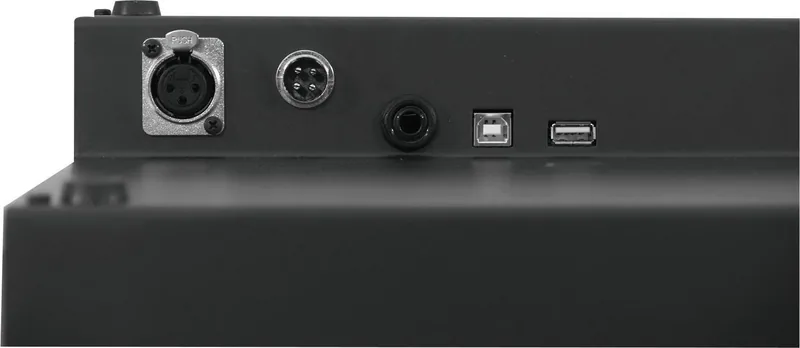
1x DMX Out (3-pin), USB
Data storage
USB
Special features
Blackout, Music control
Dimensions
19.02x3.27x10.43in (WxHxD)
Weight
8.82lb
Product Description
Futurelight CP-512 MST Controller: Flexible DMX Control for Ambitious Light Shows
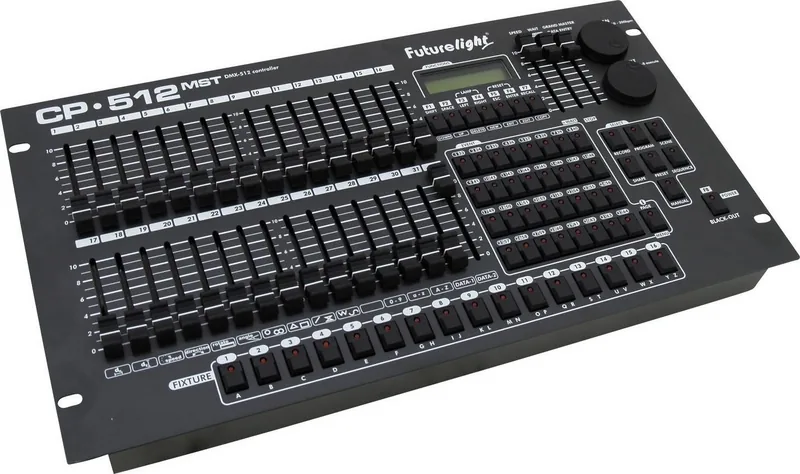
The Futurelight CP-512 MST Controller Manual reveals a surprisingly capable DMX controller built for users who want hands-on control without giving up deep programming options. Designed for indoor setups, this unit brings together live operation, scene building, sequence control, and fixture management in one compact rack-friendly format.
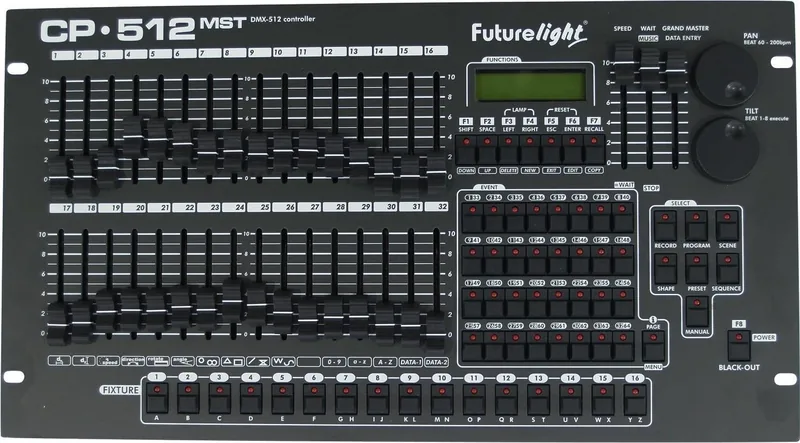
At the heart of the CP-512 MST is its 512-channel control capacity, which makes it suitable for managing multiple fixtures with up to 32 channels each. That means it can handle moving heads, scanners, dimmers, and even smoke machines with a clear workflow. The controller also supports a large internal library, letting users store fixture profiles, map channels, and define special functions like dimmer, blackout, lamp, reset, pan, tilt, and strobe behavior.
What makes this controller appealing is the mix of manual precision and automated performance. The faders, jog wheels, and data entry controls give you immediate access to channels and movement, while the menu system opens the door to program editing, preset creation, shape design, and record building. With support for up to 2048 scenes, 64 programs, 64 sequences, 64 presets, 64 records, and 64 shapes, it is clearly aimed at users who need structured shows with room for creative variation.
Sound-responsive operation is another standout feature. You can trigger music-based movement through the built-in microphone or the audio input, making the controller useful for clubs, small stages, and event spaces where rhythm-synced lighting matters. The blackout function, password protection, operating-hour meter, and USB backup options add practical value for everyday use.
Why it stands out
The CP-512 MST is especially interesting because it balances simplicity with depth. Beginners can start with straightforward fixture control, while more advanced users can build detailed show logic using groups, page switching, and programmable buttons. Its 19-inch rack format also makes it easy to integrate into fixed installations.
Notes
- Keep fixtures properly addressed in 32-channel steps.
- Use the USB backup feature before making major changes.
- Match fixture profiles carefully for the best results.
Search for 67,706 Manuals online


Type-in Brand or Model