

Fujitsu fi-6130Z Manual
PDF manual · 211 Pages
English



Quick check
Incorrect answer, please try again.
Chat with your Fujitsu fi-6130Z manual using AI
Get instant AI answers from your Fujitsu fi-6130Z manual
Ask anything about the Fujitsu fi-6130Z. Answers come from this manual, with the pages they are based on.
Ask a Question
Do you recommend fi-6130Z?
Yes NoVideo Manual
How to install, configure, and use Fujitsu Scanner
Frequently Asked Questions
The Fujitsu fi-6130Z delivers up to 30 pages per minute or 60 images per minute when scanning A4 pages at 300 dpi with JPEG compression. Its duplex capability captures both sides in a single pass.
Is this answer helpful?
The automatic document feeder can hold up to 50 sheets of 80 g/m2 paper, provided the stack is under 5 mm thick. Capacity varies with paper size and weight.
Is this answer helpful?
Yes. The scanner includes duplex scanning through its automatic document feeder, allowing front and back sides to be captured in one feed.
Is this answer helpful?
Yes. It supports compatible ISO7810 ID-1 PVC or PVCA plastic cards up to 1.4 mm thick. Up to three standard cards may be loaded, while embossed cards should be scanned one at a time.
Is this answer helpful?
An ultrasonic sensor detects overlapping pages. The scanner also provides configurable multi-feed settings and an intelligent function that can ignore expected attachments in selected areas.
Is this answer helpful?
It can scan photos, clippings, and larger materials with a compatible carrier sheet. Larger sheets can be folded along the center line for scanning. Delicate or glossy items should be tested carefully.
Is this answer helpful?
The fi-6130Z supports TWAIN and ISIS drivers. It also works with ScandAll PRO and Kofax VRS-related workflows, providing controls for resolution, color, paper size, compression, and image processing.
Is this answer helpful?
Advantages and Disadvantages
Advantages

- Scans up to 30 ppm and 60 ipm, supporting rapid duplex capture for routine workloads.
- The 50-sheet ADF supports efficient batch processing and reduces repeated loading.
- Ultrasonic multi-feed detection helps identify overlapping sheets and reduce missed content.
- Supports mixed paper sizes, long pages, photos, clippings, carrier sheets, and compatible plastic cards.
- TWAIN and ISIS driver settings offer flexible image processing and workflow control.
Disadvantages

- The fi-6130Z does not include a flatbed, limiting direct scanning of books and very fragile originals.
- Regular roller cleaning and consumable replacement are needed to maintain reliable feeding.
- Some materials, including wet ink, staples, thin paper, and photo paper, should not go through the ADF.
- Mixed-size stacks may require testing and careful alignment to avoid skewing or jams.
- The optional imprinter is an additional purchase and is not included as standard.
Product Specification
Type
Document scanner (CCD)
Resolution
600 x 600 dpi
Speed
40 pages/min (color)
Paper/film size
8.27 x 11.69 in (A4)
Paper/film feed
50-sheet DADF, duplex unit
Ports
1 x USB 2.0
Software
OCR software
Note
Fujitsu acquisition by PFU/Ricoh - models will henceforth be marketed under the Ricoh brand!
Product Description
Fujitsu fi-6130Z - Read, Download & Print Free
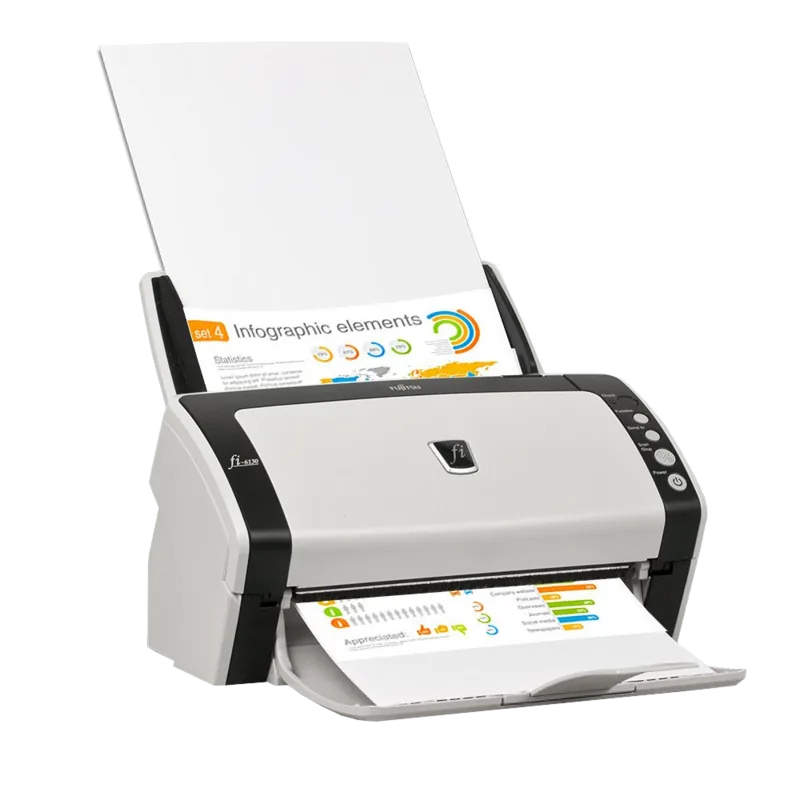
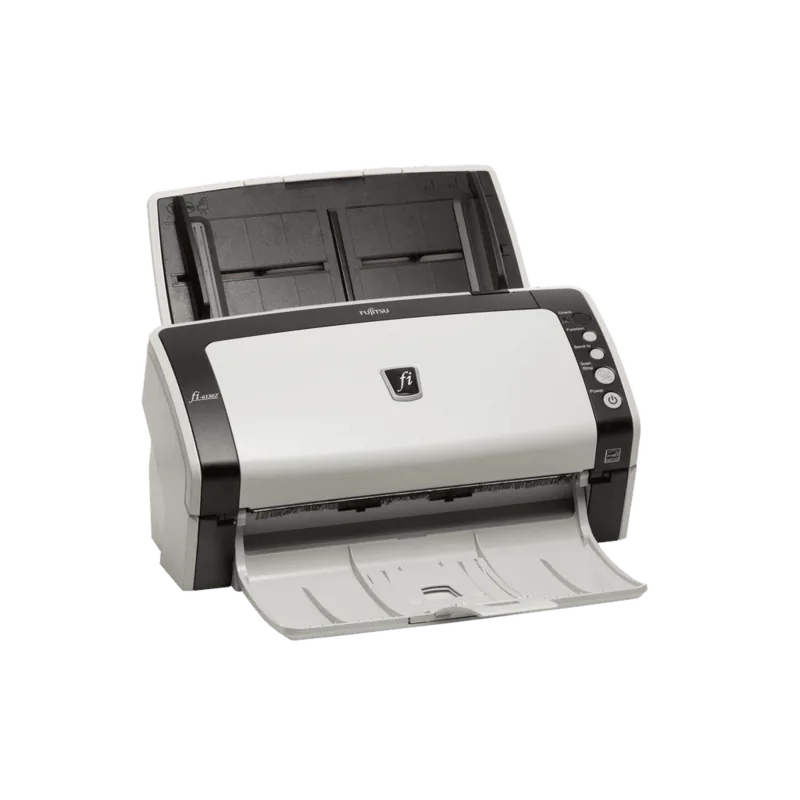
The Fujitsu fi-6130Z is a compact color image scanner built for dependable, high-volume capture in busy offices, records teams, and home workspaces that need professional results. With the Fujitsu fi-6130Z - Read, Download & Print Free keyword in mind, this model stands out as a practical choice for people seeking clear scans, flexible settings, and efficient handling of everyday paperwork.
Fast duplex scanning for productive workflows
The fi-6130Z scans up to 30 pages per minute or 60 images per minute at 300 dpi with JPEG compression. Its automatic document feeder supports stacks of up to 50 sheets, helping users work through multi-page materials without repeatedly loading individual sheets. Duplex scanning captures both sides in one pass, reducing handling time and making the workflow more efficient.
Flexible media support
This scanner is designed for more than standard office sheets. It can handle a broad range of paper weights, mixed-size stacks, long pages, photos, clippings, and compatible plastic cards. A carrier sheet expands its flexibility for delicate, irregularly sized, or larger originals that need extra protection during scanning. Adjustable paper guides and output tray extensions help keep pages aligned from input to output.
Intelligent protection and image processing
An ultrasonic sensor detects overlapping pages to help prevent missed content caused by multiple feeds. The intelligent multi-feed function can be configured to ignore expected attachments in selected areas, reducing unnecessary interruptions. Paper protection settings further help lower the risk of damaging valuable materials.
Image enhancement tools support cleaner, more usable results. Available functions include automatic color detection, blank-page removal, deskewing, orientation correction, hole-punch removal, split image output, and multi-image output. Users can also adjust brightness, resolution, paper size, compression, and color modes through TWAIN or ISIS drivers.
Straightforward operation and maintenance
The front control panel provides status information, function controls, and error indications for simple daily operation. USB connectivity supports convenient workstation setup, while power management can reduce energy use during idle periods. The scanner also supports centralized administration tools for monitoring devices, updating settings, and tracking consumable wear across larger deployments.
Notes
- Regular cleaning of rollers and internal surfaces helps maintain feed reliability.
- Brake rollers and pick rollers are replaceable consumables.
- The optional imprinter can add dates or serial numbers during scanning.
- Flatbed scanning is not included with the fi-6130Z; it is available on related fi-6230Z and fi-6240Z models.
Search for 67,706 Manuals online


Type-in Brand or Model