
FSP SFX Pro Manual
PDF manual · 47 Pages
English



Quick check
Incorrect answer, please try again.
Chat with your FSP SFX Pro manual using AI
Get instant AI answers from your FSP SFX Pro manual
Ask anything about the FSP SFX Pro. Answers come from this manual, with the pages they are based on.
Ask a Question
Do you recommend SFX Pro?
Yes NoFrequently Asked Questions
The text lists two SFX models: FSP350-50SAC (350W) and FSP450-50SAC (450W). Both share the SFX PRO SFX design approach, including active PFC, protections, and SFX12V V3.3 compliance.
Is this answer helpful?
They are described as compliant with the newest SFX12V V3.3. That alignment is intended to match modern SFX power requirements for desktop systems using current mainboard and CPU expectations.
Is this answer helpful?
The specifications state efficiency of at least 85 percent at typical load, along with 80Plus Bronze certification. This is meant to support better power performance for everyday usage.
Is this answer helpful?
The series lists full protections: OCP (over current), OVP (over voltage), SCP (short circuit), OPP (over power), and OTP (over temperature). These are designed to help reduce risk during electrical faults and abnormal load conditions.
Is this answer helpful?
Yes. The text notes a PS2 bracket for easy fitting into an ATX case. The installation steps cover placing the PSU in the correct position, tightening with supplied screws, and connecting standard ATX, EPS, PCI-E, SATA, or Molex power connectors.
Is this answer helpful?
Check that the AC input is connected securely and the outlet is active. Confirm output connectors are properly attached to all components. The text also suggests disconnecting the power cord to reset the unit, then contacting the original vendor or retailer if problems continue.
Is this answer helpful?
Warranty applies to defects in material and workmanship for the period stated on the product package, counted from purchase date. It can vary by region, and it is void for misuse or unauthorized repairs, including modifications, abuse, accidents, disassembly, label removal, improper operation, incorrect voltage connections, and other non-defect causes.
Is this answer helpful?
Advantages and Disadvantages
Advantages

- SFX12V V3.3 compliance with active PFC for modern system compatibility
- 80Plus Bronze certified with efficiency of at least 85 percent at typical load
- Intelligent 80mm fan speed control for adaptive cooling in compact builds
- Comprehensive protections: OCP, OVP, SCP, OPP, OTP to improve safety
- Supports common PC connections including EPS 4+4 and PCI-E 6+2 formats
Disadvantages

- Efficiency is specified as at least 85 percent at typical load, not a higher-tier claim
- Uses black ribbon cable design, and modular-cable support is conditional on the purchase configuration
- Warranty is void for unauthorized repairs, label removal, and improper operation per the policy
Product Specification
Fan
3.15in
Cable management
fixed
Connectors
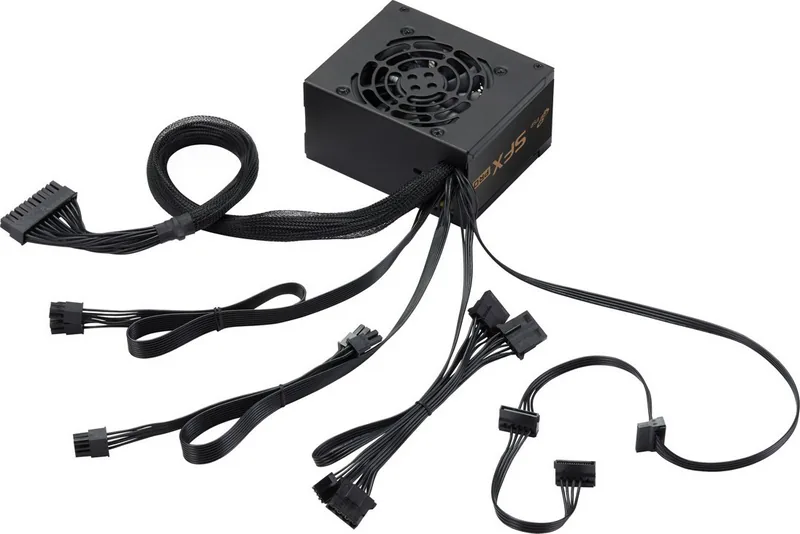
1x 20/24-Pin, 1x 4/8-Pin ATX12V, 2x 6/8-Pin PCIe, 3x SATA, 3x IDE, 1x Floppy
80 PLUS certifications
80 PLUS Bronze (115V, according to 80 PLUS certificate)
Dimensions (WxHxD)
4.92x2.52x3.94in
Manufacturer warranty
3 years
+3.3V
16A
+5V
16A
-12V
0.3A
+5Vsb
2.5A
Number of 12V rails
1
PFC
active
Form factor
SFX
Specification
SFX
Features
ErP Lot 6, supports Haswell C6/C7 Low-Power States, incl. SFX to ATX power supply adapter
Color
black
Product Description
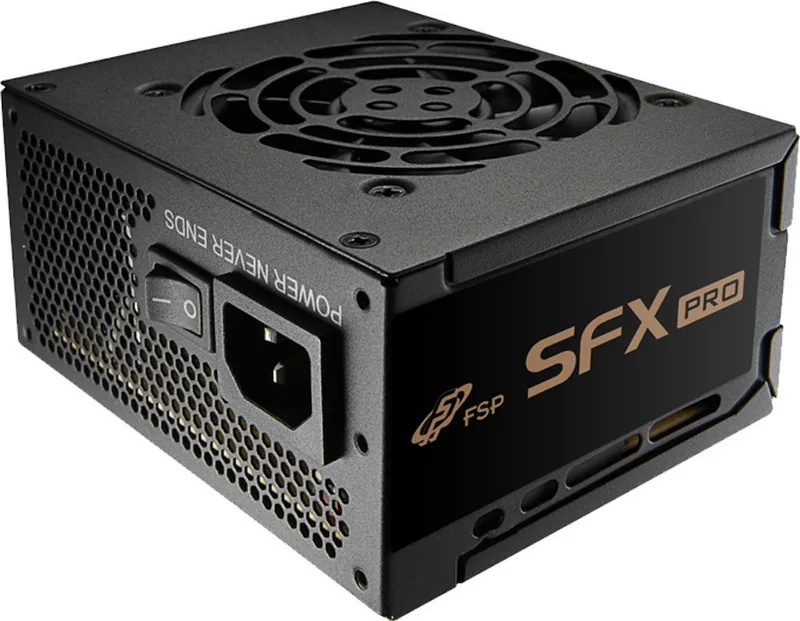
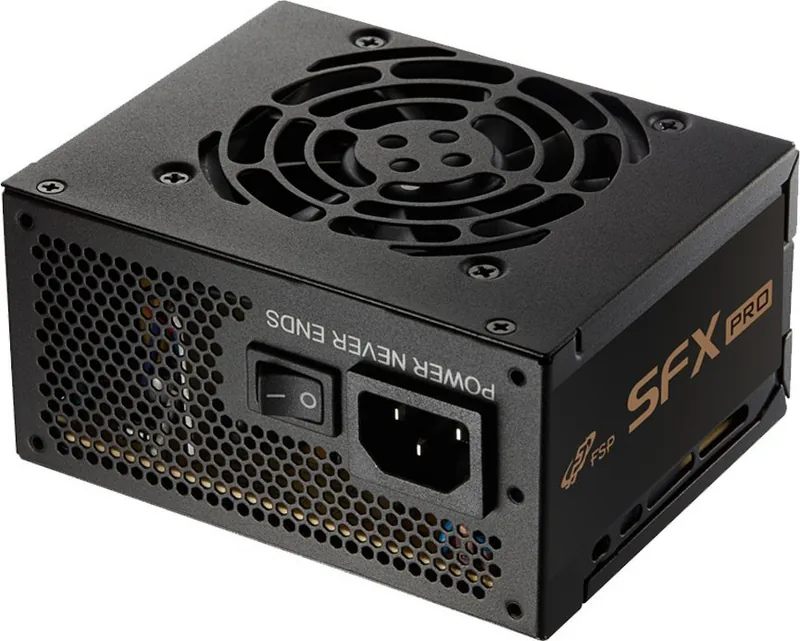
FSP SFX PRO SFX Manual Power Supply: Compact Power, Modern Protections
FSP SFX PRO SFX is built for users who want reliable performance in tight system builds, where space matters and efficiency still has to deliver. Available in 350W and 450W active PFC configurations, these SFX power supplies comply with the newest SFX12V V3.3 platform and are designed to power modern systems, including the latest Intel CPU generations.
A standout feature is the efficiency profile of at least 85 percent at typical load, backed by 80Plus Bronze certification for a more energy-aware setup. Thermal management is handled by an 80mm intelligent fan speed control, designed to balance cooling needs with quieter operation compared to fixed-speed approaches. The black ribbon cable approach also helps keep routing tidy inside compact enclosures.
Inside the unit, you get full protection coverage that helps safeguard your PC during everyday use. The series includes OCP, OVP, SCP, OPP, and OTP protections, supporting safer operation under common electrical and load scenarios.
Installation is straightforward. Start by disconnecting all existing PSU cables, remove the screws securing the old power supply, and place the new FSP PSU into the intended position. Tighten with the included screws, connect the 8-pin (or 4-pin) EPS to the mainboard, then route the 20+4 (or 24-pin) ATX connector to the correct header. For graphics cards, use the appropriate PCI-E cable set (supporting modern 8-pin cards as well). Finish by connecting storage devices such as SATA and Molex where required.
If your setup is troubleshooting-friendly, keep the FSP SFX PRO SFX Manual within reach while you confirm AC input connection, verify output connectors are seated properly, and perform a simple reset by disconnecting the unit from power. If issues persist, the next step is to contact the original vendor or retailer for repair or replacement.
Notes
- The series is designed for compact builds and includes a PS2 bracket to simplify fitting into an ATX case.
- Warranty coverage applies to normal use and is void for misuse, unauthorized repair, label removal, and improper operation.
- Dispose responsibly: the product contains components that should not be discarded with household waste.
Key takeaways
- SFX12V V3.3 compliance with active PFC helps modern builds stay stable.
- 80Plus Bronze with at least 85 percent efficiency at typical load supports better power use.
- Intelligent 80mm fan control improves thermal management for compact chassis.
- Full OCP, OVP, SCP, OPP, OTP protections enhance safety under everyday conditions.
- Straightforward ATX-case fitting with the included bracket and common connector support.
Search for 67,706 Manuals online


Type-in Brand or Model