
FSP Nano 800 Manual
PDF manual · 41 Pages
English



Quick check
Incorrect answer, please try again.
Chat with your FSP Nano 800 manual using AI
Get instant AI answers from your FSP Nano 800 manual
Ask anything about the FSP Nano 800. Answers come from this manual, with the pages they are based on.
Ask a Question
Do you recommend Nano 800?
Yes NoFrequently Asked Questions
It is designed to provide backup power and basic protection for computers, monitors, routers, and similar electronics during outages or unstable mains power.
Is this answer helpful?
The Nano 800 is rated at 800 VA / 480 W, which makes it the strongest model in the Nano series shown in the text.
Is this answer helpful?
The battery needs about 8 hours to recover most of its capacity, and the manual recommends charging before first use for best results.
Is this answer helpful?
It uses one sealed 12 V / 9 Ah lead-acid battery. The text also stresses using the same type if replacement is needed.
Is this answer helpful?
No. The manual specifically warns against connecting laser printers or scanners because they can damage the UPS or exceed its capacity.
Is this answer helpful?
Check for overload, loose power connections, or battery issues. Reduce connected loads first, then recharge or replace the battery if needed.
Is this answer helpful?
Advantages and Disadvantages
Advantages

- 800 VA / 480 W capacity suits small office setups and essential electronics.
- Fast 2–6 ms transfer helps reduce interruptions during brief power loss.
- Wide input voltage support improves usability in unstable power conditions.
- Simple controls and status LEDs make basic operation easy to understand.
Disadvantages

- Not suitable for laser printers, scanners, or non-computer appliances.
- Runtime is limited by a single 12 V / 9 Ah battery.
- Requires proper charging time before best performance is reached.
- Overload conditions can trigger alarms and reduce backup time.
Product Specification
Type
Tower
Classification
VFD (Off-Line)
Apparent Power
800VA
Active Power
480W
Voltage
110V, 120V, 220V, 230V, 240V
Outputs
2x Schuko
Runtime
15min (120W)
Charging Time
8h (90%)
Weight
7.27 lb
Dimensions (WxHxD)
3.25x8.15x8.98in
Manufacturer Warranty
two years
Product Description
FSP Nano 800: A Practical UPS for Everyday Power Protection
The FSP Nano 800 Manual points to a compact standby UPS designed to keep essential electronics running during outages and voltage instability. Among the Nano series, the Nano 800 stands out as the strongest option, offering 800 VA / 480 W of backup capacity in a lightweight enclosure that fits easily into a home office or small work setup. It is built for users who need simple, reliable protection without a complicated setup.
What makes the Nano 800 useful?
This model supports both 110/120 VAC and 220/230/240 VAC input ranges, which makes it flexible for different power environments. It also includes a simulated sine wave output, a typical 2–6 ms transfer time, and a sealed 12 V / 9 Ah battery. In real-world use, that means connected devices can stay powered long enough to save work, shut down safely, or ride out short interruptions.
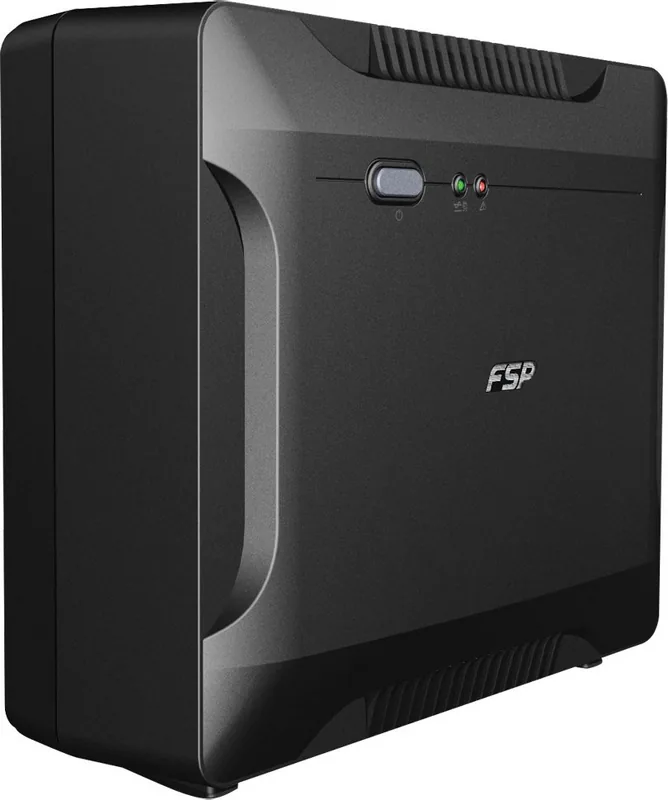
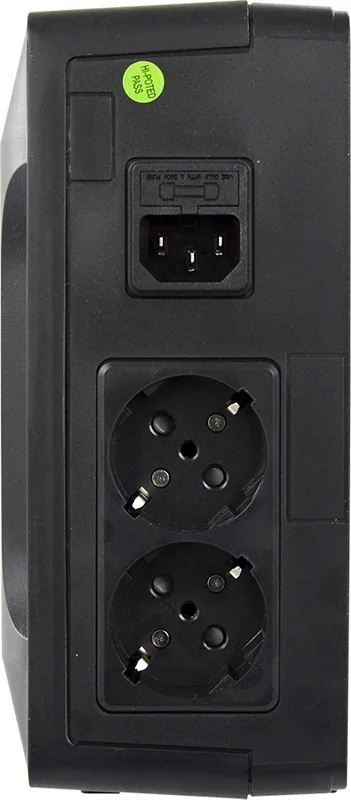
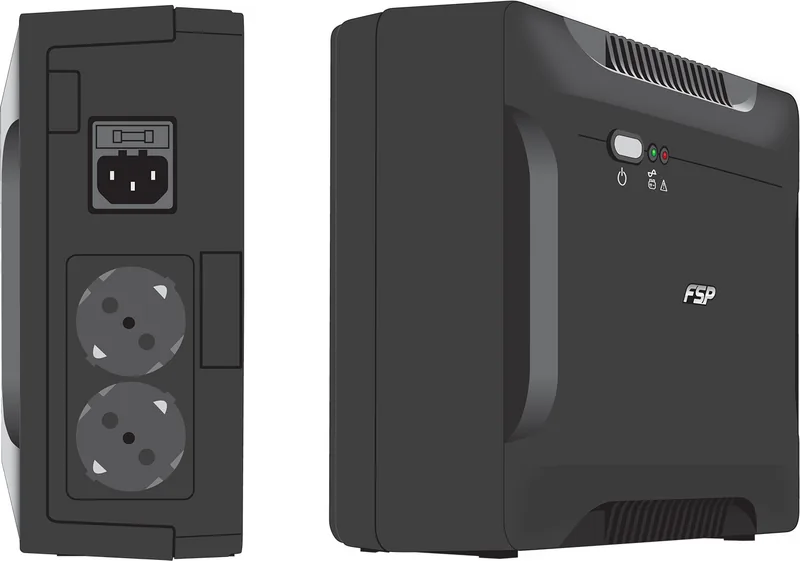
The design is straightforward: a power switch, status indicators, rear output sockets, and automatic charging when plugged into mains power. The recommended charging period is about 8 hours to reach most of the battery capacity, and the unit is intended for indoor use in controlled conditions. Its compact size and modest weight make it easy to place near a desk or workstation.
Everyday use and safety
The Nano 800 is best suited for computers, networking gear, and other standard office electronics. The guidance is clear that it should not be used with laser printers, scanners, or non-computer devices such as medical equipment, microwaves, or vacuum cleaners. Those limitations matter because UPS overload and incompatible loads can trigger alarms or shorten battery runtime.
The manual also emphasizes practical safety habits: keep the unit ventilated, avoid heat and moisture, do not block airflow, and never connect the UPS input to its own output. Battery care is equally important, especially when replacing cells or servicing the unit. Using the correct battery type and observing basic electrical precautions helps preserve both performance and safety.
Notes
- Best for small office, home office, and PC backup use.
- Charge before first use for the most reliable battery performance.
- Check connected load to avoid overload warnings.
- Keep away from heat, liquids, and dusty environments.
Search for 67,706 Manuals online


Type-in Brand or Model
Sofia Keller
10 months ago
After unpacking, the UPS smells strongly like plastic and also beeps when there is a power outage. Is the smell harmful, how long should it last, and how can I check the battery charge level?
Manual.ly
10 months ago
A short-lived plastic smell after unpacking is often caused by manufacturing residues and should fade after the unit has been ventilated for some time. If the odor is still clearly noticeable after a few days, or if you notice irritation or other concerns, please stop using the UPS and contact support for advice. For the beeping: many UPS units use a power-failure alarm that can sometimes be muted, but availability depends on the model and settings. Check the manual section for alarm or mute, and if it is not covered, we can point you to the exact button/menu for your version. For charge level: some models only show limited status via LEDs (for example, charging vs. charged). Look up the LED legend in the manual; if your manual does not clearly explain it, we can provide the correct interpretation for your device.