
FSP Hydro GT Pro Manual
PDF manual · 43 Pages
English



Quick check
Incorrect answer, please try again.
Chat with your FSP Hydro GT Pro manual using AI
Get instant AI answers from your FSP Hydro GT Pro manual
Ask anything about the FSP Hydro GT Pro. Answers come from this manual, with the pages they are based on.
Ask a Question
Do you recommend Hydro GT Pro?
Yes NoFrequently Asked Questions
Remove the old PSU, disconnect all cables, mount the new unit, and connect the 24-pin ATX, 8-pin EPS, and necessary PCIe cables. Ensure all modular plugs click into place.
Is this answer helpful?
Removing any manufacturer label or sticker immediately voids the warranty. The product will no longer be covered for repairs or replacements due to material defects.
Is this answer helpful?
Yes, it supports modern graphics cards with 6-pin or 8-pin connectors. For cards drawing over 225 watts, ensure proper cabling to avoid overcurrent issues.
Is this answer helpful?
It is highly recommended to check all connectors every six months to ensure they are tightly secured and free from signs of burning or looseness.
Is this answer helpful?
Yes, the product contains hazardous waste and recycling materials. It must not be disposed of in household trash but taken to a designated collection point.
Is this answer helpful?
Check if the AC input is secure and the outlet is powered. Verify all output connectors are attached correctly, then unplug the cord to reset the unit.
Is this answer helpful?
Advantages and Disadvantages
Advantages

- Supports high-power graphics cards up to 225W per slot with flexible PCIe cabling
- Modular design allows for cleaner cable management and improved airflow
- Includes clear safety warnings and detailed installation instructions in multiple languages
- Reliable 24-pin ATX and 8-pin EPS connectors ensure stable system operation
Disadvantages

- Warranty does not cover damage from improper voltage or unauthorized modifications
- Stickers must remain intact; removal invalidates the warranty coverage
- Requires regular inspection of connectors every six months to prevent failures
- Not suitable for use outside specified voltage ranges without risk of damage
Product Specification
Fan
120mm
Cable management
semi-modular
Connectors
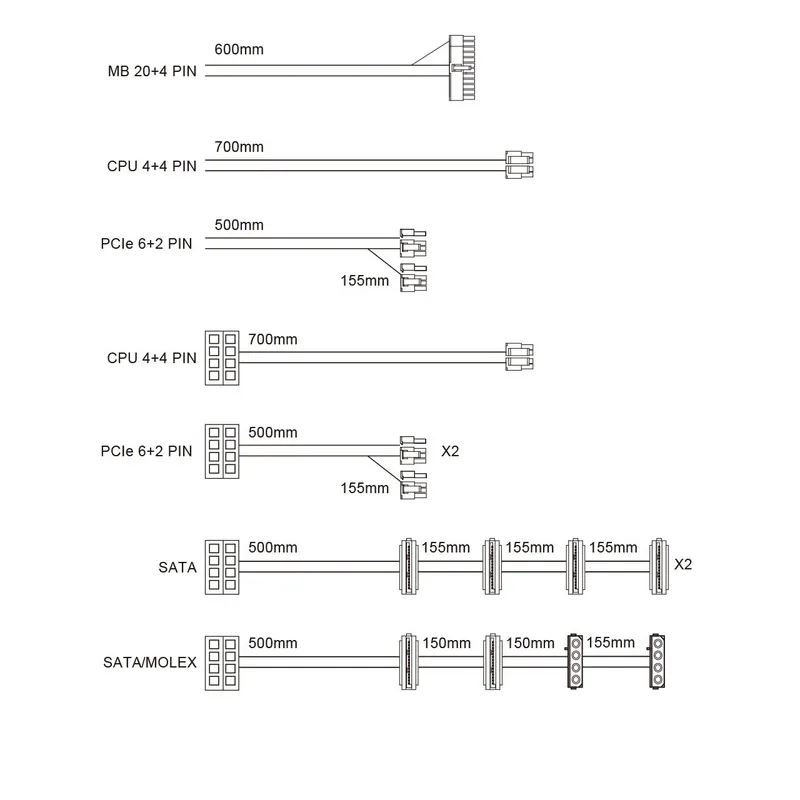
1x 20/24-Pin, 2x 4/8-Pin ATX12V, 6x 6/8-Pin PCIe, 10x SATA, 2x IDE
Certificates per manufacturer
80 PLUS Gold (per manufacturer, 115V)
Dimensions (WxDxH)
5.91x3.39x5.91 in
+3.3V
20A
+5V
20A
-12V
0.3A
+5Vsb
2.5A
Number of 12V rails
1
PFC
active
Form factor
ATX PS/2
Specification
ATX 2.5
Features
ErP Lot 6, supports Haswell C6/C7 Low-Power States, switchable semi-passive mode
Color
black
Product Description
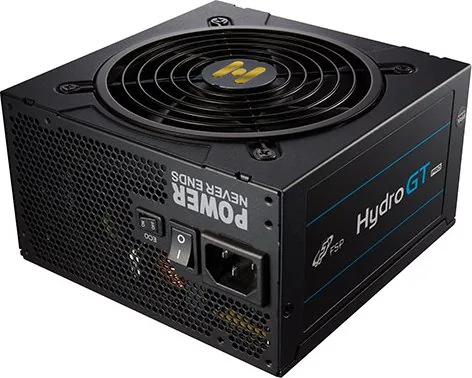
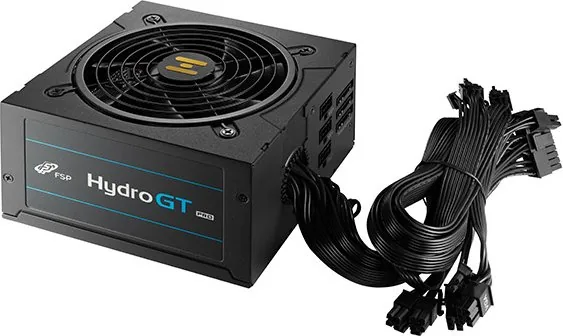
Experience Reliable Power with the FSP Hydro GT Pro ATX 2.5
The FSP Hydro GT Pro ATX 2.5 stands as a testament to modern engineering, designed specifically for high-performance computing environments where stability is paramount. This power supply unit delivers consistent energy to your most demanding components, ensuring that your system runs smoothly even under heavy loads. Whether you are building a gaming rig or a professional workstation, this unit provides the robust foundation necessary for peak performance.
Installation of the FSP Hydro GT Pro is straightforward and user-friendly. The process begins by safely removing your old power supply and disconnecting all cables from the motherboard and other peripherals. Once the unit is removed, simply place the new FSP Hydro GT Pro into the case and secure it with the provided screws. If you have opted for a modular version, connect only the cables required for your specific setup, leaving unused ports empty to maintain optimal airflow and cable management. Connecting the main 24-pin ATX plug and the 8-pin EPS connector to the motherboard ensures stable power delivery to the CPU and system logic.
For graphics cards, the unit supports both 6-pin and 8-pin PCIe connectors. Modern high-end GPUs often require significant power, sometimes exceeding 225 watts per card. To prevent overcurrent issues, the design allows for flexible cabling options, enabling users to split an 8-pin connector if necessary or utilize multiple PCIe slots effectively. Peripheral devices like hard drives and optical drives can be easily connected via standard SATA or Molex connectors. It is crucial to ensure all modular connectors are clicked firmly into place to avoid loose connections that could lead to short circuits or overheating.
Safety and longevity are central to the FSP philosophy. Regular maintenance checks every six months are recommended to verify connector integrity. The warranty policy covers defects in materials and workmanship arising from normal use, excluding damage caused by improper voltage, unauthorized modifications, or physical abuse. Proper disposal according to WEEE regulations is also emphasized to protect the environment from hazardous electronic waste.
Important Notes
- Always ensure the AC input is securely connected before powering on.
- Do not remove manufacturer stickers as this voids the warranty.
- Check all connections regularly to prevent potential fire hazards.
- Follow local laws for disposing of electronic waste properly.
Search for 67,706 Manuals online


Type-in Brand or Model