
FSP FP Manual
PDF manual · 92 Pages
English



Quick check
Incorrect answer, please try again.
Chat with your FSP FP manual using AI
Get instant AI answers from your FSP FP manual
Ask anything about the FSP FP. Answers come from this manual, with the pages they are based on.
FP Maintenance Schedule
Unplug the UPS from the power source before cleaning. Do not use liquid or spray detergents.
Use the same number and type of batteries. Only qualified personnel should service or supervise battery replacement.
Ask a Question
Do you recommend FP?
Yes NoFrequently Asked Questions
Backup time varies depending on the connected load. It is not specified in hours as it correlates directly with power usage. Removing nonessential devices extends the available runtime significantly during an outage.
Is this answer helpful?
No. Never connect a laser printer or scanner to the UPS unit as this may cause damage to the equipment. The startup surge or operation can exceed the UPS capacity or create electrical noise.
Is this answer helpful?
Charging the battery for at least four hours is recommended before initial use. This allows the unit to charge its battery while connecting to the mains to ensure optimal performance during the first power outage event.
Is this answer helpful?
The physical dimensions are 279 x 101 x 142 mm for all models. Net weight ranges from 3.55 kg for the FP 400 to 4.9 kg for the FP 800 model depending on capacity.
Is this answer helpful?
Yes, if the UPS has a metal chassis, grounding is a must for safety purposes to reduce leakage current below 3.5mA during installation.
Is this answer helpful?
When AC Mode is active, the LED is green lighting solid. In Battery Mode, the LED is green flashing. If the LED is off, check if the unit is turned on or if the battery is low.
Is this answer helpful?
Do not attach a power strip or surge suppressor to the UPS output. Always connect equipment directly to the UPS output receptacles for proper protection.
Is this answer helpful?
Advantages and Disadvantages
Advantages

- Multiple capacity options suit different equipment loads
- Fast transfer time of 2-6 ms prevents interruption
- USB port enables device monitoring and communication
- Built-in surge protection for network and phone lines
- LED indicators provide clear status information at a glance
Disadvantages

- Simulated sine wave may not support all sensitive devices
- No LCD screen for detailed voltage or battery readings
- Laser printers and scanners cannot be connected safely
- Battery replacement requires professional handling for safety
- Minimum clearance needed to prevent physical overheating
Product Specification
Type
Tower
Classification
VI (Line-Interactive)
Charging Time
4-6 hours (90%)
Manufacturer Warranty
2 years
Product Description
Protect Your Critical Equipment
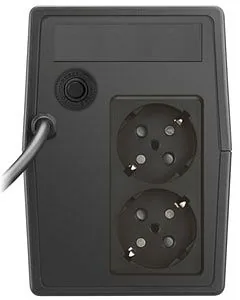
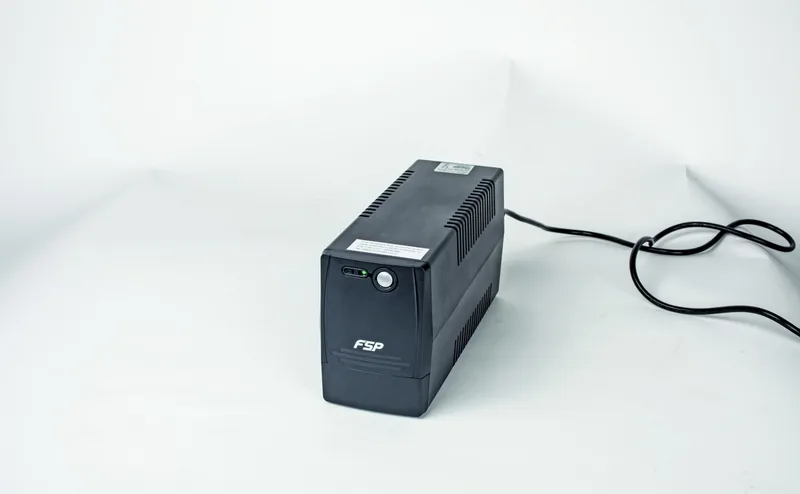
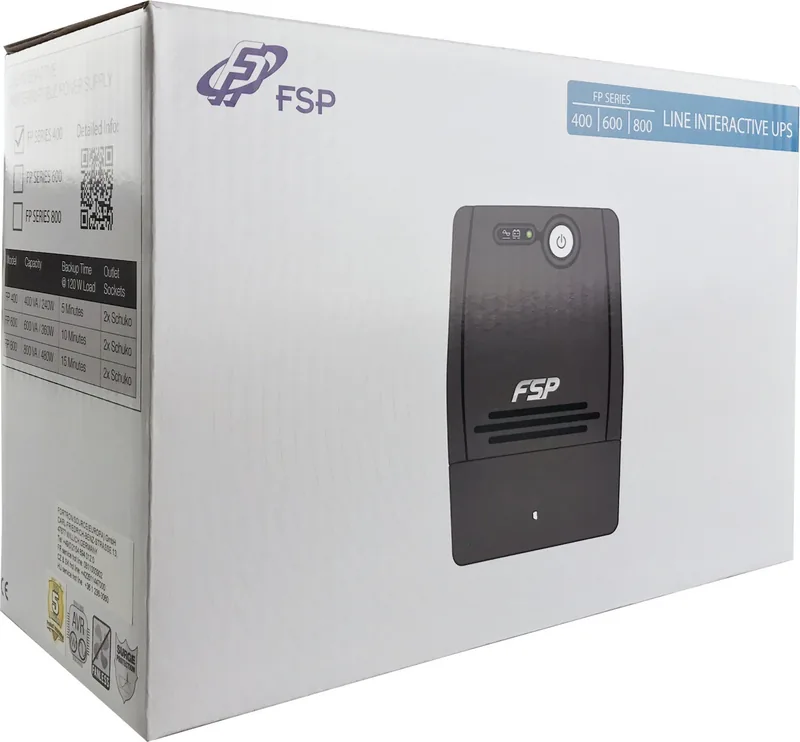
Protect your critical data and hardware with reliable power management solutions like the FSP FP UPS. This line interactive uninterruptible power supply ensures continuous operation during unexpected electrical disruptions or outages. It is designed to safeguard computers and home office setups from voltage fluctuations. The system comes in multiple configurations to suit varying load requirements. Users can select between the 400 VA, 600 VA, and 800 VA models based on their specific power needs.
Each unit includes an internal sealed lead acid battery that provides immediate power when the main utility supply fails. This functionality prevents data loss and potential hardware damage caused by sudden shutdowns. The device features clear visual status indicators on the front panel for easy monitoring. Green lighting signals normal AC operation while flashing green indicates battery mode. A USB port allows for communication with connected devices to monitor power status. Furthermore, built-in surge protection safeguards modem, phone, and network connections from voltage spikes. Transfer times are typically between two to six milliseconds which is sufficient for most sensitive loads. Voltage regulation is maintained within plus or minus ten percent to stabilize output effectively.
The noise level is less than 40 decibels ensuring quiet operation. Physical dimensions are compact at 279 by 101 by 142 millimeters with weights ranging from 3.55 to 4.9 kilograms. Environmental installation requires specific attention. The unit should be placed where airflow is adequate and away from direct sunlight or heat sources. A minimum distance of 20 cm from other units prevents electromagnetic interference. Before initial use, charging the internal battery for at least four hours is highly recommended. This ensures optimal performance during the first power outage event. Safety is paramount throughout the operational life of the system.
Strict warnings advise against connecting laser printers or scanners to the outputs as this may cause damage. Liquids must be kept away from the chassis to avoid short circuits and electrical hazards. For metal chassis models, proper grounding is mandatory to reduce leakage current below 3.5 mA. Referencing the FSP FP UPS Manual provides detailed instructions on battery replacement and maintenance procedures. Qualified personnel should handle internal battery servicing to prevent electric shock injuries. Replacing batteries requires the same type and number to maintain system integrity. Disposal of old batteries must follow local recycling regulations to prevent environmental harm.
Cleaning should only be performed with a dry cloth while the unit is unplugged. Common issues like overloaded capacity can be resolved by disconnecting nonessential devices temporarily. Low battery indicators suggest the need for extended charging times up to six hours. If alarms sound while mains power is normal, verify the total load does not exceed capacity limits. Troubleshooting guides suggest checking for loose power cords if LED status flashes. These guidelines ensure longevity and safety for all users in various environments. Whether powering a small home setup or a small business, the FSP FP UPS delivers essential protection against power anomalies.
Technical Specifications
The input voltage range supports 162 to 290 VAC for flexible power connections. Operating environment humidity should stay between zero and ninety percent. Temperature levels should remain between zero and 40 degrees Celsius. These specifications guarantee reliable performance in standard indoor conditions. The UPS features a simulated sine wave output. It is designed for general computer protection rather than sensitive medical equipment. By following the guidelines, users can maximize the lifespan and reliability of their power protection system.
Search for 67,706 Manuals online


Type-in Brand or Model