
FSP Champ Tower Manual
PDF manual · 19 Pages
English



Quick check
Incorrect answer, please try again.
Chat with your FSP Champ Tower manual using AI
Get instant AI answers from your FSP Champ Tower manual
Ask anything about the FSP Champ Tower. Answers come from this manual, with the pages they are based on.
Champ Tower Maintenance Schedule
Charge the UPS for 1-2 hours if stored at temperatures between 40°C and 45°C.
Charge the UPS for 1-2 hours if stored at temperatures between -25°C and 40°C.
Replace batteries when service life of 3 to 5 years is exceeded or if capacity is defective.
Free maintenance reminders
Timed to your purchase date. Always free, unsubscribe anytime.
Ask a Question
Do you recommend Champ Tower?
Yes NoFrequently Asked Questions
It protects connected devices from outages, voltage drops, and power instability while providing battery backup when mains power fails. It is designed for computers, network gear, and other sensitive electronics.
Is this answer helpful?
The UPS delivers pure sine wave output in battery mode, which is especially helpful for modern equipment that prefers clean and stable power.
Is this answer helpful?
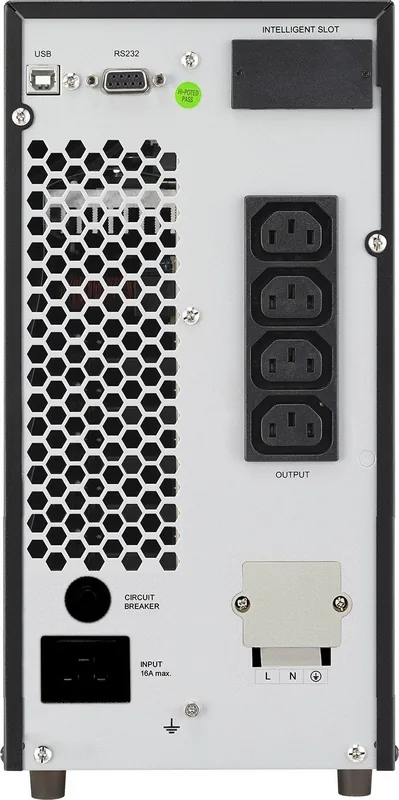
Yes. It supports USB and RS-232 communication for monitoring software, and an intelligent slot can add SNMP or AS400 management options depending on the model and card used.
Is this answer helpful?
The battery should be allowed to charge during normal operation, and the first full charge cycle may take several hours before backup runtime reaches its best level.
Is this answer helpful?
Avoid high-load devices that can overload the system, such as laser printers or other power-hungry appliances. The UPS is better suited to electronics and office equipment.
Is this answer helpful?
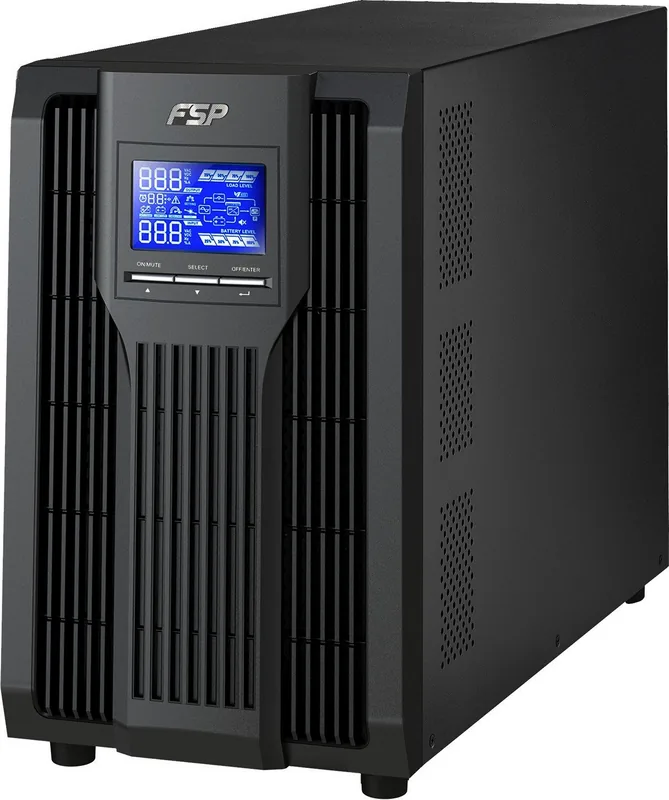
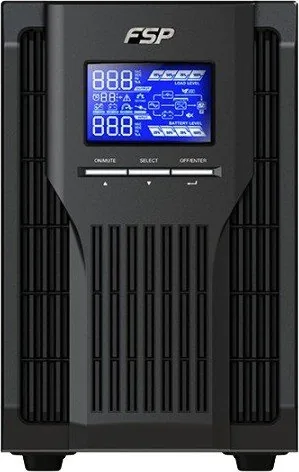
It shows key information like input and output values, battery level, load percentage, operating mode, alarms, and fault codes so you can quickly check the UPS condition.
Is this answer helpful?
Advantages and Disadvantages
Advantages

- Pure sine wave output supports sensitive electronics and improves power quality during outages.
- LCD status display and alarms make it easy to monitor load, battery, and fault conditions.
- Flexible settings cover ECO mode, bypass behavior, voltage, and frequency choices.
- USB, RS-232, and optional SNMP support make remote monitoring and shutdown easier.
Disadvantages

- USB and RS-232 communication cannot operate at the same time.
- Initial battery charging takes time, so full backup runtime is not immediate.
- Some configurations need external batteries or extra wiring for installation.
- Internal servicing and battery replacement require careful handling by qualified users.
Product Specification
Type
Tower
Classification
VFI (On-Line)
Interfaces
USB, serial
Data line protection
USB
Charging duration
4h (90%)
Special features
LCD
Manufacturer's warranty
two years
Product Description
FSP Champ Tower UPS: Clean Backup Power for Modern Devices
If you are looking for the FSP Champ Tower UPS Manual, the product itself is built around one clear goal: keeping essential electronics safe, stable, and online when power becomes unpredictable. This tower-style UPS family, available in 1K, 2K, and 3K capacities, is aimed at users who need dependable backup support for desktops, networking gear, workstations, and compact office systems.
The standout feature is its online architecture, which continuously regulates power before it reaches connected devices. That means cleaner output, better protection from voltage swings, and a stronger fit for sensitive equipment. With pure sine wave output in battery mode, the UPS delivers a more natural power signal that helps reduce stress on modern electronics. It is a smart choice for setups where smooth operation matters more than basic emergency backup.
Another strong point is visibility. The LCD panel provides useful information at a glance, including load level, battery status, input and output readings, operating mode, and fault codes. Audible alarms complement the screen, so users can quickly tell whether the system is on battery, in bypass, or dealing with an overload. For everyday use, that kind of feedback makes the UPS feel more practical and less mysterious.
Flexibility is also a major advantage. The system supports adjustable output voltage, frequency settings, ECO mode, bypass control, and runtime limits. It also offers USB and RS-232 communication, plus an intelligent slot for advanced monitoring cards such as SNMP. In real-world terms, that means the UPS can fit a simple home setup or a more managed small-office environment with automated shutdown and remote status checks.
Installation is straightforward, but the guidance is intentionally careful. The system expects grounded outlets, proper cable handling, and sensible load planning so it is not asked to power devices that draw too much current. Battery care is equally important: the first charge should be allowed to complete, and long-term storage or replacement should follow the recommended safety practices.
Notes
- Match voltage and frequency settings to your region before use.
- Avoid high-draw appliances that can overload the output.
- The first battery charge may not provide full runtime.
- Use monitoring software for better shutdown and status control.
Search for 67,706 Manuals online


Type-in Brand or Model