
Fractal Design Pop Manual
PDF manual · 36 Pages
English



Quick check
Incorrect answer, please try again.
Chat with your Fractal Design Pop manual using AI
Get instant AI answers from your Fractal Design Pop manual
Ask anything about the Fractal Design Pop. Answers come from this manual, with the pages they are based on.
Ask a Question
Do you recommend Pop?
Yes NoFrequently Asked Questions
The Pop Air can accommodate graphics cards up to 405 mm in length, provided no front radiator is installed. If a front radiator is used, the maximum length reduces to approximately 267 mm.
Is this answer helpful?
No, the Pop Silent model does not include pre-installed fans. Users must purchase fans separately to achieve optimal airflow or install them from their existing inventory.
Is this answer helpful?
Yes, the Pop Air supports a 280mm radiator at the front position. However, the top radiator mount is limited to a maximum of 240mm.
Is this answer helpful?
No, the USB 3.1 Gen 2 Type-C header is not standard. It is available as a separate add-on accessory that must be purchased and installed independently.
Is this answer helpful?
The case supports a wide range of form factors, including ATX, Micro-ATX, and Mini-ITX motherboards, making it versatile for various build sizes.
Is this answer helpful?
You can install 2.5-inch drives using the included trays. Note that if you use dual mounts for drives, they cannot be placed behind the motherboard tray due to physical clearance constraints.
Is this answer helpful?
Advantages and Disadvantages
Advantages

- Includes three high-quality Aspect 12 fans in the Pop Air model for immediate cooling
- Supports extensive GPU lengths up to 405mm and CPU coolers up to 170mm
- Tool-less design allows for rapid installation and removal of side panels and drives
- Flexible storage options accommodate multiple 2.5-inch and 3.5-inch drives easily
Disadvantages

- Top radiator installation on Pop Air is limited to 240mm maximum size
- Dual drive mounts cannot be installed behind the motherboard tray
- USB 3.1 Gen 2 Type-C connectivity requires a separate purchase as an add-on
- Pop Silent variant does not include pre-installed fans like the Pop Air version
Product Specification
Extern
2x 5.25"
Intern
2x 2.5"/3.5" (horizontal, drive rails), 2x 2.5", 1x 2.5"/3.5" (optional), 2x 2.5" (optional)
Ports
2x USB-A 3.0 (5Gb/s), 1x 3.5mm jack (Line-Out), 1x 3.5mm jack (Line-In)
PCI Slots
7
Fan (left)
N/A
Fan (right)
N/A
Fan (bottom)
N/A
Fan (other)
N/A
Motherboard
up to ATX
Supported Motherboards
Mini-ITX (6.7"x6.7")/µATX (9.6"x9.6")/ATX (12"x9.6")
Power Supply
ATX (max. 6.69" deep)
Power Supply Position
bottom
CPU Cooler
max. 6.69" height
Dimensions (WxDxH)
8.46x17.87x18.66in
Volume
2.82 cu ft
Chassis Type
Midi-Tower
Rear
partially closed, fan grille top right, PCI slots (7x horizontal)
Front I/O Position
Chassis side: top, Height: Front, Position: right
USB Spelling
Link
Product Description
Discover the Fractal Design Pop Series: Versatility Meets Modern Style
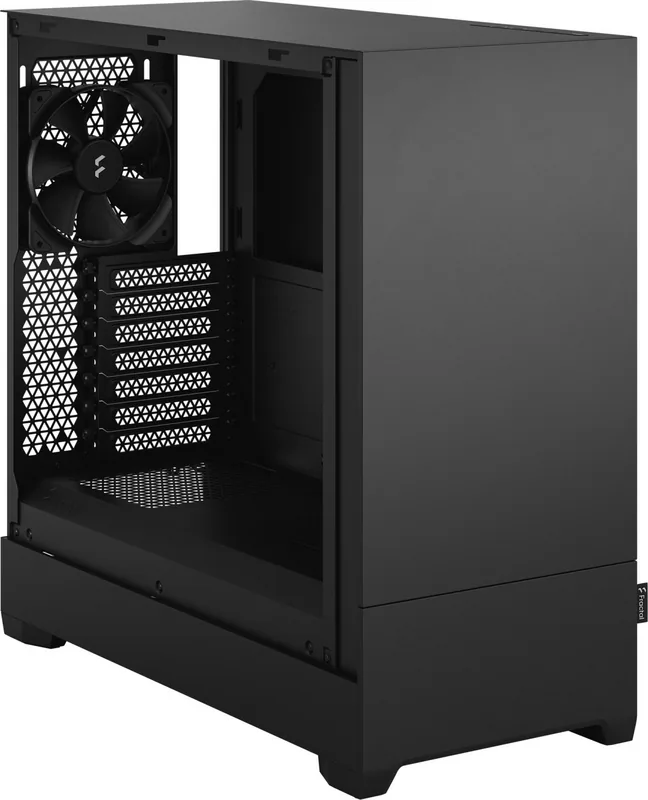
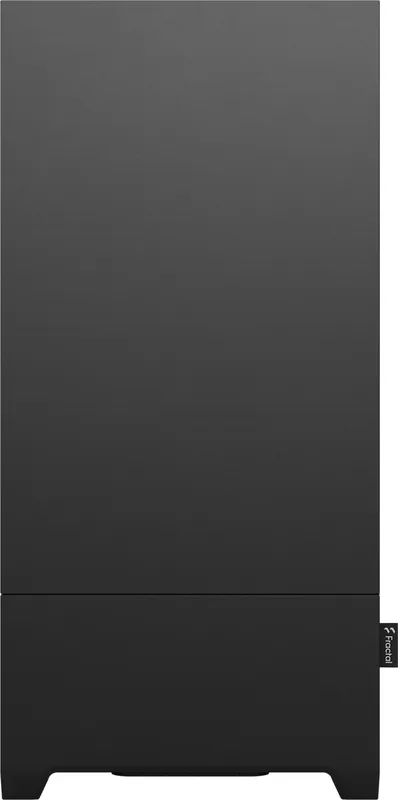
The Fractal Design Pop series represents a new chapter in PC case engineering, blending clean aesthetics with exceptional build flexibility. Designed for enthusiasts who demand both form and function, this chassis offers two distinct variants: the Pop Air and the Pop Silent. Whether you are building a high-performance gaming rig or a quiet home office workstation, the Pop series provides the perfect foundation.
At the heart of the design is a focus on airflow and thermal management without sacrificing visual appeal. The Pop Air variant comes pre-installed with three Aspect 12 fans, ensuring immediate cooling power right out of the box. Its open mesh front panel allows air to flow freely, keeping your components cool even under heavy loads. In contrast, the Pop Silent features a tempered glass side panel and optimized internal layout for those prioritizing acoustic performance while maintaining a sleek, modern look.
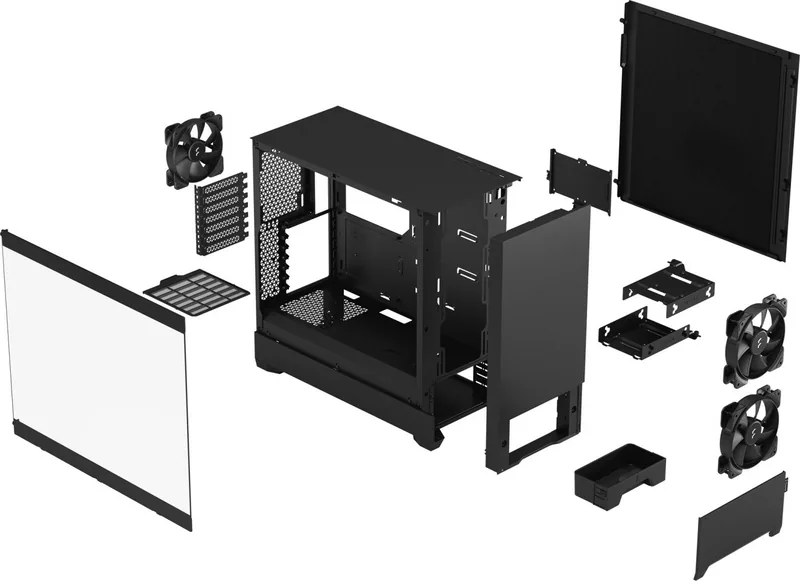
Storage and compatibility are handled with remarkable ease. The case supports ATX, Micro-ATX, and Mini-ITX motherboards, making it adaptable for builds of any size. It offers dedicated mounting points for up to four 2.5-inch drives and includes trays for two 3.5-inch hard drives. For users needing optical drive support, there are also mounts available for 5.25-inch devices. The interior space is generous, accommodating graphics cards up to 405 mm in length on the Pop Air and 380 mm on the Pop Silent, alongside CPU coolers reaching 170 mm in height.
Building has never been more intuitive. The tool-less design philosophy extends to the side panels and drive bays, allowing for quick assembly and easy upgrades. Dust filters are strategically placed at the top and bottom to maintain cleanliness and prolong component life. With support for large radiators, including 280mm units at the front and 240mm at the top, the Pop series is ready for custom water cooling loops. The inclusion of an RGB controller (on specific models) adds a layer of personalization, letting you sync lighting effects across your system.
Key Highlights
- Dual Variants: Choose between the fan-packed Pop Air or the quieter Pop Silent.
- Extensive Cooling Support: Compatible with various radiator sizes and high-profile coolers.
- Smart Storage: Flexible drive bays for HDDs, SSDs, and optical drives.
- Easy Assembly: Tool-less installation for panels and drives simplifies the builder experience.
- Modern Aesthetics: Clean lines and optional tempered glass create a premium look.
Important Notes
Always ensure that motherboard standoffs align perfectly with mounting holes before securing the board. When installing dual drive mounts, remember they cannot be placed behind the motherboard tray due to clearance issues.
Search for 67,706 Manuals online


Type-in Brand or Model