
Fractal Design North Manual
PDF manual · 44 Pages
English



Quick check
Incorrect answer, please try again.
Chat with your Fractal Design North manual using AI
Get instant AI answers from your Fractal Design North manual
Ask anything about the Fractal Design North. Answers come from this manual, with the pages they are based on.
Ask a Question
Do you recommend North?
Yes NoFrequently Asked Questions
The maximum graphics card length is 355 mm. This accommodates most high-end models available on the market while ensuring sufficient space for airflow components and drive bays.
Is this answer helpful?
The case supports ATX, Micro ATX, and Mini-ITX motherboard sizes. This range ensures compatibility with a wide variety of PC configurations from high-end desktops to small form factor builds.
Is this answer helpful?
Fractal Design provides a twenty-four month warranty from the date of delivery to the end-user against defects in materials and workmanship. Claims must be returned prepaid to the selling agent.
Is this answer helpful?
There are positions for 3x 3.5 or 2.5 inch drives plus two dedicated 2.5 inch drive bays. Additional capacity can be achieved through optional drive tray reconfigurations mentioned in the manual.
Is this answer helpful?
The maximum CPU cooler height supported is 170 mm. Users should verify their cooler dimensions before installation to ensure it fits within the designated clearance space above the motherboard.
Is this answer helpful?
Yes, the case supports water cooling with radiator mounts for 360 mm at the front, 240 mm at the top, and 120 mm at the rear. Tube clearance is up to 30 mm max depending on orientation.
Is this answer helpful?
Advantages and Disadvantages
Advantages

- Modular drive configuration supports versatile storage needs for various builds
- Comprehensive manual guides assembly and optional hardware placement steps
- Supports large 360 mm radiators for superior water cooling capabilities
- Removable panels allow easy access to internals for maintenance
- Includes high quality Aspect 14 fans out of the box for immediate airflow
Disadvantages

- PSU length is restricted when multiple HDD trays are installed inside
- Fan brackets included only with the mesh side panel version
- Radiator thickness limits vary significantly depending on location
- CPU cooler height is restricted to 170 mm maximum clearance height
- Front panel removal requires specific steps to avoid damage
Product Specification
External
N/A
Internal
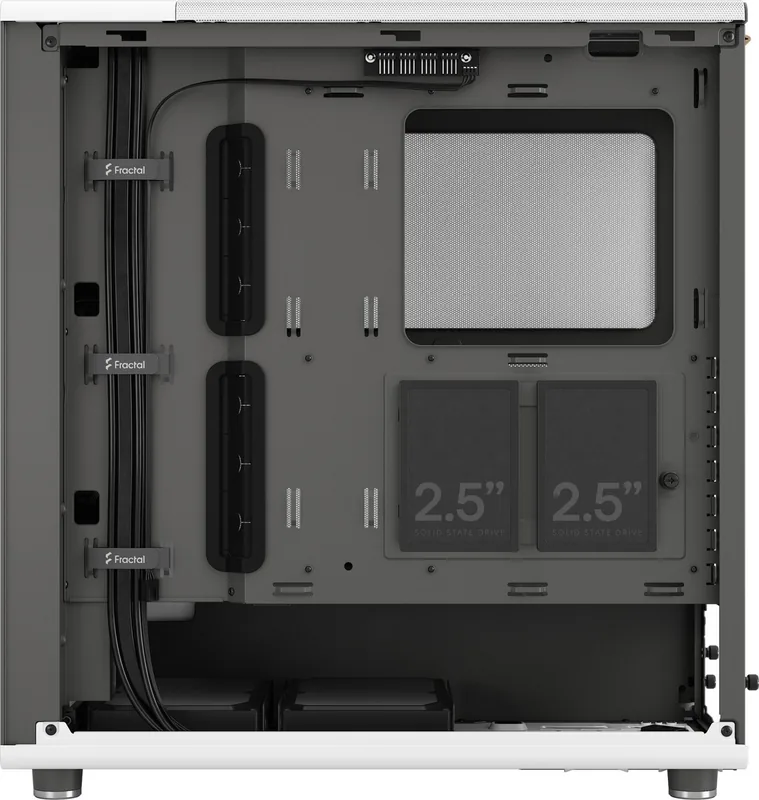
2x 2.5"/3.5" (horizontal, drive rails), 2x 2.5", 1x 2.5"/3.5" (optional)
Ports
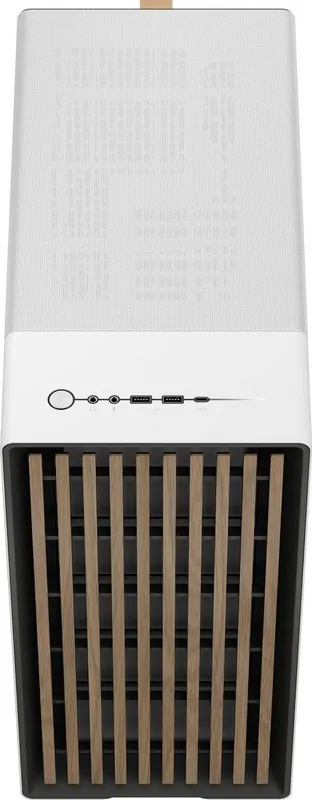
1x USB-C 3.1 (10Gb/s, 20-Pin Key-A Header), 2x USB-A 3.0 (5Gb/s), 1x 3.5mm Jack (Line-Out), 1x 3.5mm Jack (Line-In)
PCI Slots
7
Front Fans
2x 5.51" (500-1700rpm, 0.01-0.08 inH2O, 20.01-77.98 CFM, 10-35.5dB(A)) or 3x 4.72" (optional)
Rear Fans
1x 4.72" (optional)
Left Fans
N/A
Right Fans
N/A
Top Fans
2x 4.72" (optional) or 2x 5.51" (optional)
Bottom Fans
N/A
Radiator Sizes
4.72"/5.51"/9.45"/11.02"/14.17" front, 4.72"/9.45" top, 4.72" rear
Motherboard Support
max ATX
Supported Motherboards
Mini-ITX (6.7"x6.7")/microATX (9.6"x9.6")/ATX (12"x9.6")
Power Supply
ATX (max 10.04" deep with 1x HDD Cage, 6.10" with 2x HDD Cage)
Power Supply Position
Bottom
Graphics Cards
max 13.98" (with front fan without radiator, 11.81" with radiator)
Lighting
No lighting
Dimensions (WxDxH)
8.46"x18.46"x17.60"
Volume
2750.23 in3
Case Type
Mid-Tower
Front
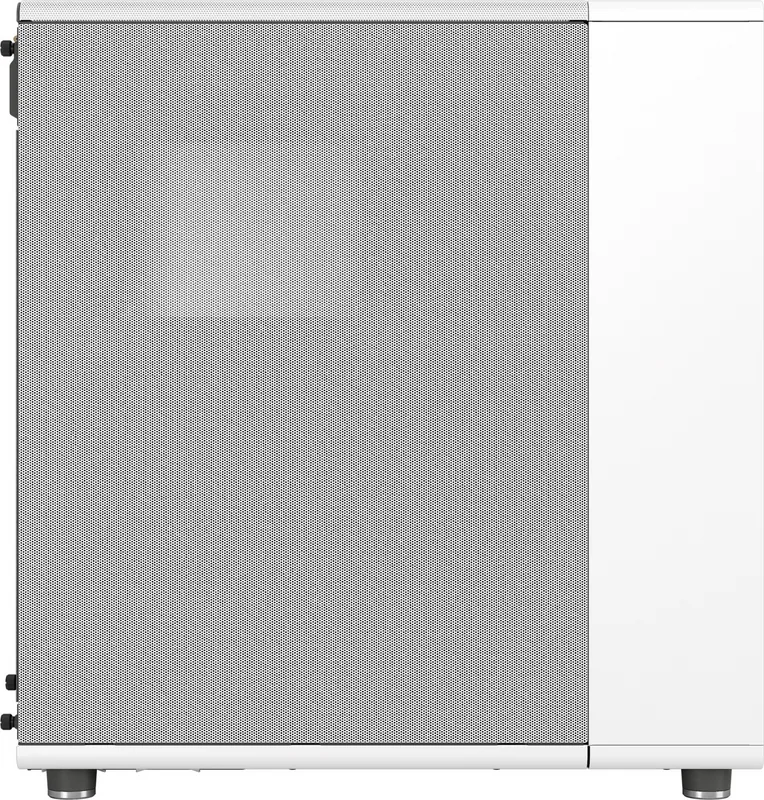
Partially enclosed, Mostly Mesh, Dust filter inside, Partially wood
Top
Partially enclosed, Mesh, Mostly fan grilles
Bottom
Partially enclosed, Fan grille at rear, Dust filter outside
Right
Enclosed
Rear
Partially enclosed, Fan grille top right, PCI Slots (7x horizontal)
Front I/O Position
Case Side: Top, Height: Front, Position: Center
USB Orientation
Left
Product Description
Discover the Versatility of the Fractal Design North Case
Building a personal computer is an intricate process that demands precision and style. The Fractal Design North offers a modern aesthetic that blends industrial charm with functional engineering. If you are looking to optimize your build, the Fractal Design North Manual serves as an essential resource for understanding the case capabilities. This guide details every assembly step, ensuring a smooth experience from start to finish for enthusiasts of all levels. It is vital to read the documentation thoroughly before installing components.
Dimensions and Compatibility
The chassis measures 447 by 215 by 469 mm, providing ample room for components inside. It supports standard ATX, mATX, and Mini-ITX motherboard forms. Power supply units fit up to 255 mm in length if using one HDD tray configuration. With two HDD trays, the limit drops to 155 mm. Users can install up to three 3.5-inch or 2.5-inch drives plus two dedicated 2.5-inch positions. This flexibility allows for extensive storage options without sacrificing significant space for essential hardware.
Cooling Solutions and Airflow
Thermal management is crucial for sustained peak performance in high loads. The front panel accommodates a 360 mm radiator easily. The top section supports a 240 mm radiator for additional heat dissipation options. A rear fan mount holds a 120 mm unit for exhaust or intake. For air coolers, the maximum clearance height is 170 mm above the board. Graphics cards can extend up to 355 mm in length, offering broad compatibility with top-end GPU models. The mesh side panel version includes extra fan brackets, significantly enhancing airflow customization potential.
Installation and Accessories
Accessing internal components is straightforward with removable panels. Side panels, the access panel, and the front panel can be taken off easily for convenience during assembly. The box contains necessary hardware like mounting screws, cable ties, and drive dampers. The Fractal Design North Manual outlines the removal of trays and installation of drives very clearly for beginners. Optional steps include repositioning the fan hub or adjusting drive trays for different layouts suited to personal preferences.
Warranty and Support
Fractal Design provides a twenty-four month warranty against manufacturing defects. If issues arise, support is available through their online portal and service centers. Customers should retain proof of purchase and follow installation guidelines strictly. This commitment ensures long term reliability for your system during operation. The warranty does not cover misuse or damage from acts of nature. Whether you prefer water cooling or air cooling, this case adapts to your specific needs effectively.
Conclusion
Investing in a quality case like the Fractal Design North ensures your PC remains stable and efficient over time. Refer to the documentation for best practices during the initial setup. Enjoy a tailored build that combines form and function seamlessly for your workspace. The included Aspect 14 fans contribute to immediate performance upon system startup.
Search for 67,706 Manuals online


Type-in Brand or Model