
Fractal Design Focus G Manual
PDF manual · 2 Pages
English



Quick check
Incorrect answer, please try again.
Chat with your Fractal Design Focus G manual using AI
Get instant AI answers from your Fractal Design Focus G manual
Ask anything about the Fractal Design Focus G. Answers come from this manual, with the pages they are based on.
Ask a Question
Do you recommend Focus G?
Yes NoFrequently Asked Questions
The kit includes power supply screws, 2.5 inch drive screws, motherboard screws, optical drive screws, and motherboard standoffs. This covers most standard assembly needs without requiring extra parts.
Is this answer helpful?
Eight motherboard standoffs are included in the accessory box. They are pre-positioned to assist in the initial mounting process and ensure the PCB sits securely against the case.
Is this answer helpful?
The lock mechanism bracket is included for security, but the actual physical key is typically not provided in the standard accessory list. You will need to supply your own lock key.
Is this answer helpful?
Yes, the five included cable ties can be used to bundle various internal wires, including those connected to the graphics card, to maintain a clean interior look and improved airflow.
Is this answer helpful?
Yes, dedicated screws are provided specifically for 2.5 inch drives. These allow for secure mounting of SSDs and hybrid hard drives without needing modifications to the drive tray.
Is this answer helpful?
The padlock bracket mounts to the side panel of the case using the provided hardware. This allows you to secure the side panel to prevent unauthorized access to the internal components.
Is this answer helpful?
Yes, you can find the digital manual on the official manufacturer website. It provides detailed diagrams and specifications to ensure safe and efficient assembly of the case.
Is this answer helpful?
Advantages and Disadvantages
Advantages

- Comprehensive hardware kit saves money and time on extra screws.
- Dedicated standoffs and screws ensure safe motherboard installation.
- Padlock bracket adds security for sensitive internal components.
- Cable ties help organize wiring for better airflow.
- Inclusion of optical drive screws supports legacy storage options.
Disadvantages

- Manual must be accessed separately for detailed instructions.
- No additional power cable or connectors provided in box.
- Optical drive screws may not be needed for all builds.
- Cable ties quantity might be insufficient for very large cases.
- Padlock key not included in the standard accessory box list.
Product Specification
External Bays
2x 5.25"
Internal Bays
2x 2.5"/3.5" (horizontal, drive rails), 1x 2.5"
Connectors
1x USB-A 3.0 (5Gb/s), 1x USB-A 2.0 (480Mb/s), 1x 3.5mm Jack (Line-Out), 1x 3.5mm Jack (Line-In)
Fan (Rear)
1x 4.72 in (optional)
Fan (Left)
N/A
Fan (Right)
N/A
Fan (Bottom)
1x 4.72 in (optional)
Fan (Other)
N/A
Power Supply
ATX (max. 9.06 in deep)
Power Supply Position
bottom
CPU Cooler
max. 6.50 in Height
Graphics Cards
max. 14.96 in
Lighting
Lighted Fans
Weight
9.92 lbs
Front Panel
Mesh, Dust filter inside
Top Panel
Partially closed, fan grille rear, fan grille center, dust filter inside
Bottom Panel
Partially closed, mostly fan grille, dust filter outside
Left Panel
Closed, mostly acrylic window
Right Panel
Closed
Front I/O Position
Case Side: Top, Height: Front, Position: Center
Features
Cable management, Dust filter, Acrylic window
USB Side
Left
Product Description
Fractal Design Focus G Build Guide
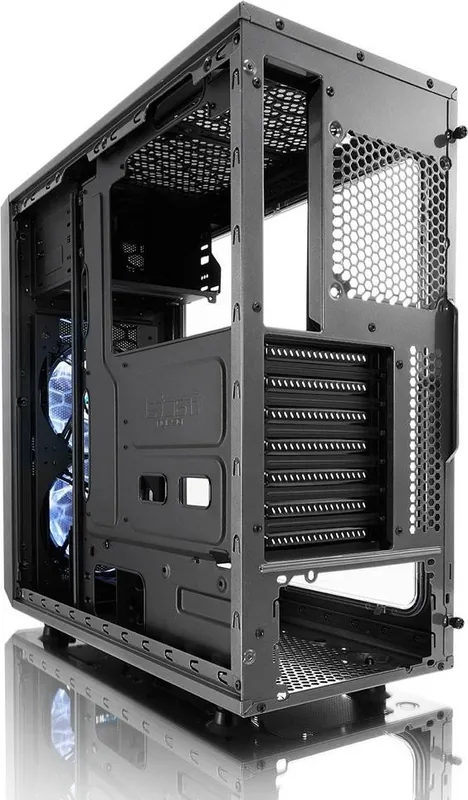
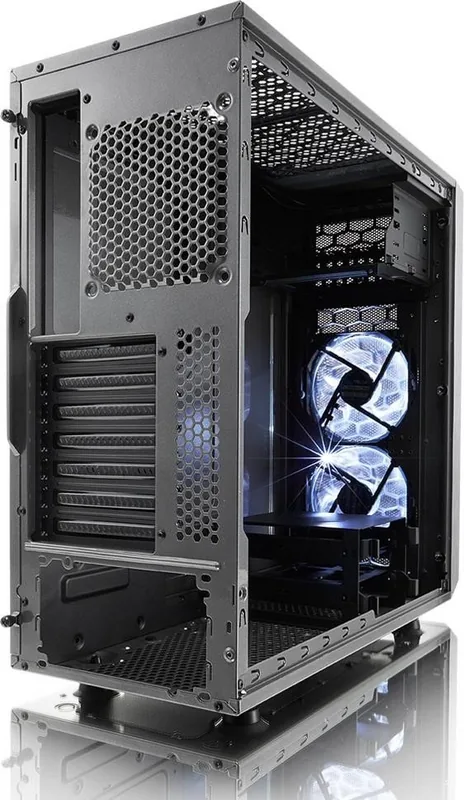
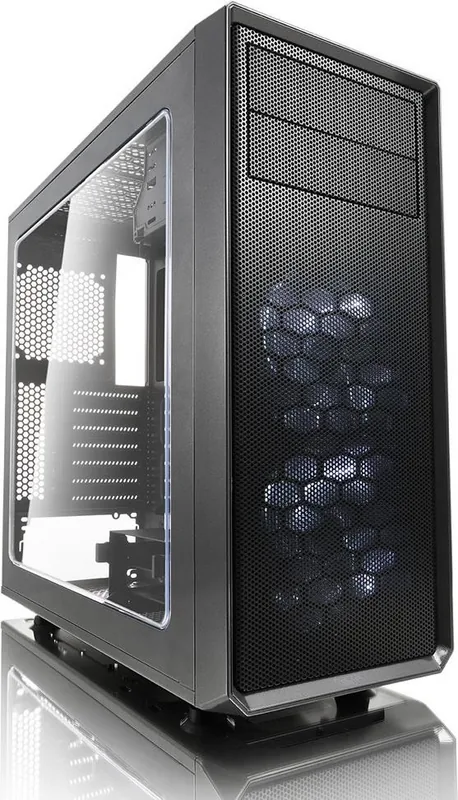
Building a personal computer requires high precision and reliable parts to ensure longevity. The Fractal Design Focus G provides an excellent foundation for enthusiasts who want a clean and organized build. This mid-tower case comes with a generous hardware kit that covers most mounting needs. Users receive power supply screws along with specific fasteners for 2.5 inch drives. The kit also includes eight motherboard standoffs to ensure the PCB sits securely against the case frame. Eight screws for mounting the main board are provided, preventing unnecessary trips to the parts drawer. Cable management is made simple with five included cable ties to bundle wires behind the tray. Security features are not overlooked since a padlock bracket is included for physical protection of the internal components. Optical drive mounts have dedicated screws for mounting legacy storage hardware if the system supports it. Referencing the Fractal Design Focus G Manual during the assembly process ensures every screw goes to the correct place without damaging the electronics. This level of preparation leads to a stable system that runs cooler and quieter over time. Good airflow design complements the hardware organization. Air enters through the front filters and exits via the top and rear. Heat dissipation is efficient thanks to the open layout. Dust protection helps maintain component integrity for years. Acoustic dampening materials reduce vibration noise from fans and hard drives. The power supply area is separate and hidden for a cleaner look. RGB lighting headers allow users to customize the look of the interior. Expansion slots are accessible for graphics cards and sound cards. Cable routing channels keep the view clean. Overall, this case represents great value for money. It supports standard ATX motherboards easily. It fits large cooling solutions. Build quality is solid steel construction. Installation is straightforward for beginners. Experienced builders appreciate the thought put into the kit. Every detail counts in a custom PC. This case delivers on both fronts consistently. Stability during operation is a major benefit of this design. The hardware kit reduces clutter and confusion. No extra purchases are needed for basic assembly. This makes it an ideal choice for first builders. The focus on small details separates the Focus G from other budget cases in the market. Each screw serves a specific purpose in maintaining structural integrity. Power supply mounting points are reinforced to handle the weight of newer high wattage units. The 2.5 inch drive screws accommodate both SSDs and hybrid hard drives without modification. Motherboard standoffs are pre-installed to speed up the initial setup for novice builders. The cable ties have a durable plastic composition that resists snapping during tightening. The padlock bracket mounts easily to the side panel with minimal effort required. Optical drive screws allow for legacy compatibility with DVD and Blu-ray drives. Referring to the Fractal Design Focus G Manual helps users identify the correct screw type for each slot quickly. This prevents stripping threads in fragile plastic mounts or metal frames. The case supports multiple fan configurations for optimal cooling performance. Front intake fans draw in cool air to lower CPU and GPU temperatures. Rear exhaust fans push hot air out of the system chassis efficiently. Dust filters are removable and washable for easy maintenance.
Comprehensive Kit Analysis
The design philosophy behind this case prioritizes function and ease of assembly. Every component included serves a distinct purpose in the construction process. Users do not need to source additional hardware to achieve a standard setup. This streamlines the build process significantly for novices entering the space. Quality control is evident in the pre-installed standoffs. The screws are properly sized and threaded for specific tasks. Organization is key to a healthy system build. Proper wire management helps airflow and reduces heat. The included bracket secures the system against theft. Security is often an overlooked feature in case designs. This model rectifies that omission. Compatibility extends to various standard drives. Optical drives can still be utilized if required by the user. Overall, the value proposition is strong for the price point.
Final Thoughts on Assembly
Assembly time is reasonable with all necessary fasteners. The matte black finish hides fingerprints effectively over time. This finish ensures the case looks professional even after years of use. The case supports long graphics cards without fitting issues. RAM clearance accommodates tall air coolers for better thermal performance. Water cooling loops fit the tubing routes easily within limited space. Stability remains high during transport due to the reinforced steel construction. Internal components remain secure without excessive vibration during operation. Peace of mind comes from knowing every part is accounted for. Assembly becomes a joy rather than a chore when tools are included correctly.
Search for 67,706 Manuals online


Type-in Brand or Model