
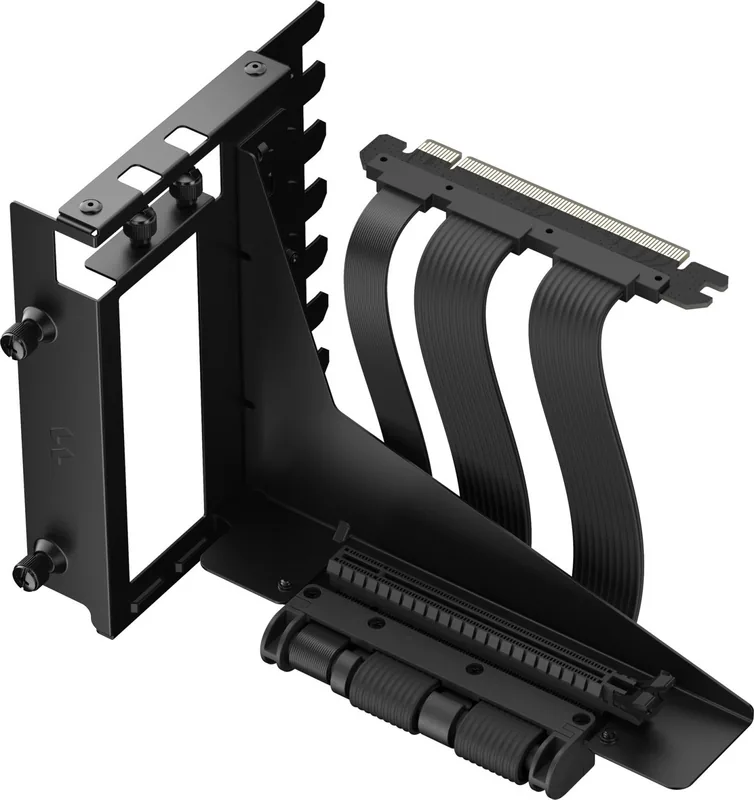
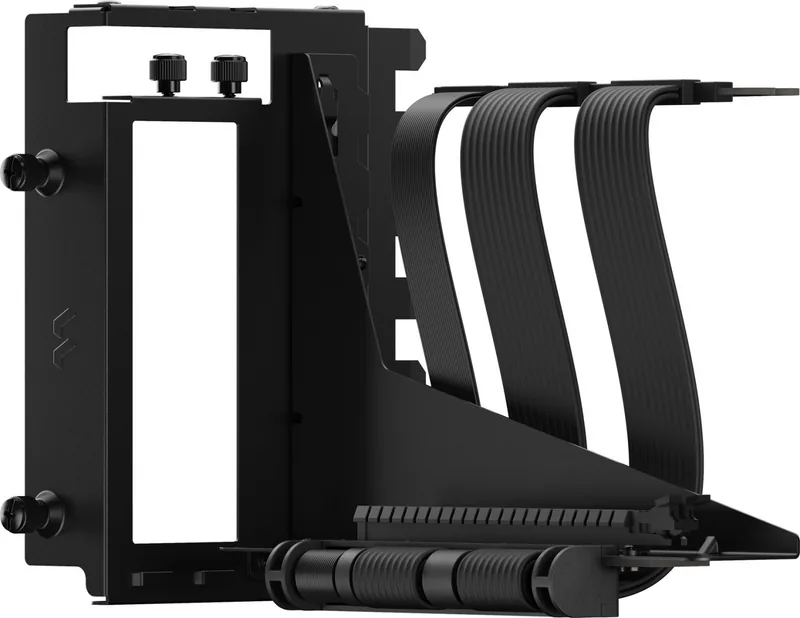
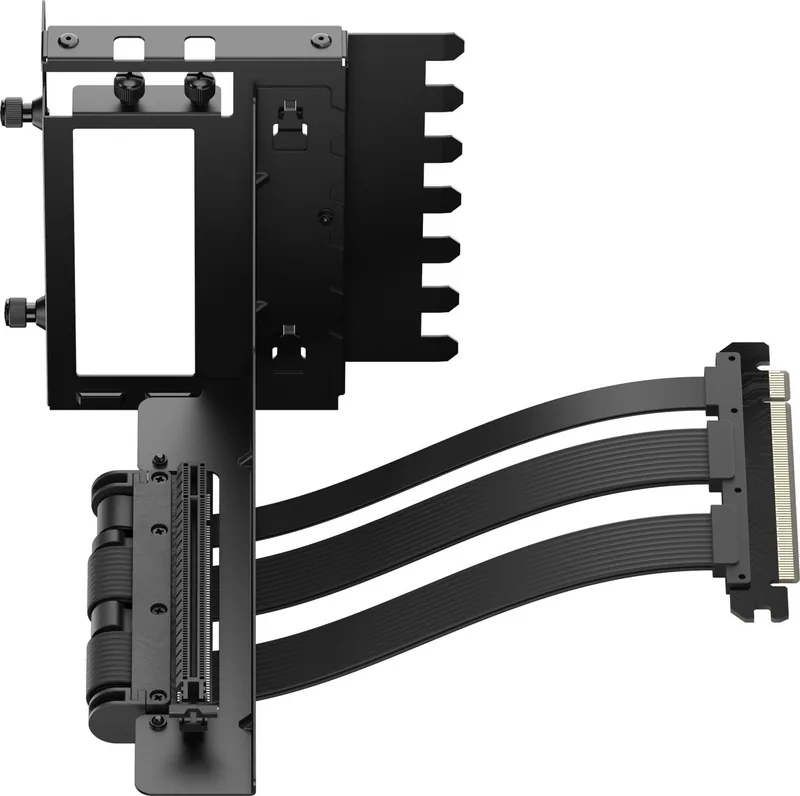
Fractal Design Flex 2 Manual
PDF manual · 2 Pages
English



Quick check
Incorrect answer, please try again.
Chat with your Fractal Design Flex 2 manual using AI
Get instant AI answers from your Fractal Design Flex 2 manual
Ask anything about the Fractal Design Flex 2. Answers come from this manual, with the pages they are based on.
Ask a Question
Do you recommend Flex 2?
Yes NoFrequently Asked Questions
It works with most modern motherboards featuring a PCIe x16 slot. You must verify physical clearance in your specific chassis case model to ensure the bracket fits correctly without interference.
Is this answer helpful?
The system handles up to thirty-eight watts through the riser connection. Graphics cards drawing more power may require additional external cabling or a lower wattage model to function safely.
Is this answer helpful?
Yes, a standard Phillips PH2 screwdriver is recommended for the majority of screws included in the kit. Ensure you have the correct size to avoid stripping the plastic or metal threading.
Is this answer helpful?
Weight distribution depends on case suspension arms. The bracket itself is sturdy, but ensure your case supports the vertical weight to prevent sagging on the motherboard slot over time.
Is this answer helpful?
The box contains two six-thirty-two thumbscrews for the PCI cover, two screws for the cable, and additional captive thumbscrews for the bracket mounting points totaling eight pieces.
Is this answer helpful?
Fractal Design originated in Sweden, and this item follows their engineering standards. Authorized representatives manage compliance in regions like the United Kingdom for local consumer protection.
Is this answer helpful?
Vertical mounting often improves airflow compared to horizontal layouts. However, ambient temperature and fan configuration play larger roles in overall thermal performance than the riser alone.
Is this answer helpful?
Advantages and Disadvantages
Advantages

- Supports PCIe 4.0 data transmission rates for high-speed graphics performance
- Includes comprehensive screw kit for versatile mounting options
- Facilitates vertical GPU mounting for improved airflow management
- Robust metal construction ensures long-term durability
- Designed with Swedish engineering precision and quality control
Disadvantages

- Limited to 38W power delivery restricting high-end GPU support
- Requires specific case compatibility for vertical bracket fitting
- Fixed cable length may not suit all large chassis designs
- Novice builders might find installation steps challenging initially
- Does not support external power connectors for high-wattage cards
Product Specification
Quantity
1x
Specification
PCIe 4.0
Connection
PCIe x16 PCIe x16
Type
Angled Cable
Cable Length
7.68in
Cable Connection
Fixed Ribbon Cable
Additional Power Supply
N/A
Power Cable Included
N/A
Features
incl. Bracket, incl. Graphics Card Support, Case-Specific (North, Focus 2, Define 7, Meshify 2, Torrent)
Product Description
Elevate Your Custom PC Build Today
Building a high-performance machine requires selecting components that blend functionality with aesthetic appeal. The Fractal Design Flex 2 Riser Card Cable provides an essential link for gamers prioritizing vertical GPU mounting solutions. This cable facilitates a cleaner look inside your chassis while maintaining optimal data transfer speeds for your graphics processor. Integrating this component into your workflow enhances the overall visual presentation of your system tower. Many enthusiasts prefer this layout to improve internal airflow dynamics significantly.
Technical Specifications and Power Delivery
Understanding power limits is crucial for system stability. This riser cable supports a maximum load of plus thirty-eight watts safely. Such capacity allows mid-tier graphics cards to operate efficiently without requiring additional auxiliary power connections directly on the riser segment. High-end models exceeding this threshold may face restrictions, so checking manufacturer specifications is advised before final selection. Ensuring electrical continuity prevents potential bottlenecks during heavy computational tasks or intense gaming sessions. Reliability remains the top priority for long-term hardware lifespan across all configurations tested.
Assembly Process and Included Hardware
Proper installation guarantees secure operation over time. The kit includes various fasteners to accommodate different mounting scenarios within compatible computer cases. Builders start by inserting the GPU support bracket into the PCI slot cover bracket unit. Subsequent steps involve connecting the PCIe 16x riser cable to the motherboard expansion slots carefully. The package lists two six-thirty-two thumbscrews for the PCI cover alongside others for the bracket itself. Two screws secure the riser cable while another pair holds the cover in place. PH2 heads require a specific driver type commonly found in most toolkits available today. Following established Fractal Design Flex 2 Riser Card Cable Manual protocols ensures consistent results across builds. Attention to detail prevents loose connections that could degrade signal integrity unexpectedly during operation.
Engineering Quality and Design Standards
Swedish engineering principles influence every aspect of this bracket assembly. The design focuses on minimizing heat buildup near critical components like memory modules and voltage regulators. Flexible cable routing allows for adjustments even after initial placement has occurred. This adaptability reduces stress on solder joints during transport or accidental bumps. Furthermore, the inclusion of dedicated thumbscrews simplifies future removals for maintenance or upgrades. A streamlined approach saves time during complex installation procedures involving multiple brackets. Durability is enhanced by robust metal alloys used throughout the manufacturing process for all metal contacts and brackets. The frame holds up well against vibration typical in home theater setups or stationary desk locations.
Important Considerations
Users should verify case compatibility prior to purchasing any related accessories. Thermal efficiency varies depending on how air flows through the specific enclosure chosen for the project. Always keep the area around the graphics card clear of obstructions to maintain cooling performance. Compliance teams confirm these units meet rigorous international safety certifications required for consumer electronics globally. Always check for authorized representatives like ARC House in the UK region for warranty assistance if needed locally.
Search for 67,706 Manuals online


Type-in Brand or Model