
Fractal Design Define 7 Manual
PDF manual · 60 Pages
English



Quick check
Incorrect answer, please try again.
Chat with your Fractal Design Define 7 manual using AI
Get instant AI answers from your Fractal Design Define 7 manual
Ask anything about the Fractal Design Define 7. Answers come from this manual, with the pages they are based on.
Ask a Question
Do you recommend Define 7?
Yes NoFrequently Asked Questions
The case supports E-ATX, ATX, Micro-ATX, and Mini-ITX motherboards. This range makes it suitable for compact builds, standard gaming PCs, and larger workstation configurations.
Is this answer helpful?
It includes six universal 3.5-inch/2.5-inch trays and two dedicated 2.5-inch brackets. In its storage layout, it can support up to 13 3.5-inch drives when extra trays and brackets are purchased separately.
Is this answer helpful?
The case supports radiators up to 420 mm at the top, 360 mm at the front, 280 mm at the bottom, and 120 mm at the rear. Available combinations depend on whether a 5.25-inch drive is installed.
Is this answer helpful?
Yes. The Define 7 includes three Dynamic X2 GP-14 140 mm fans. It also includes the Nexus+ 2 fan hub for connecting PWM and 3-pin fans.
Is this answer helpful?
Graphics card clearance is up to 491 mm in an open layout. It is reduced to 467 mm with an open layout and fan, or 315 mm in the storage layout. Check dimensions for the selected configuration.
Is this answer helpful?
Yes. The case provides an optional procedure for reversing the door opening direction, allowing the enclosure to better suit the placement of a desk or workstation.
Is this answer helpful?
Advantages and Disadvantages
Advantages

- Supports E-ATX through Mini-ITX motherboards for broad system compatibility.
- Flexible layouts support up to 13 3.5-inch drives with optional trays and brackets.
- Extensive cooling support includes up to a 420 mm top radiator and 360 mm front radiator.
- Includes three 140 mm Dynamic X2 GP-14 fans and a Nexus+ 2 fan hub.
- Solid and ventilated top panels allow builders to balance quiet operation and airflow.
Disadvantages

- The large full-size chassis requires considerable desk or floor space.
- Maximum GPU clearance varies significantly depending on the chosen storage layout.
- Achieving the highest drive capacity requires separately sold trays and brackets.
- Using a 5.25-inch drive reduces available radiator options.
- Complex custom cooling and storage layouts require careful component planning.
Product Specification
External
1x 5.25"
Internal
6x 2.5"/3.5" (horizontal, drive rails), 2x 2.5", 8x 2.5"/3.5" (optional)
Ports
1x USB-C 3.1 (10Gb/s, 20-pin Key-A header), 2x USB-A 3.0 (5Gb/s), 2x USB-A 2.0 (480Mb/s), 1x 3.5mm jack (line-out), 1x 3.5mm jack (line-in)
PCI slots
9 (2x riser card)
Fans (left)
N/A
Fans (right)
N/A
Fans (top)
3x 5.51 in (optional)
Fans (bottom)
2x 5.51 in (optional)
Fans (other)
N/A
Radiator sizes
4.72/5.51/9.45/11.02/14.17 in front, 4.72/5.51/9.45/11.02/14.17/16.54 in top, 4.72 in rear, 4.72/5.51/9.45/11.02 in bottom
Motherboard
up to ATX (11.18 in wide)
Supported motherboards
Mini-ITX (6.7"x6.7")/microATX (9.6"x9.6")/ATX (12"x9.6")/E-ATX (12"x11.2")
Power supply
ATX (max. 9.84 in deep)
Power supply position
bottom
CPU cooler
max. 7.28 in height
Graphics cards
max. 12.4 in (19.33 in without HDD cage and front fan, 18.39 in without HDD cage with front fan)
Lighting
without lighting
Dimensions (WxHxD)
9.45x18.66x21.54 in
Volume
3.79 cu ft
Case type
Mid tower
Front
door, closed, side ventilation slots, internal dust filter, internal sound-dampening mat
Top
modular (replaceable top panel, closed or Variant 2: partially closed, mesh, mostly fan grille, internal dust filter)
Bottom
partially closed, mostly fan grille, external dust filter
Right
closed, internal sound-dampening mat
Rear
partially closed, fan grille at top right, PCI slots (7x horizontal, 2x vertical)
Front I/O position
case side: top, height: front, position: center
E-ATX note
Motherboard and case manufacturers use E-ATX to describe different dimensions. Motherboards with E-ATX/SSI EEB dimensions of 12.01x12.99 in or 12"x13" are not supported.
USB notation
Link
Product Description
Fractal Design Define 7 - Read, Download & Print Free
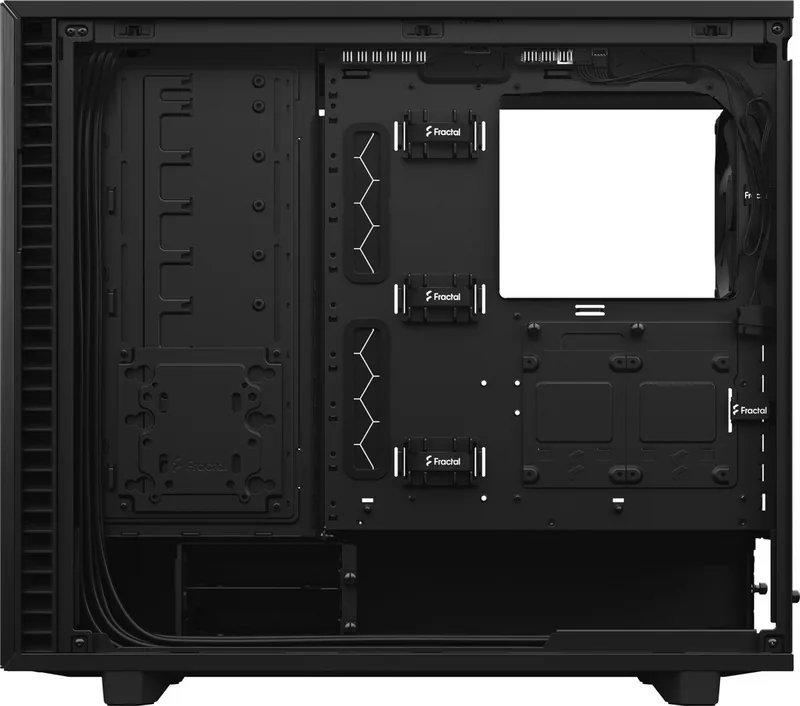
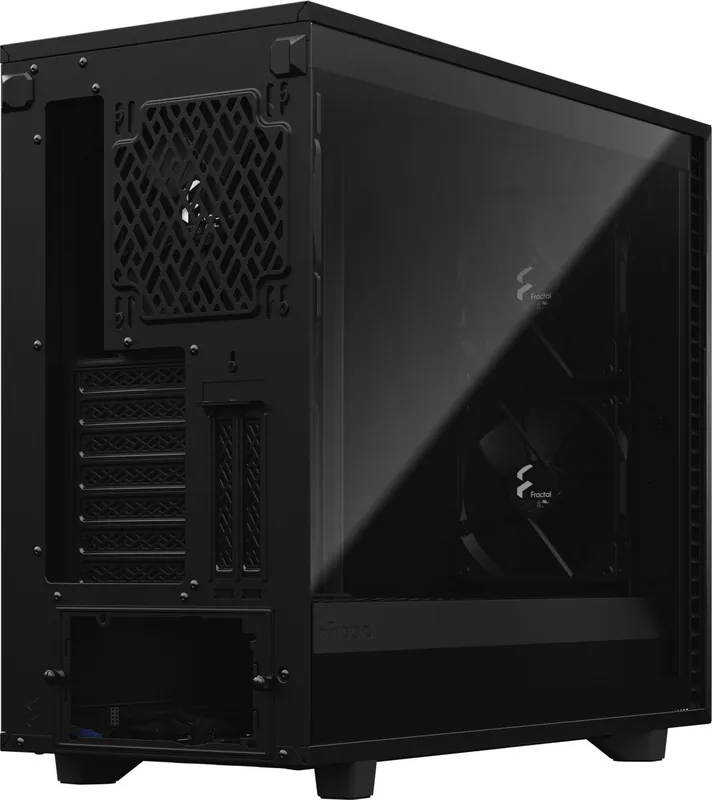
The Fractal Design Define 7 is a versatile full-size PC case designed for builders who value clean styling, quiet operation, and adaptable hardware support. Its understated exterior is paired with a highly configurable interior, making it suitable for gaming systems, creative workstations, home servers, and custom water-cooling projects. The case supports E-ATX, ATX, Micro-ATX, and Mini-ITX motherboards, giving builders broad freedom when planning a new system.
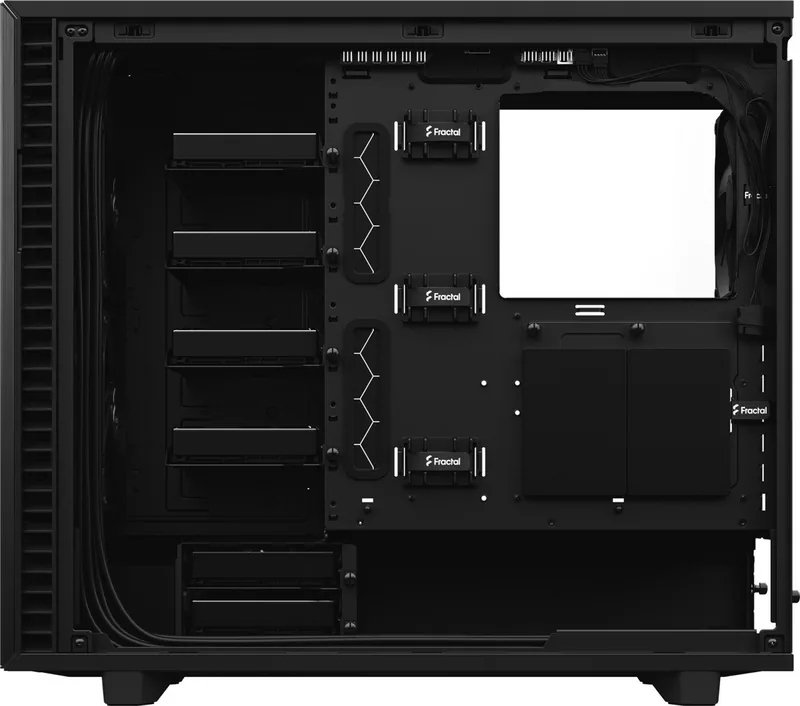
Inside, the Define 7 can be arranged around performance or storage capacity. It includes six universal 3.5-inch/2.5-inch drive trays, two dedicated 2.5-inch brackets, a hard drive cage, and a Multibracket. With additional accessories, the storage-focused layout can accommodate up to 13 3.5-inch drives, making it a practical choice for users who need substantial local storage. The adjustable interior also allows drive cages, trays, and brackets to be repositioned as component needs change.
Cooling and expansion flexibility
Cooling support is one of the Define 7's strongest features. Three Dynamic X2 GP-14 140 mm fans are included, while the integrated Nexus+ 2 hub helps organize PWM and 3-pin fan connections. Builders can install radiators up to 420 mm in the top, 360 mm in the front, 280 mm at the bottom, and 120 mm at the rear. Removable top hardware and interchangeable solid or ventilated top panels let users prioritize low noise or increased airflow.
The spacious chassis supports CPU coolers up to 185 mm tall and graphics cards up to 491 mm in an open layout. Storage-oriented configurations reduce graphics card clearance, so component dimensions should be checked before installation. There is also room for an ATX power supply up to 250 mm long when one hard drive cage is installed.
Builder-friendly details
The Define 7 includes front USB Type-C, two USB 3.0 ports, two USB 2.0 ports, and audio connections for convenient desktop access. Dust filters at the front, top, and bottom help simplify routine maintenance. Optional build steps cover door reversal, optical-drive installation, vertical graphics card placement, water-cooling reservoir and pump mounting, and expanded drive layouts.
Note: Choose the internal layout before installing major hardware. Removing drive cages and shroud inlays can create more room for long graphics cards, fans, and radiators, while the storage layout maximizes drive capacity.
For builders seeking a refined chassis that can evolve from a quiet desktop into a high-capacity storage system or liquid-cooled showcase, the Define 7 offers exceptional configuration freedom.
Search for 67,706 Manuals online


Type-in Brand or Model