
Fossibot DT1 Manual
PDF manual · 32 Pages
English



Quick check
Incorrect answer, please try again.
Chat with your Fossibot DT1 manual using AI
Get instant AI answers from your Fossibot DT1 manual
Ask anything about the Fossibot DT1. Answers come from this manual, with the pages they are based on.
Ask a Question
Do you recommend DT1?
Yes NoFrequently Asked Questions
It is suited for everyday communication, navigation, media use, and practical mobile tasks. The device layout and connectivity options make it a handy choice for users who need a simple tablet on the move.
Is this answer helpful?
The package includes the tablet, a user manual, a USB cable, a charger, and a SIM card pin. This gives users the key accessories needed for basic setup right away.
Is this answer helpful?
Yes. The listed radio specs show support for GSM, WCDMA, and LTE bands. That means it can work with mobile data and voice-related network compatibility depending on the region and carrier support.
Is this answer helpful?
It is presented as an outdoor tablet and includes features that help with mobile use, such as SIM support, GPS, and a flashlight. Still, users should follow the temperature and safety notes for best results.
Is this answer helpful?
Use the correct charger, avoid replacing the battery with the wrong type, keep earphone volume at safe levels, and follow the recommended operating temperature range. These steps help protect both the user and the device.
Is this answer helpful?
Yes. In some countries, 5 GHz Wi-Fi is restricted to indoor use only. Users should check local regulations before relying on that band in public or outdoor settings.
Is this answer helpful?
Advantages and Disadvantages
Advantages

- Includes essential accessories for quick setup: charger, USB cable, SIM pin, and manual.
- Supports multiple connectivity options, including Wi-Fi, Bluetooth, GPS, and mobile networks.
- Practical hardware layout with front camera, speakers, microphone, flashlight, and indicator light.
- Clear safety and compliance details help users operate the device more responsibly.
Disadvantages

- 5 GHz Wi-Fi use is restricted indoors in some regions, which limits flexibility.
- The operating temperature range is narrow, so extreme environments may be a problem.
- USB 2.0-only connection support feels less modern than newer charging standards.
- Battery replacement warnings mean service and handling need extra care.
Product Specification
CPU
MediaTek Helio P22 (MT8768), 4x 2.00GHz (ARM Cortex-A73) + 4x 2.00GHz (ARM Cortex-A53)
RAM
8GB LPDDR4
Storage
256GB Flash
Graphics
ARM Mali-G72 MP3 (iGPU)
Display
10.4", 2000x1200, 224ppi, Multi-Touch, IPS, 440cd/m2
Ports
1x USB-C 2.0 (480Mb/s, power connection)
Wireless
Wi-Fi 5 (WLAN 802.11a/b/g/n/ac), Bluetooth 5.0
Navigation
GPS, GLONASS, Galileo, Compass
SIM
2x Nano-SIM (4G LTE, 3G UMTS, 2G GSM)
Cellular
LTE, UMTS, GSM
Networks
4G, 3G, 2G
Card Reader
microSDXC (up to 1TB, shared with second SIM slot)
Webcam
16 Megapixel, f/2.2 (front), 48 Megapixel, AF, f/1.8 (rear)
Operating System
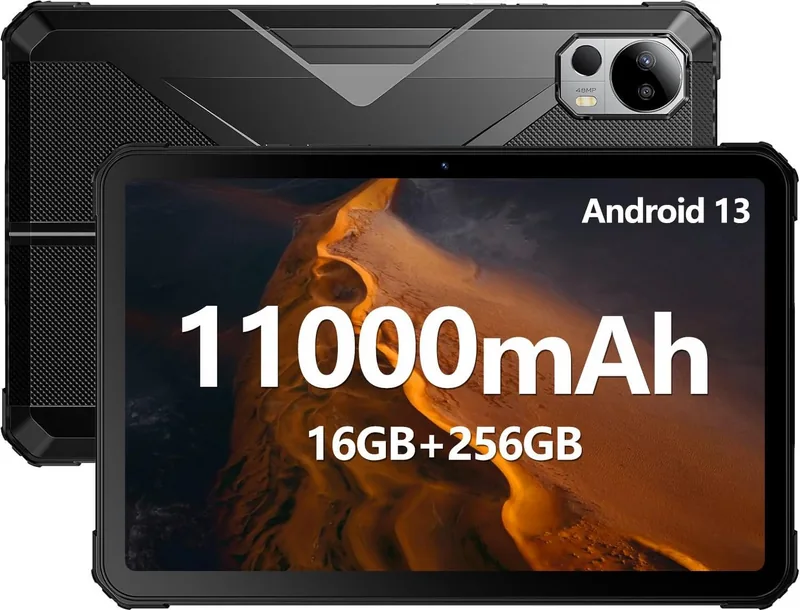
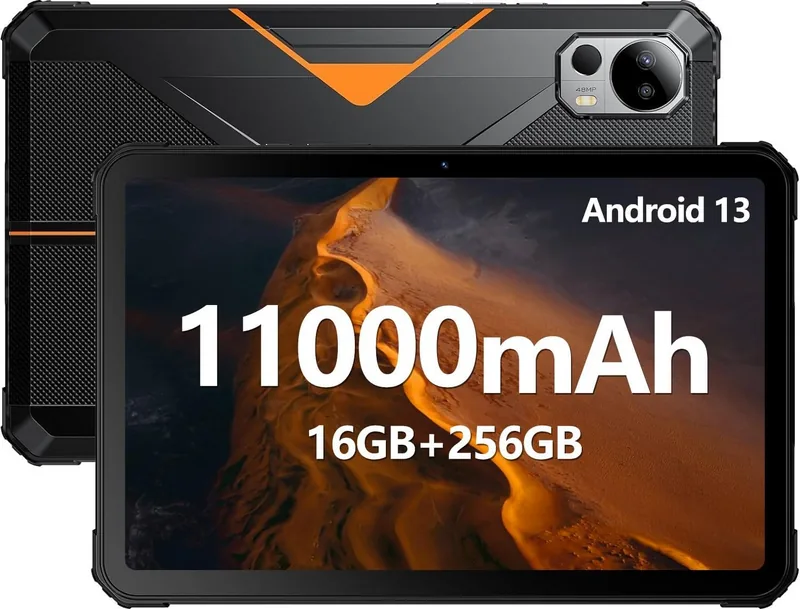
Android 13
Battery
Li-Polymer, 11000mAh
Dimensions
9.95x6.40x0.57in
Weight
1.75lb (Tablet)
Special Features
Proximity sensor, Accelerometer, Light sensor, Hall sensor, IP68/IP69K certified, MIL-STD-810H certified
Warranty
one year
Note
Different country versions possible.
Product Description
Fossibot DT1 Outdoor Tablet: A Practical Companion for Busy Days
The Fossibot DT1 Outdoor Tablet is presented as a device built for people who want a simple, capable tablet for travel, fieldwork, and everyday connectivity. The Fossibot DT1 Outdoor Tablet Manual helps users get familiar with the device layout, included accessories, and basic safety guidance, making the first setup feel straightforward rather than complicated.
At a glance, the DT1 focuses on usability. It includes a front camera, display, speakers, microphone, volume controls, a flashlight, an air hole, a light sensor, and SIM card support. This combination suggests a tablet designed to handle both media and communication in a convenient form factor. The three-color indicator light adds a useful visual cue, helping users understand device status without needing to dig through menus.
Connectivity is another strong point. The available radio specifications show support for Bluetooth, Wi-Fi, GPS, FM reception, and multiple cellular bands, including LTE, GSM, and WCDMA. That makes the tablet suitable for users who need more than just local apps and offline reading. Whether you are checking maps, staying in touch, or using data on the move, the DT1 appears ready for a wide range of daily tasks.
The included package also supports a smooth start. Along with the tablet itself, users receive a USB cable, charger, SIM card pin, and manual. That means fewer extra purchases before the device can be used. The safety notes are also clear, reminding users about charging standards, operating temperature limits, earphone volume care, and responsible battery handling.
For a blog-style takeaway, the DT1 stands out as a practical outdoor-friendly tablet that mixes communication tools, basic multimedia features, and broad network support. It is not trying to be flashy; instead, it aims to be useful, accessible, and ready for routine use in varied environments.
Notes
- Check regional wireless rules before using 5 GHz Wi-Fi.
- Use only a USB 2.0 connection for charging and transfer.
- Keep the tablet within the recommended temperature range.
- Follow battery and audio safety instructions for long-term use.
Search for 67,706 Manuals online


Type-in Brand or Model