
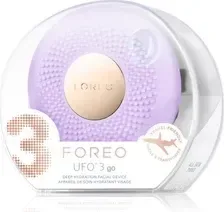
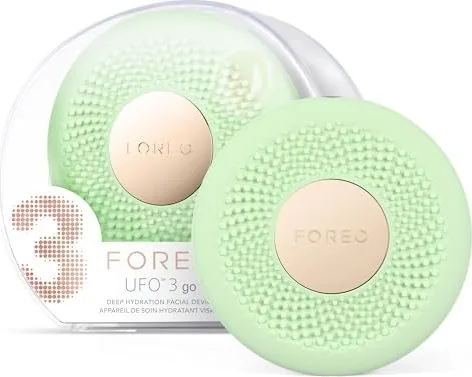
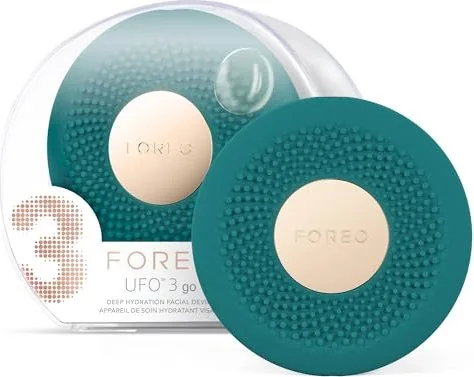
Foreo UFO 3 go Manual
PDF manual · 10 Pages
English



Quick check
Incorrect answer, please try again.
Chat with your Foreo UFO 3 go manual using AI
Get instant AI answers from your Foreo UFO 3 go manual
Ask anything about the Foreo UFO 3 go. Answers come from this manual, with the pages they are based on.
UFO 3 go Maintenance Schedule
Wash with soap and rinse with warm water. Pat dry with a lint-free cloth. For optimal results, spray with Silicone Cleaning Spray and rinse again.
Connect using the provided USB cable when the light blinks or battery is empty. A full charge lasts up to 40 minutes of use.
Ask a Question
Do you recommend UFO 3 go?
Yes NoFrequently Asked Questions
Download the FOREO For You app to unlock and register the device immediately.
Is this answer helpful?
It can be used twice a day morning and evening depending on skin needs.
Is this answer helpful?
Yes, eight pre-set treatments are accessible manually via the universal button.
Is this answer helpful?
Use the provided USB charging cable until the light emits a steady glow.
Is this answer helpful?
Two years limited warranty covers defects due to faulty workmanship or materials.
Is this answer helpful?
Non-FOREO products can be used but efficacy is not evaluated by the manufacturer.
Is this answer helpful?
Press and hold the universal button for three seconds after completing a treatment.
Is this answer helpful?
Advantages and Disadvantages
Advantages

- Ultra-portable lightweight design perfect for travel and handbags.
- Forty-minute battery life supports extended spa-like sessions anywhere.
- Offers eight manual presets allowing use without smartphone connectivity.
- Medical grade silicone surface prevents bacterial growth effectively.
- Combines heat therapy with sonic pulsations for better absorption.
Disadvantages

- Full feature unlocking requires mandatory registration with mobile application.
- Silicone components cannot be fully immersed in water.
- Requires proprietary masks for optimal pairing and results.
- Battery is non-replaceable upon disposal phase preparation.
- Heated surface may be too warm for sensitive skin types.
Product Specification
Operating Mode
Battery Powered (Li-Ion)
Cleaning Levels
8
Cleaning Modes
Warmth, Massage, Pulsation
Display
No
Features
Washable, Waterproof
Battery Life
40 min
Package Contents
USB Charging Cable, 1x Attachment
Product Description
Discover Professional Hydration On The Go With The FOREO UFO 3 go
In today's fast-paced world, maintaining healthy, radiant skin requires effective tools that fit seamlessly into our lifestyles. The FOREO UFO 3 go Intelligent Mask Treatment stands out as a premium solution for travelers and skincare lovers alike. This device transforms the traditional sheet mask ritual into a high-tech experience right at home or while jet-setting across continents. By consulting the Foreo UFO 3 go Intelligent Mask Treatment Manual, users can maximize the potential of this sophisticated gadget.
Advanced Technology Meets Portability
The core appeal of this unit lies in its ability to deliver deep hydration efficiently. It combines gentle heat therapy with T-Sonic massage pulsations to push active ingredients deeper than conventional methods allow. The device features ultra-hygienic medical-grade silicone which resists bacteria buildup. Its lightweight design ensures you never feel weighed down during treatment sessions. Battery performance is robust, offering forty minutes of continuous usage after a single charging cycle via standard USB connections. This makes it ideal for short trips or daily commutes where space is limited.
Flexible Treatment Options
Users can operate the device independently of smartphones by selecting one of eight preset modes directly on the hardware. These modes correspond to different LED spectrums ranging from red light for anti-aging to blue light for acne care. For enhanced customization, downloading the mobile application grants access to fourteen distinct protocols. Each mask type pairs with a specific recipe ensuring optimal results for conditions like dehydration, dullness, or fine lines. There are specialized options targeting dark circles and pollution protection specifically. Specific formulations include Hyaluronic Acid plus Red Algae for intense moisture recovery. Others utilize Pearl Extract and Niacinamide to restore brightness and clarity. These ingredients work synergistically with the device technologies for superior absorption rates.
Maintenance And Safety Guidelines
Proper upkeep is crucial for longevity and hygiene. After every session, rinse the silicone surface with mild soap and water. Never immerse the main unit or expose it to extreme temperatures beyond fifty degrees Celsius. Always disconnect power when not in use to preserve battery health. If you plan to share the device, avoid doing so due to personal hygiene standards. Consult a dermatologist if you have underlying skin conditions before beginning regular treatments. Cleaning sprays are recommended for optimal maintenance.
Final Thoughts On Your Journey
Investing in this device means committing to self-care rituals that yield visible improvements quickly. Whether you use it for morning energy boosts or evening relaxation, the experience remains consistent and luxurious. Keep your purchase receipt handy to validate your two-year warranty coverage globally. Protects your financial investment against manufacturing defects.
Important Note: Always refer to the manual for troubleshooting steps regarding Bluetooth connectivity issues or error indicators.
Search for 67,706 Manuals online


Type-in Brand or Model