
Foreo UFO 2 Manual
PDF manual · 8 Pages
English



Quick check
Incorrect answer, please try again.
Chat with your Foreo UFO 2 manual using AI
Get instant AI answers from your Foreo UFO 2 manual
Ask anything about the Foreo UFO 2. Answers come from this manual, with the pages they are based on.
Ask a Question
Do you recommend UFO 2?
Yes NoFrequently Asked Questions
You must download the FOREO For You app to unlock and register UFO 2 on first use and to activate most mask treatments. Two routines (Make My Day and Call It a Night) are pre-programmed and can be used manually, but full functionality and customization require the app.
Is this answer helpful?
Standard Make My Day and Call It a Night treatments take 90 seconds. UFO 2 routines are developed for twice-daily use (morning and evening), though frequency can be adjusted to meet your skin’s needs and preferences.
Is this answer helpful?
Remove and discard the microfibre mask, rinse the device and plastic ring under warm water, pat dry with a lint-free cloth, and optionally spray with FOREO’s Silicone Cleaning Spray. Avoid alcohol, acetone, or petroleum-based cleaners that can damage the silicone.
Is this answer helpful?
UFO 2 is safe around the under-eye area when used gently and without pressure, but avoid eyelids and eyes themselves. If you’ve had recent plastic surgery, Botox, or fillers, consult your doctor before use.
Is this answer helpful?
Try charging the device fully, toggle Bluetooth on your phone, close and reopen the FOREO app, and press the universal button to restart the device. If buttons remain unresponsive, follow the troubleshooting steps in the manual or contact FOREO support.
Is this answer helpful?
No. Each Power Activated Mask is formulated for single-use only. If you need more treatment, you can press the universal button within 30 seconds after a treatment ends to repeat the same routine once more.
Is this answer helpful?
Use the FOREO For You app to scan the barcode on each Power Activated Mask sachet; the app verifies authenticity and unlocks the corresponding treatment routine for your device.
Is this answer helpful?
Advantages and Disadvantages
Advantages

- Ultra-fast 90-second treatments combining Thermo-, Cryo-, T-Sonic™, and 8 LED wavelengths for multi-faceted skin benefits.
- Hyper-Infusion Technology improves mask ingredient absorption for more visible results compared with standard sheet masks.
- Hygienic, bacteria-resistant silicone body that is fully waterproof and easy to rinse and maintain.
- App integration unlocks additional pre-programmed treatments, customization of routines, and mask authenticity verification.
- Portable USB charging with up to 40 uses per 2.5-hour charge and a compact, travel-friendly design.
Disadvantages

- Requires FOREO Power Activated Masks (single-use) for intended performance, adding recurring cost.
- Initial activation and unlocking of most treatments require downloading and pairing with the FOREO app.
- Heat-sensitive users must exercise caution; device surface heats during Thermo-Therapy.
- Not intended for direct skin contact with power on without a mask; misuse can reduce effectiveness or cause irritation.
- Warranty voided if device opened; non-serviceable parts may require full-device replacement if damaged.
Product Specification
Operating mode
Battery operation (Li-ion)
Special features
waterproof
Product Description
Foreo UFO 2 Intelligent Mask Treatment Manual
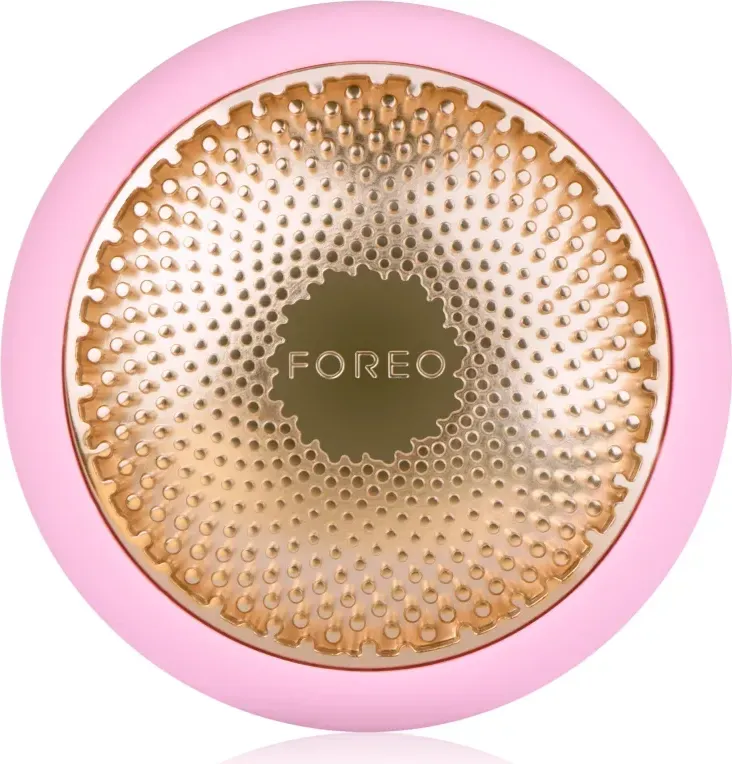
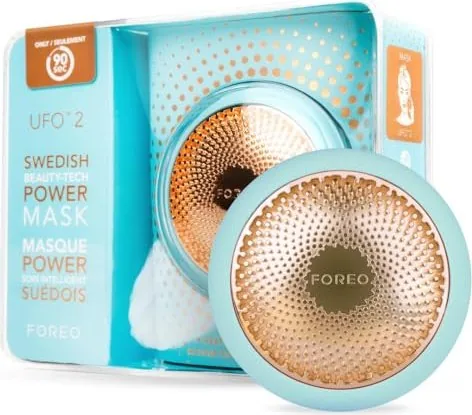
The Foreo UFO 2 Intelligent Mask Treatment is a compact, high-performance device that transforms sheet masks into clinical-style skincare rituals in just 90 seconds. Engineered with Hyper-Infusion Technology, the UFO 2 combines ultra-fast Thermo-Therapy, Cryo-Therapy, T-Sonic™ pulsations, and a full spectrum of eight LED lights to boost ingredient absorption, tighten pores, soothe skin, and deliver visible radiance. With a hygienic silicone body, intuitive single-button interface, and Bluetooth app integration, the device is suited for busy routines while offering a customizable experience for diverse skin needs.
UFO 2 pairs exclusively with Foreo’s single-use Power Activated Masks, each pre-programmed with optimized routines accessible via the FOREO For You app or by manual button presses once treatments are unlocked. The device includes a charging cable, sleek stand, and a user-friendly design that supports up to 40 treatments per full charge. Treatments such as Make My Day and Call It a Night are preloaded; additional masks are activated through the app by scanning their barcode. The device is waterproof and easy to clean—simply rinse the silicone housing and ring after removing the microfibre mask.
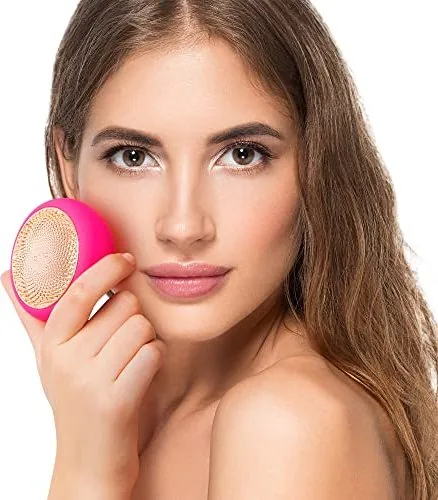
Operating the UFO 2 is straightforward: secure the Power Activated Mask with the attachment ring, select or sync a routine through the app or using the universal button, and glide the device across clean, dry skin in circular motions. Post-treatment, remaining essence can be patted in or removed with a cotton pad, followed by moisturizer if desired. Safety notes emphasize avoiding direct use on eyelids, consulting a physician after medical procedures, and not sharing the device for hygiene reasons. Troubleshooting covers charging, Bluetooth pairing, and simple resets.
The UFO 2’s combination of technologies offers a multi-benefit approach—heat to open pores and infuse actives, cold to firm and de-puff, sonic massage to boost circulation, and targeted LED wavelengths to address tone, texture, and radiance. Materials include body-safe silicone and durable polycarbonate/ABS with an aluminum alloy core; it’s available in several colors.
Notes:
- Always register and unlock your device via the FOREO For You app on first use to validate warranty and access full mask treatments.
- Each Power Activated Mask is intended for single use; repeat the same routine within 30 seconds if you want an immediate second application.
- Clean with warm water and FOREO’s recommended silicone cleaner; avoid alcohol, acetone, or petroleum-based products.
- Follow contraindications for sensitive skin, recent cosmetic procedures, and usage around the eye area.
Pros and cons are below, followed by FAQs to address common questions and troubleshooting tips.
Search for 67,706 Manuals online


Type-in Brand or Model