
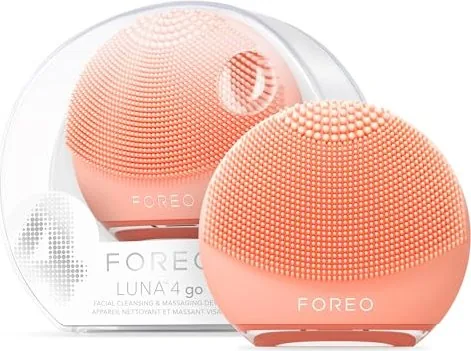
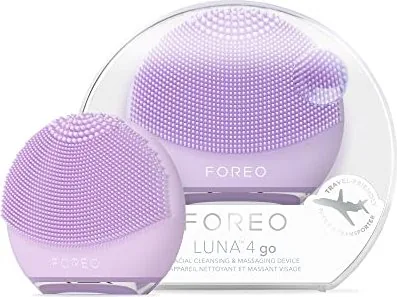
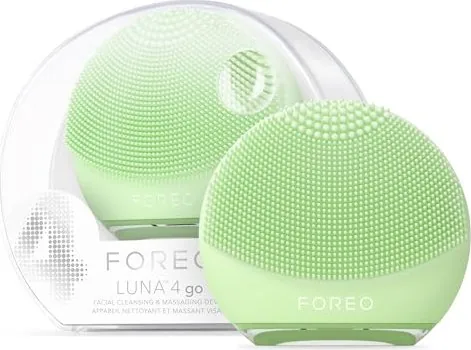
Foreo LUNA 4 go Manual
PDF manual · 8 Pages
English



Quick check
Incorrect answer, please try again.
Chat with your Foreo LUNA 4 go manual using AI
Get instant AI answers from your Foreo LUNA 4 go manual
Ask anything about the Foreo LUNA 4 go. Answers come from this manual, with the pages they are based on.
LUNA 4 go Maintenance Schedule
Wash the brush surface with water and soap, rinse with warm water, and pat dry. Optionally spray with FOREO Silicone Cleaning Spray.
Charge via USB for up to 2 hours when the indicator light flashes or performance drops. Up to 300 uses per charge.
Ask a Question
Do you recommend LUNA 4 go?
Yes NoFrequently Asked Questions
Hold down the plus and minus buttons together for three seconds. The light will flash to indicate unlocking for travel or use. You can also lock it for travel using the same procedure.
Is this answer helpful?
The device is safe to use every day either morning or night. We recommend using any time your skin needs a deeper cleanse, but not for more than three minutes at a time.
Is this answer helpful?
Yes, you can use it around the eye area. However, exercise particular care in the under-eye regions and do not bring the device into contact with the eyelids or eyes themselves.
Is this answer helpful?
The battery might be dead. Recharge using a USB charging cable until fully charged. Then restart by holding down the power button. Contact support if the button remains unresponsive.
Is this answer helpful?
Yes, the charging point is waterproof so you can safely use the device in the shower. Make sure the device is completely dry before charging and do not use it while charging.
Is this answer helpful?
You can use your preferred cleanser as long as it does not contain ingredients damaging to silicone. Avoid clay-based, silicone-based, or grainy cleansers and scrubs for best results.
Is this answer helpful?
Yes, there is a two-year limited warranty. You must register through the app or website to activate. It covers defects due to faulty workmanship or materials from normal use.
Is this answer helpful?
Advantages and Disadvantages
Advantages

- Features T-Sonic pulsations for superior cleansing and firming in one compact device
- Waterproof design allows safe usage in the shower and washable with soap easily
- Long battery life provides up to three hundred uses on a single USB charge
- Eight adjustable intensity levels allow for a customized experience for any skin type
Disadvantages

- The device should not be shared with others due to hygiene reasons and skin bacteria
- Certain cleansers containing clay or grainy particles can damage the soft silicone surface
- Do not use the device while charging as this may cause safety or performance issues
- Fixed design means no replacement parts are available if silicone wears out over time
Product Specification
Operating Mode
Battery Operation (Li-Ion)
Cleaning Levels
8
Display
No
Features
Timer, Charging Indicator Light, Washable, Waterproof
Charging Time
2 hours
Package Contents
USB Charging Cable
Product Description
Discover Smarter Skincare with Advanced Technology
Welcome to the future of your daily beauty routine. The Foreo Luna 4 Go Facial Cleansing Brush Manual provides essential guidelines for utilizing this compact device effectively. This 2-in-1 facial cleansing and firming device represents a significant upgrade for home skincare enthusiasts.
Revolutionize Your Cleansing Routine
Equipped with advanced T-Sonic pulsations, this tool removes dirt and oil alongside makeup residue in just sixty seconds. The silicone surface features distinct thinner and thicker touchpoints tailored for sensitive skin or oily zones like the T-zone. Eight manual intensity settings allow for a customized wash suitable for all skin types. Unlike traditional brushes, the silicone is ultra-hygienic, preventing bacterial buildup often found in nylon bristles.
Firming Massage Capabilities
Flip the device quickly to access the specialized firming massage mode effectively. Concentric ridges channel T-Sonic pulsations deep into age-sensitive areas, helping to diminish visible aging signs. This dual functionality makes it an icon for daily routines at home or while traveling for business or leisure. The device features a secure travel lock mechanism for convenience and boasts a fully waterproof Swedish design.
Battery Life and USB Charging
Users enjoy up to three hundred uses per single charge via the provided USB charging cable. The charging port is fully waterproof, ensuring safe usage in wet environments like the bathroom. Always dry the device thoroughly before charging to maintain optimal battery health. The visible indicator light signals clearly when a recharge cycle is needed soon. This longevity reduces downtime during regular cleaning sessions significantly.
Usage Notes for Optimal Performance
Avoid abrasive clay-based or grainy cleansers that might mechanically damage the soft silicone touchpoints. Do not share the device with others for strict hygiene reasons regarding individual skin bacteria. Keep the unit away from extreme heat sources or direct sunlight to preserve material integrity. If you experience any skin discomfort, stop immediate usage and consult a physician.
Essential Maintenance Tips
Remember not to use alcohol or petrol during cleaning. Always rinse with warm water and soap after every session to maintain the device surface integrity.
Search for 67,706 Manuals online


Type-in Brand or Model