
Foreo FAQ 102 Manual
PDF manual · 9 Pages
English



Quick check
Incorrect answer, please try again.
Chat with your Foreo FAQ 102 manual using AI
Get instant AI answers from your Foreo FAQ 102 manual
Ask anything about the Foreo FAQ 102. Answers come from this manual, with the pages they are based on.
FAQ 102 Maintenance Schedule
Wash the entire device with warm water and soap, rinse, and pat dry with a lint-free cloth. Do not use alcohol, petrol, or acetone.
Spray the device with FAQ Silicone Cleaning Spray and rinse with warm water for optimal hygiene results after washing.
Ask a Question
Do you recommend FAQ 102?
Yes NoFrequently Asked Questions
We recommend using the device 2-3 times per week for the first eight weeks when in Basic mode. After that, use 2-4 times per month to maintain results. If using Pro mode, limit usage to once a week for the first eight weeks, then 1-2 times monthly for maintenance.
Is this answer helpful?
Yes, it is essential to use FAQ P1 Manuka Honey Primer with your FAQ 100 Range device. The primer creates a conductive barrier to safely transfer EMS-Pro and Power-RF from the device to your skin, ensuring effectiveness and preventing irritation.
Is this answer helpful?
You can manually use all FAQ 100 Range devices without the app, but you must register and unlock the device for first-time use via the FAQ Swiss app. Without this initial registration, you cannot access full functionalities or unlock Pro mode settings.
Is this answer helpful?
Do not use the device on the chest, breast area, eye area, mid-line of the neck, genitals, thyroid area, or near major arteries. Avoid red skin, moles, warts, or open sores. Also do not use if you have implanted medical devices or electronic instruments.
Is this answer helpful?
Use the supplied USB cable with a 5V SELV power adapter compatible with IEC standards. Charge for two hours until indicator lights show full capacity. Never use the device while charging and ensure plugs are dry to prevent electric shock.
Is this answer helpful?
Yes, it includes a two-year limited warranty covering defects due to faulty workmanship or materials arising from normal use. Register via the app or website to activate. Warranty does not cover cosmetic deterioration or damage from misuse.
Is this answer helpful?
Advantages and Disadvantages
Advantages

- Combines four advanced technologies including EMS-Pro, Power-RF, LED-Pulse, and T-Sonic pulsations for comprehensive anti-aging results.
- Connects to the official app allowing users to unlock Pro mode and access higher clinical intensity levels after training.
- Features ultra-hygienic silicone free of BPA which prevents bacteria build-up and ensures long-term skin safety during treatments.
- Includes an Anti-Shock System that automatically adjusts electrical impulses for maximum comfort across different skin types.
- Long battery life supports up to 30 minutes of use per charge with quick two-hour recharge capability.
Disadvantages

- Requires exclusive use of the FAQ P1 primer to ensure conductivity and protection, adding ongoing cost to ownership.
- Must remain completely dry during operation and cannot be used near water or wet surfaces despite cleaning requirements.
- Battery is non-replaceable so once degraded over years, the entire unit may require replacement rather than repair.
- Initial setup restricts users to Basic mode with lower intensities until professional training via the app is completed.
- Contains strict safety contraindications excluding users with pacemakers, epilepsy, or those who are pregnant from safe usage.
Product Specification
Operating Mode
Battery Powered (3.7 V, Li-Ion)
Light Source
LED, RGB
Features
EMS Function
Package Contents
Bag, USB Charging Cable, Cleaning Cloth, Primer 2 ml
Product Description
Transform Your Face with Professional Technology
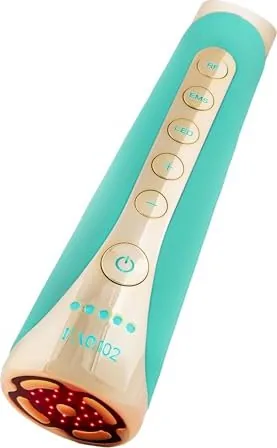
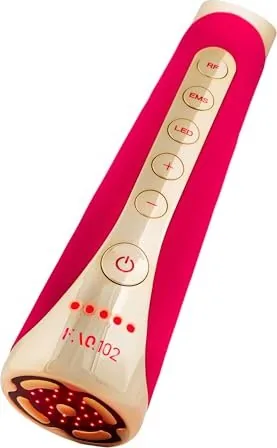
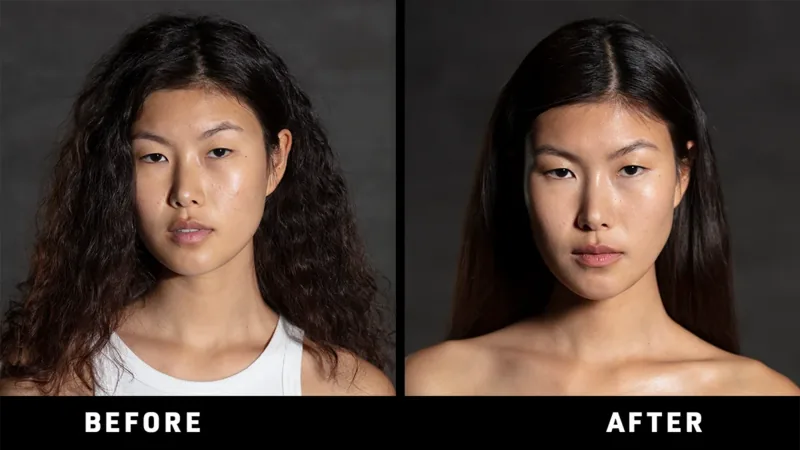
Discover the future of anti-aging skincare with the Foreo FAQ 102 LED Skin Tightening Device Manual guidance leading your journey into a refined complexion. This Swiss engineered facial device combines four powerful modalities to deliver complete rejuvenation from the comfort of your home. Unlike traditional salon treatments, this system offers concentrated power that targets deep tissue layers effectively. The integrated EMS-Pro technology utilizes concentrated electrical impulses to tone muscles on the face and neck. Simultaneously, heated radiofrequency waves accelerate collagen production to visibly reduce fine lines and wrinkles.
Advanced Light Therapy Integration
Narrow beams of pulsing full-spectrum LED light penetrate deep into the skin to promote natural healing abilities. You will notice your skin radiating with health after consistent application sessions tailored to your personal needs. Relaxing T-Sonic pulsations gently massage the face to melt away stress while boosting skin's overall radiance. Our unique Anti-Shock System ensures optimal comfort by adjusting settings automatically to match your skin type sensitivity levels perfectly. Every feature works together to provide complete facial rejuvenation at the push of a single button.
Usage and Connectivity Features
Before beginning your first session, download the companion app to register your warranty and sync preferences via Bluetooth. The interface allows you to customize LED light colors and unlock Pro mode access through professional training modules. Initially set to Basic mode, you start with lower intensities suitable for sensitive skin before advancing to clinical level settings. Cleaning requires washing with warm water and soap followed by drying with a lint-free cloth. Avoid alcohol-based cleaners that might damage the ultra-hygienic silicone surface designed to prevent bacteria buildup. Always apply the required P1 primer to ensure conductivity during treatments. Safety precautions mandate avoiding areas near eyes or active infections. Adhering to these guidelines guarantees a safe experience while maximizing results. This investment includes a two-year limited warranty protecting against defects arising from normal use throughout your lifetime.
Maintenance and Battery Specifications
Charge the device using the included USB cable for two hours to achieve up to thirty minutes of continuous use time. Indicator lights display the current battery status and pairing modes clearly under the universal button interface. If issues arise such as inability to activate, simply recharge the unit completely and restart the process manually. Troubleshooting steps include checking Bluetooth connectivity or restarting the microprocessor via prolonged button presses. The sleek design fits conveniently into the travel pouch for maintaining skincare routines on-the-go during vacations. Packaging materials utilized for shipping are made entirely of recyclable materials to support environmental conservation efforts globally. We recommend treating the under-eye region with particular care to avoid direct contact with eyelids during operation. Following the comprehensive video tutorials within the mobile application ensures correct gliding motions across all facial contours.
Search for 67,706 Manuals online


Type-in Brand or Model