
Fontastic Shagi+ Manual
PDF manual · 16 Pages
English



Quick check
Incorrect answer, please try again.
Chat with your Fontastic Shagi+ manual using AI
Get instant AI answers from your Fontastic Shagi+ manual
Ask anything about the Fontastic Shagi+. Answers come from this manual, with the pages they are based on.
Ask a Question
Do you recommend Shagi+?
Yes NoFrequently Asked Questions
Remove both earbuds from the charging case to power them on; they auto-sync and enter Bluetooth pairing mode. Search for "Shagi+" on your device's Bluetooth list and select it. Reinsert earbuds into the case to disconnect.
Is this answer helpful?
Press and hold the multifunction sensor on the right earbud for 2 seconds. Repeating the long press cycles through Transparent Mode, ANC Mode and Normal Mode with voice prompts indicating the selection.
Is this answer helpful?
The charging case supports USB Type-C wired charging using the supplied cable and Qi wireless charging pads. The case LED shows battery in 25% increments (25/50/75/100%).
Is this answer helpful?
Each earbud provides approximately 7 hours of operation per charge under typical use. Total runtime depends on volume, ANC usage and device settings; the charging case provides additional charges.
Is this answer helpful?
Press and hold the multifunction sensor on the left earbud for 2 seconds to activate Gaming Mode, which reduces latency to under 60 ms for gaming and video.
Is this answer helpful?
The FontaHome app lets you add and name the headset, view battery levels, adjust equalizer and ANC settings, change pairing name, and view the last known position. Registration and internet connection are required for full functionality.
Is this answer helpful?
Avoid prolonged listening at high volumes, do not use both earbuds while driving, protect the device from moisture, never open or immerse it in water, and stop use if visible damage appears.
Is this answer helpful?
Advantages and Disadvantages
Advantages

- Active Noise Cancellation up to -30 dB for focused listening in noisy environments.
- Multiple sound modes (Transparent, ANC, Music, Gaming) selectable via touch controls.
- Low latency Gaming Mode (<60 ms) ideal for gaming and video with minimal lag.
- FontaHome app integration for battery monitoring, EQ and ANC adjustments, and device naming.
- Compact charging case with USB-C and wireless charging plus ~7 hours runtime per earbud.
Disadvantages

- Volume must be adjusted on the Bluetooth source; no onboard volume controls.
- Small battery (40 mAh per earbud) may require frequent case recharges for heavy users.
- Touch controls can be triggered accidentally and may require learning curve.
- Some phone EQ settings can overdrive the super bass; manual normalization may be needed.
- Not waterproof; device must be protected from moisture and water immersion.
Product Specification
Design
Earbuds (In-Ear)
Form Factor
True Wireless, without ear hooks
Principle
closed
Microphone
integrated
Wireless
Bluetooth 5.3, AAC
Controls
Touch Control
Battery Life
7 h
Battery
USB-C charging port, charging case (300 mAh), wireless charging (Qi)
Frequency Range
20 Hz-20 kHz
Impedance
32 ohm
Sensitivity
115 dB
Driver
0.51 in
Device Features
active noise cancellation (ANC), ambient mode
Software Features
Equalizer presets, custom equalizer, app control
Weight
0.16 oz (per earbud), 1.41 oz (charging case)
Product Description
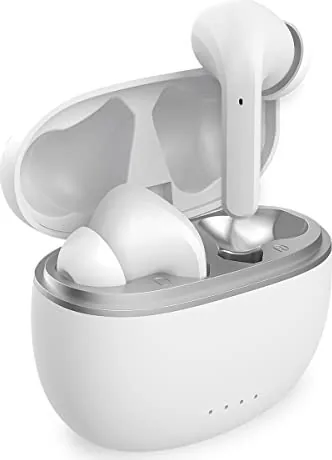
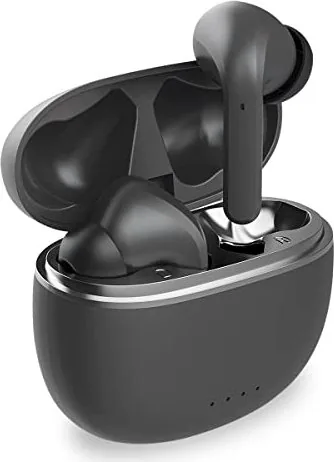
Fontastic Shagi+ — Smart TWS Headset with ANC
Discover the Fontastic Shagi+ Manual essentials for the Fontastic Shagi+ true wireless stereo (TWS) headset. This lightweight, feature-rich headset combines active noise cancellation (ANC), transparent mode, and app integration to deliver flexible listening suited for commuting, gaming, or everyday use. The Shagi+ offers intuitive touch controls, long battery life per session, and a compact charging case with wired and wireless charging options.
Key features and user experience
The Shagi+ uses multifunction touch sensors on each earbud to control playback, calls, modes, and voice assistants. Single, double and triple taps handle play/pause, track skip, call handling and voice assistant activation, while long presses toggle ANC, Transparent, Music, and Gaming modes. Automatic power on/off and auto-sync when removed or returned to the case simplify daily use.
ANC reduces ambient noise by up to -30 dB for focused listening, while Transparent Mode allows environmental sounds in for safe situational awareness. Gaming Mode lowers latency to under 60 ms for near real-time audio when playing games or watching TV. The FontaHome app extends functionality — letting users check battery levels, rename devices, adjust equalizer and ANC settings, and locate the last known position.
Practical aspects
The charging case supports USB-C fast charging and Qi wireless charging. Headset battery capacity provides around 7 hours per charge; the compact case stores additional charge for multiple sessions. Bluetooth 5.3 ensures stable connections up to 10 meters and supports common profiles (HS, HF, A2DP, AVRCP) and AAC audio decoding for improved sound quality.
A built-in high-performance microphone supports hands-free calls. Volume is controlled on the connected device; some phone EQs may overdrive the headset’s bass, in which case normalizing or volume adjustment on the phone is recommended. Safety guidelines warn against prolonged high-volume use, using while driving, and exposure to moisture.
Notes
- App registration and internet connection are required for some FontaHome features.
- The product is CE marked and complies with RED 2014/53/EU.
- Recycle the device properly per local electronics disposal regulations.
Search for 67,706 Manuals online


Type-in Brand or Model