
Fontastic Macaro Manual
PDF manual · 10 Pages
English



Quick check
Incorrect answer, please try again.
Chat with your Fontastic Macaro manual using AI
Get instant AI answers from your Fontastic Macaro manual
Ask anything about the Fontastic Macaro. Answers come from this manual, with the pages they are based on.
Ask a Question
Do you recommend Macaro?
Yes NoFrequently Asked Questions
Search for Macaro on your Bluetooth device and select it after turning on both headsets. One will flash while the other connects.
Is this answer helpful?
The headset offers up to three hours of continuous playback on a single charge. The case extends this with an additional 250 mAh battery.
Is this answer helpful?
Tap the multifunction sensor on the right headset twice to increase volume. Tap the left headset twice to decrease volume.
Is this answer helpful?
No, do not immerse the device in water. Protect it from moisture and humidity to prevent damage to the internal electronics.
Is this answer helpful?
For technical assistance, contact our support team by email at [email protected].
Is this answer helpful?
Yes, hold the multifunction sensor for two seconds while in standby mode to activate voice dial and voice commands.
Is this answer helpful?
The device uses Bluetooth version 5.0 which ensures stability across ten meters with modern smartphones.
Is this answer helpful?
Advantages and Disadvantages
Advantages

- Seamless Bluetooth connection up to ten meters
- TWS technology links headsets automatically without extra steps
- Includes three pairs of earbuds for custom fit comfort
- Multifunction sensors manage music and calls easily without phone access
- USB Type-c charging port supports fast power replenishment
Disadvantages

- Battery life limited to three hours of continuous playback
- Headset disconnects if left in charging case for too long without use
- Not waterproof so protect from water immersion and moisture risks
- High volume usage can clip bass settings depending on phone
- Automatic power off after three minutes if no Bluetooth signal
Product Specification
Type
Earphones (In-Ear)
Form Factor
True Wireless, no ear hooks
Design
Closed
Microphone
Built-in
Wireless
Bluetooth 5.0
Controls
Touch Control
Battery Life
3h, 12h (with charging case)
Battery
USB-C Charging Port, Charging Case (250mAh)
Frequency Range
20Hz-20kHz
Sensitivity
96dB
Drivers
0.31 in
Software Features
Voice Assistant
Weight
0.11 oz (per ear)
Product Description
Discover the Fontastic Macaro
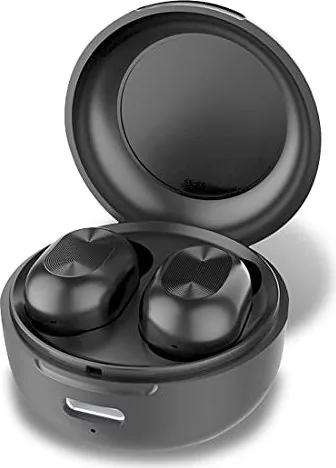
Welcome to the world of true freedom with the Fontastic Macaro wireless stereo headset. This device is engineered to provide a seamless audio experience without the hassle of tangled wires that frustrate users. The compact design fits comfortably inside the ear while delivering rich sound quality powered by an efficient eight millimeter driver unit. The Fontastic Macaro Manual provides all necessary steps to get started quickly and safely for new users right away.
Package and Contents
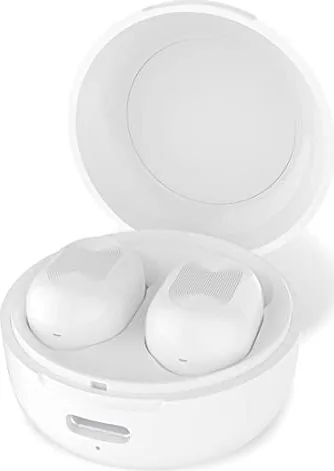
The package contents include two wireless headsets plus a dedicated storage and charging case that adds significant convenience during travel or daily commutes to work. A standard USB Type-c cable is included alongside three pairs of earbuds to ensure the perfect fit for different ear shapes and sizes found among customers. All users must read the detailed safety instructions found in the guide to protect themselves from potential risks during usage and battery handling. Handling these components requires careful attention to keep them safe during transit.
Battery Life and Charging
Charging is fully automated when inserting the individual headsets into the main case with status LED indicators showing clear information about battery power levels to the naked eye. The case supports USB Type-c charging for battery replenishment when the earbuds are fully depleted after many long listening sessions requiring full power capacity. Battery life reaches up to three hours per single charge which is generally considered sufficient for most daily commute requirements and short trips around town.
Connectivity and Controls
Pairing your device involves a simple search for the Macaro name on your Bluetooth settings area of a mobile device after turning on both units simultaneously using the sensor. Connection remains stable up to ten meters away using modern Bluetooth version 5.0 technology standards that are widely supported across all contemporary smartphones today. Multifunction sensors control all music playback operations and hands-free calling management without needing to physically remove the phone from a pocket during active use.
Safety and Maintenance
Safety warnings prohibit using the headset while operating vehicles or listening at extremely high volumes for extended periods of time which could damage hearing over years. Electronic devices disconnect automatically if the headset is removed or placed back inside the charging enclosure lid depending on the sensor input detected by the internal logic. Environmental protection guidelines require proper disposal of electrical items at designated public collection points and not with standard domestic waste at home. Always store the unit in a dry place to avoid humidity damage over time.
Technical Specifications and Support
Technical specifications confirm an eight millimeter driver with frequency range covering standard audio spectrum needs for music and voice communication clearly. The company supports this product with CE marks ensuring compliance with relevant European safety directives globally for market distribution and legal standards. Contact support via email for any technical issues arising during the product lifespan of the headset to ensure long-term satisfaction with the purchase.
Search for 67,706 Manuals online


Type-in Brand or Model