
Focusrite Scarlett Solo 4th Gen Manual
PDF manual · 36 Pages
English



Quick check
Incorrect answer, please try again.
Chat with your Focusrite Scarlett Solo 4th Gen manual using AI
Get instant AI answers from your Focusrite Scarlett Solo 4th Gen manual
Ask anything about the Focusrite Scarlett Solo 4th Gen. Answers come from this manual, with the pages they are based on.
Ask a Question
Do you recommend Scarlett Solo 4th Gen?
Yes NoFrequently Asked Questions
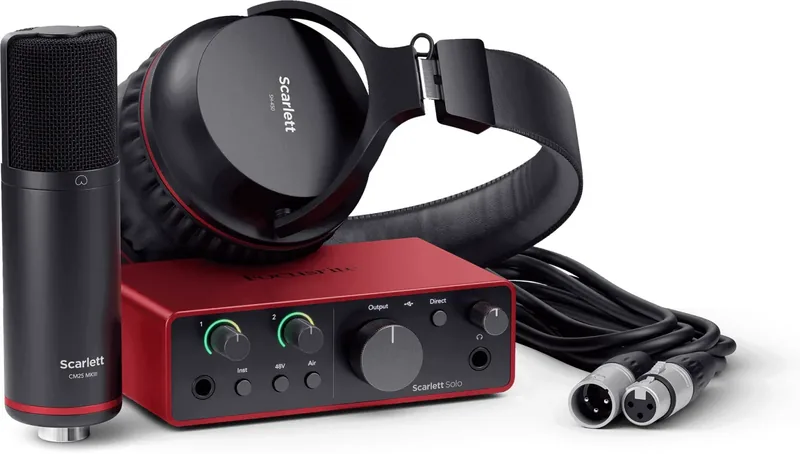
The Studio Pack contains the Scarlett Solo interface, a CM25 MkIII condenser microphone, a cardboard microphone stand, SH-450 headphones, and the necessary USB cables and software setup guide for Easy Start.
Is this answer helpful?
Download the software from the Focusrite website for your operating system. Run the installer and follow the on-screen instructions. Connect your interface by USB to start using the application for firmware updates and monitoring.
Is this answer helpful?
Yes, the standalone mode allows routing audio without a connected computer. This requires powering the unit via a USB power source and enabling direct monitoring on the front panel settings.
Is this answer helpful?
Air Mode mimics the sound of legendary ISA preamps by adding a presence boost and harmonic drive. It works on the microphone input and can be toggled on the hardware or managed via the Control 2 software.
Is this answer helpful?
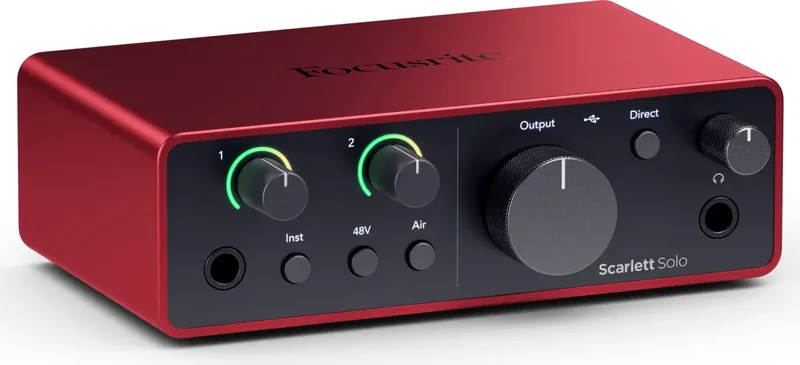
Press the 48 V button on the front panel to turn on phantom power for the XLR microphone input. Ensure Gain is reduced to avoid crackling sounds when activating the button.
Is this answer helpful?
The interface supports sample rates of 44.1 kHz, 48 kHz, 88.2 kHz, 96 kHz, 176.4 kHz, and 192 kHz with 24-bit resolution for high fidelity recording.
Is this answer helpful?
Advantages and Disadvantages
Advantages

- High gain preamp delivers +57dB per input for clean recordings.
- Revamped Air Mode adds analog presence and harmonic drive.
- Visual Gain Halo prevents clipping with green and red lights.
- Studio Pack includes CM25 MkIII mic and SH-450 headphones.
- Standalone mode allows audio routing without a computer.
Disadvantages

- Air Mode harmonic drive is not available above 96 kHz.
- Loopback recording may cause feedback if channels are not muted.
- Only one XLR microphone input limits multi-source recording.
- Standalone operation requires a separate USB power source.
- No built-in effects processor for instruments directly on hardware.
Product Specification
Interface
USB-C 2.0
Input Channels
2
Output Channels
2
Mic Preamps
1
Analog Inputs
1x Mic/Line In (XLR), 1x Line/Instrument In (1/4" Jack)
Analog Outputs
2x Line Out (1/4" Jack), 1x Headphone (1/4" Jack)
Digital Inputs
No
Digital Outputs
No
AD/DA Converter
24-bit/192kHz
Dimensions
5.63 x 1.83 x 3.78 inches (W x H x D)
Weight
0.84 lbs
Product Description
Focusrite Scarlett Solo 4th Generation Review
The Focusrite Scarlett Solo 4th Gen marks a leap for home recordists seeking professional audio quality. This interface delivers sound in studio quality. At the heart is an enhanced preamp offering +57dB gain per input. This ensures you extract detail from every microphone. Capturing clean vocals is essential for recording podcasts or music projects.
Standout Features and Air Mode
One standout feature is the revamped Air Mode. This analog circuit adds a presence boost to the sound, mimicking Focusrite's ISA preamps. It is available for the microphone input and can be toggled on hardware or via Focusrite Control 2. The interface features a Gain Halo, lighting up green or red. This feedback helps you avoid clipping during sessions.
What Is in the Studio Pack
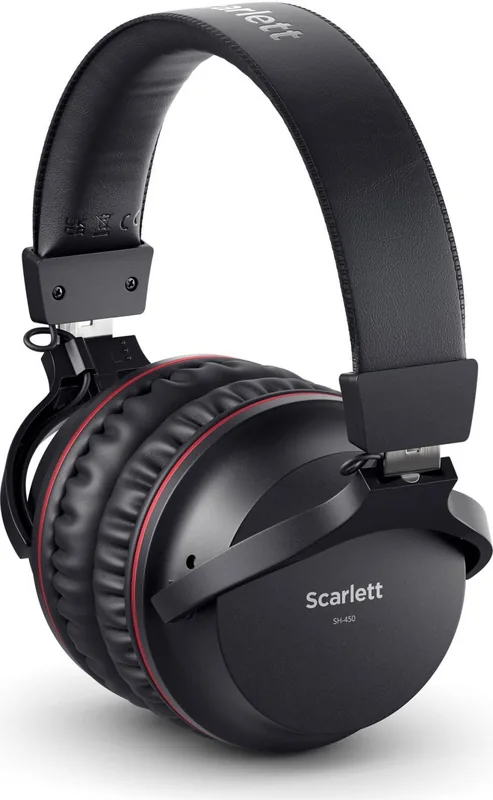
The Studio Pack includes the Scarlett CM25 MkIII microphone for vocals. It also contains a cardboard stand and SH-450 headphones. Setup is streamlined with Easy Start on Windows or Mac. This ensures drivers and software work immediately. Eco-friendly cardboard stand design reduces waste.
Connectivity and Software Integration
Connectivity uses USB-C for power and audio data. The interface supports 192 kHz sample rates for high fidelity. Focusrite Control 2 manages settings like phantom power. Loopback allows recording computer audio with mic input. Compatibility is robust via ASIO and Core Audio drivers. Modern production standards rely on this speed.
Advanced Usage and Settings
The interface supports standalone mode for routing audio without a computer. Standalone mode requires specific power connections to function. Focusrite Control 2 updates firmware seamlessly. If you want to master your device, consult the Focusrite Scarlett Solo 4th Gen Manual. Direct monitoring settings unlock potential. This interface remains a top choice for value.
Important Notes
Mute DAW output channels to prevent feedback when using loopback. Ensure Focusrite Control 2 is updated before first use. Use 48V only for condenser mikes.
Search for 67,732 Manuals online


Type-in Brand or Model