
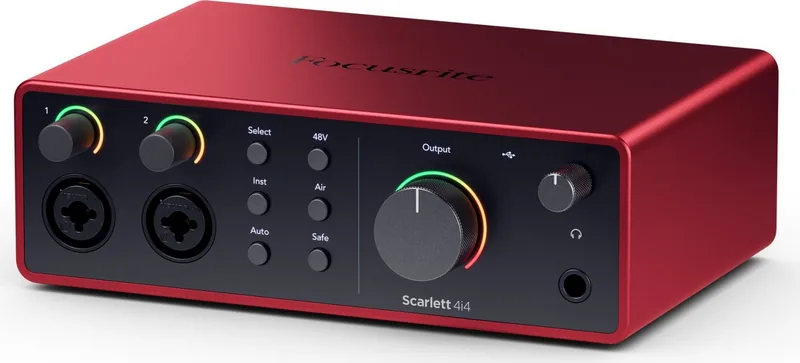
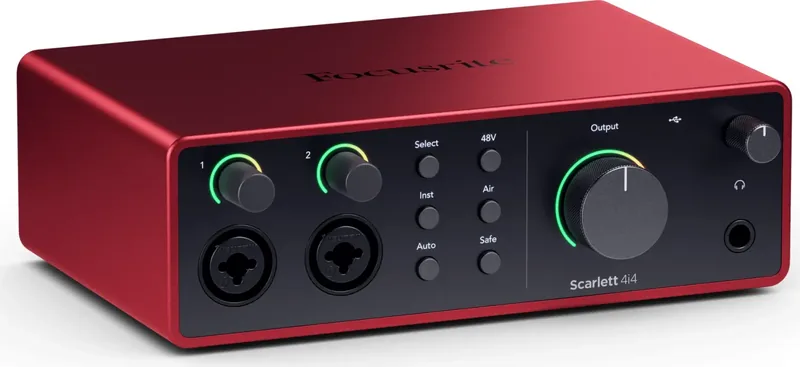
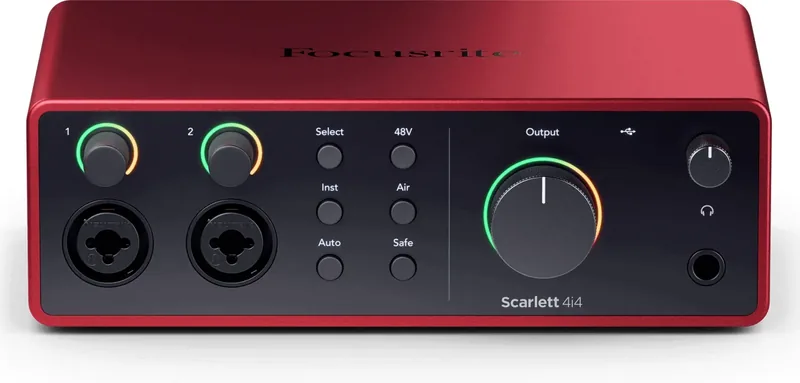
Focusrite Scarlett 4i4 4th Gen Manual
PDF manual · 44 Pages
English



Quick check
Incorrect answer, please try again.
Chat with your Focusrite Scarlett 4i4 4th Gen manual using AI
Get instant AI answers from your Focusrite Scarlett 4i4 4th Gen manual
Ask anything about the Focusrite Scarlett 4i4 4th Gen. Answers come from this manual, with the pages they are based on.
Ask a Question
Do you recommend Scarlett 4i4 4th Gen?
Yes NoFrequently Asked Questions
MIDI is disabled in Easy Start mode. Install and open Focusrite Control 2 to enable the MIDI ports. You can then send or receive data between your computer and MIDI hardware.
Is this answer helpful?
Yes, connect power and route inputs to outputs in the software. Disconnect from computer to record passively. This acts as a preamp for other gear.
Is this answer helpful?
Air Presence and Harmonic Drive are only available up to 96kHz. They do not function at higher sample rates like 192 kHz.
Is this answer helpful?
It requires 5V DC 3A power. You can use USB bus power or the included adapter for high load situations.
Is this answer helpful?
Yes, it functions on both operating systems using ASIO on Windows and Core Audio on macOS.
Is this answer helpful?
This indicates insufficient power. Connect the power adapter or try a different USB port directly on the computer.
Is this answer helpful?
Yes, hold the Select button for one second to link two preamps for stereo recording simultaneously.
Is this answer helpful?
Advantages and Disadvantages
Advantages

- +69dB of gain on each input ensures high quality recording even with quiet sources
- Auto Gain feature saves time by optimizing levels automatically in seconds
- USB connectivity supports MIDI input and output for external gear easily
- Air modes add analogue circuit presence boost or harmonics for richer tones
- Standalone mode allows pass-through audio even when disconnected from computer
Disadvantages

- Focusrite Control 2 software is required to unlock full sample rate features
- Phantom power must be activated per channel rather than globally for all inputs
- Clip Safe feature does not function at quad-band sample rates of 192 kHz
- Air Presence and Harmonic Drive modes are unavailable above 96 kHz sample rate
- USB port flashing red indicates insufficient power which may require adapter
Product Specification
Interface
USB-C 2.0
Input Channels
4
Output Channels
4
Mic Preamps
2
Analog Inputs
2x Mic/Line In (XLR/0.25 in Combo), 2x Line/Instrument In (0.25 in Jack)
Analog Outputs
4x Line Out (0.25 in Jack), 1x Headphone (0.25 in Jack)
Digital Inputs
No
Digital Outputs
No
AD/DA Converters
24bit/192kHz
Features
Auto Gain, Bus powered, Loopback, MIDI In/Out, Level Meter
Dimensions
7.09x2.36x5.12 in (WxHxD)
Weight
1.76 lbs
Product Description
Introduction to Scarlett 4i4
The Focusrite Scarlett 4i4 4th Gen represents a significant leap forward for home studio recording enthusiasts and professional musicians alike. This interface is designed for the artist who never stops creating. Whether you are setting up a bedroom studio or a professional booth, capturing studio-quality sound is now easier than ever thanks to the latest generation of Scarlett technology. The core innovation lies in its ability to deliver +69dB of gain on each input, ensuring that every microphone and instrument is captured with pristine clarity. It handles both XLR microphone connections and 6.35mm jack inputs for guitars and keyboards seamlessly.
One of the standout features is the Auto Gain functionality. This tool allows you to set your levels in seconds without needing to be an audio engineer. Simply press the button and speak or play your instrument for ten seconds. The interface automatically calculates the optimal gain level, ensuring you never lose a great take due to poor settings. Additionally, the Clip Safe button provides an extra layer of security by preventing distortion when you accidentally push the signal too high. This is particularly useful during live sessions or high-energy performances where levels fluctuate rapidly.
Connectivity options are robust, featuring USB-C connections for modern computers alongside traditional MIDI I/O for synthesizers and drum pads. The Back Panel includes dedicated line outputs and microphone inputs, providing flexibility for complex setups. You can use the Air modes to enhance your recording sound, applying an analogue circuit for a presence boost or adding harmonics for a richer tone. These modes are controlled via Focusrite Control 2 software, which also manages firmware updates and routing. The software integrates directly with your computer to adjust preamp settings remotely.
Setting up this hardware is streamlined through the Easy Start feature available on the first connection. This guide walks you through installation and registration. Once the Focusrite Control 2 software is installed, you unlock full feature sets including high sample rates up to 192 kHz and MIDI functionality. The interface is compatible with major DAWs like Ableton Live, Logic Pro, and Pro Tools, ensuring smooth integration into existing workflows. The manual details specific configuration steps for popular software environments.
When exploring the capabilities of this unit, referring to the Focusrite Scarlett 4i4 4th Gen Manual is highly recommended for detailed specifications. It covers everything from phantom power settings to standalone mode configurations. It also provides troubleshooting steps for common issues like USB power flashing red or driver conflicts. With its build quality and comprehensive support, this device remains a top choice for audio production. It combines hardware control with software flexibility to deliver a seamless workflow for creators worldwide. The physical design ensures stability on any desk surface while the LED halos provide visual feedback on gain levels and clipping states instantly. Standalone mode allows for preamplification without a computer, expanding your connectivity options significantly. This capability makes it versatile for various recording scenarios.
Search for 67,732 Manuals online


Type-in Brand or Model