
FLIR VS70 Manual
PDF manual · 40 Pages
English



Quick check
Incorrect answer, please try again.
Chat with your FLIR VS70 manual using AI
Get instant AI answers from your FLIR VS70 manual
Ask anything about the FLIR VS70. Answers come from this manual, with the pages they are based on.
VS70 Maintenance Schedule
Wipe the monitor, articulating probe, transmitter, and accessories with a damp cloth and mild cleaning agent. Do not use abrasive cleaners or solvents.
Connect the AC adapter to the powered-off monitor to charge the battery. Remove the adapter once fully charged.
Ask a Question
Do you recommend VS70?
Yes NoFrequently Asked Questions
It is used for remote visual inspection in tight or hard-to-reach areas. Common applications include HVAC work, cable routing, and inspections in automotive, marine, and aircraft environments.
Is this answer helpful?
Yes. The system supports direct connection and wireless operation, depending on the probe or transmitter setup. The input source must be selected in the menu to match the active mode.
Is this answer helpful?
Yes. It can capture still images and record videos, and audio can also be recorded through the monitor microphone when the setup is configured for it.
Is this answer helpful?
Files can be moved by removing the SD card and inserting it into a PC, or by connecting the monitor to a computer with a USB cable.
Is this answer helpful?
The articulating probe lets you angle the camera tip for better viewing. Do not operate the articulation controls while the probe is coiled, as this can damage the mechanism.
Is this answer helpful?
Yes. It supports video output to a TV or external monitor. You need to match the output format to the display using PAL or NTSC settings in the menu.
Is this answer helpful?
Advantages and Disadvantages
Advantages

- Supports both wired and wireless inspection workflows for flexible field use.
- Articulating probe improves visibility in tight spaces and awkward angles.
- Records photos, videos, and audio for easier documentation and reporting.
- SD card, USB transfer, and external video output improve data handling.
Disadvantages

- Wireless operation may be affected by 2.4 GHz interference in busy environments.
- Battery charging requires the monitor to be switched off for best results.
- Articulation should not be used while the probe is coiled, or damage may occur.
- Maximum LED brightness can generate warmth during extended inspection use.
Product Specification
Suitable for
Inspection camera
Product Description
FLIR VS70 VideoScope Monitor for Inspection Camera Manual: A Practical Overview
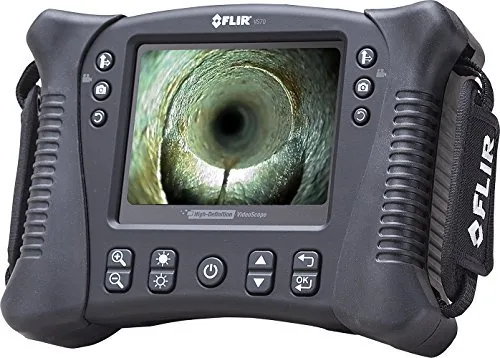
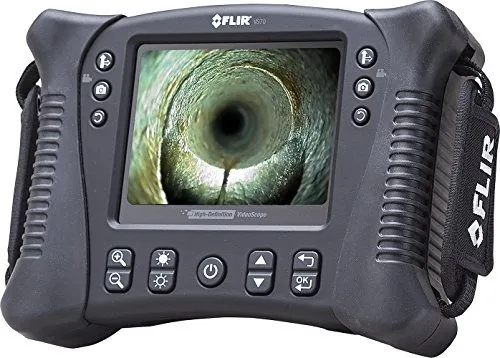
The FLIR VS70 VideoScope Monitor is built for professionals who need a dependable way to inspect tight, hidden, or hard-to-reach areas. From HVAC systems and cable routing to automotive, marine, and aircraft work, this videoscope combines a bright 5.7-inch monitor with flexible probe options to help users see clearly and document findings on the spot. If you are searching for the FLIR VS70 VideoScope Monitor for Inspection Camera Manual, the product stands out as a well-rounded inspection tool designed for both speed and precision.
One of the most appealing aspects of the VS70 is its versatility. It supports both direct and wireless configurations, which makes it easy to adapt to different job sites. The articulating probe adds another layer of control, letting users angle the camera tip for better visibility inside ducts, engines, enclosures, and other confined spaces. The monitor also supports left- or right-handed operation, a small but useful detail that improves comfort during longer inspections.
The device is also practical when it comes to capturing and sharing results. Users can take still photos, record videos, and even capture audio while recording. Files are stored on an SD card and can be transferred to a PC through USB, making reporting and documentation straightforward. For live external viewing, the system can output video to a TV or monitor. Combined with adjustable LED brightness, these features make the VS70 a capable tool for both field diagnostics and post-inspection review.
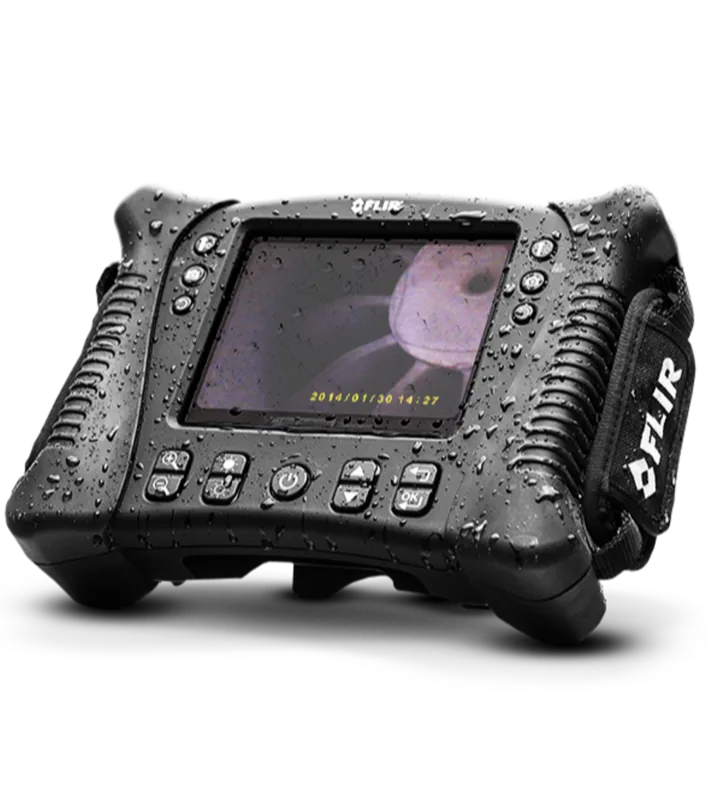
Durability is another strong point. The monitor, transmitter, camera, and many accessories are rated for tough working conditions, and the system includes safety guidance, battery management, and maintenance instructions that support long-term use. The IP67-rated components, rechargeable battery, and accessory support add convenience for technicians who need a portable solution that is ready for demanding environments.
Notes
- Wireless operation uses 2.4 GHz and may face interference in crowded environments.
- The articulating probe should not be adjusted while coiled to avoid damage.
- Battery charging works best when the monitor is switched off.
- LED light at maximum intensity can become warm during use.
Summary
The FLIR VS70 is a flexible inspection platform that blends image quality, recording tools, and probe control into a rugged package. It is especially valuable for technicians who need reliable visibility in areas where direct access is impossible.
Search for 67,706 Manuals online


Type-in Brand or Model