
FLIR Ex Series Manual
PDF manual · 49 Pages
English



Quick check
Incorrect answer, please try again.
Chat with your FLIR Ex Series manual using AI
Get instant AI answers from your FLIR Ex Series manual
Ask anything about the FLIR Ex Series. Answers come from this manual, with the pages they are based on.
Ask a Question
Do you recommend Ex Series?
Yes NoFrequently Asked Questions
It is used to detect heat patterns and support inspections in buildings, electrical systems, and maintenance work. Common uses include finding moisture, drafts, insulation gaps, and overheated connections.
Is this answer helpful?
Set emissivity, reflected apparent temperature, distance, and the correct temperature range for the target. Also let the camera warm up briefly and use calibration and NUC when needed.
Is this answer helpful?
The camera supports thermal, MSX, picture-in-picture, thermal blending, and digital camera modes. These options help balance thermal detail with visual context.
Is this answer helpful?
NUC reduces image noise caused by differences between detector elements. It helps keep the thermal image clear, especially after temperature changes or when the display looks noisy.
Is this answer helpful?
Clean it gently with the recommended liquid and cotton wool or a dry lens cloth, depending on the method. Avoid aggressive rubbing, solvents, and anything that could damage the coating.
Is this answer helpful?
Yes. It can connect through peer-to-peer sharing or to a wireless network, depending on the model. Firmware updates are handled through FLIR Tools after connecting the camera to a computer.
Is this answer helpful?
Advantages and Disadvantages
Advantages

- Multiple image modes improve context and make thermal patterns easier to read.
- Measurement tools and parameter controls help improve real-world accuracy.
- Image storage, Wi-Fi, and software support simplify reporting and sharing.
- Useful for building, electrical, and moisture inspections in one device.
- Clear maintenance, calibration, and update guidance supports reliable use.
Disadvantages

- Accurate readings depend heavily on correct emissivity and distance settings.
- The infrared lens requires careful cleaning to avoid coating damage.
- Battery use and charging follow strict limits, which can be restrictive.
- Manual tuning and calibration steps may take time for new users to learn.
Product Description
FLIR Ex Thermal Imaging Camera Manual: Practical Insights for Everyday Thermal Inspection
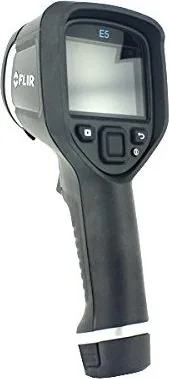
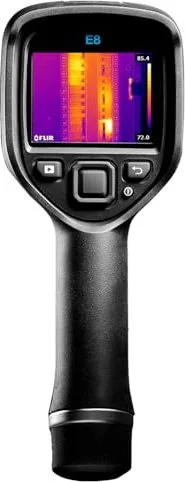
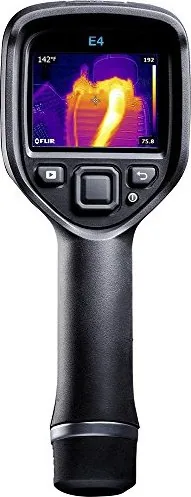
The FLIR Ex Thermal Imaging Camera Manual points to a compact, field-ready thermal camera designed for fast visual diagnostics. It is built for users who need to see heat patterns, compare surfaces, and capture images that explain what is happening behind walls, inside electrical systems, or across building materials. For technicians, inspectors, and maintenance teams, the FLIR Ex series feels less like a specialty gadget and more like a practical problem-solving tool.
One of the standout strengths of the camera is its range of image modes. Users can work in fully thermal views, thermal fusion modes such as MSX, picture-in-picture, or thermal blending, and even switch to digital camera images when context matters more than heat data alone. That flexibility makes it easier to interpret edges, locate components, and understand temperature differences without losing sight of the bigger scene.
The camera also gives users control over measurement quality. Settings like emissivity, reflected apparent temperature, distance, and temperature range help tailor readings to the material and environment. This matters in real inspections, where shiny metal, painted surfaces, or long-distance targets can distort results if the setup is rushed. The manual emphasizes calibration, non-uniformity correction, and allowing the camera to stabilize before critical measurements, which supports more trustworthy output.
Day-to-day workflow is streamlined as well. Images can be saved internally, reviewed later, deleted as needed, and transferred to a computer for analysis and reporting. Wi-Fi options, FLIR Tools integration, and firmware updates make it easier to keep the camera connected and current. Battery charging is flexible too, with support for a power supply, a standalone charger, or USB charging when convenience matters most.
The FLIR Ex line is especially useful in building and electrical inspections. It can help identify moisture intrusion, faulty socket contacts, oxidized connections, insulation gaps, and drafts around doors, windows, and trim. In practice, that means faster troubleshooting and clearer communication when documenting issues for clients or maintenance records.
Safety and handling are part of the experience too. The camera should be used carefully around heat, strong radiation sources, and batteries, while the infrared lens needs gentle cleaning to protect its coating. Used with good habits, the FLIR Ex becomes a reliable companion for repeatable thermal inspection work.
Notes
- Match settings to the surface and distance before trusting a reading.
- Manual temperature tuning is useful when the scene has wide heat variation.
- Gentle lens care helps preserve image quality over time.
- Regular updates and calibration support long-term performance.
- Internal image storage makes on-site documentation easier.
Search for 67,706 Manuals online


Type-in Brand or Model