
FLIR C3-X Manual
PDF manual · 42 Pages
English



Quick check
Incorrect answer, please try again.
Chat with your FLIR C3-X manual using AI
Get instant AI answers from your FLIR C3-X manual
Ask anything about the FLIR C3-X. Answers come from this manual, with the pages they are based on.
Ask a Question
Do you recommend C3-X?
Yes NoFrequently Asked Questions
It is designed to visualize heat patterns and help inspect buildings, electrical components, equipment, and other targets where temperature differences may indicate a problem or condition worth investigating.
Is this answer helpful?
The camera supports Thermal MSX, Thermal, Digital Camera, and Picture-in-Picture modes. Thermal MSX combines infrared imagery with visible edge detail, while Picture-in-Picture overlays thermal information on a visual image.
Is this answer helpful?
Use the on-screen spotmeter for a point reading or add hot and cold spot boxes to identify temperature extremes within a selected area. Measurement parameters can be adjusted for more accurate results.
Is this answer helpful?
Yes. Thermal captures can retain thermal and visual information, allowing later changes to color palettes, image modes, temperature scale settings, measurement tools, and notes through the gallery or compatible FLIR software.
Is this answer helpful?
After pairing the camera with a FLIR Ignite account and connecting to Wi-Fi, images can be uploaded automatically or manually. Ignite supports viewing, organizing, searching, downloading, and sharing results.
Is this answer helpful?
Let the camera stabilize before important readings, select the correct temperature range, use suitable emissivity settings, and account for distance and environmental conditions. Reflections and low-emissivity surfaces can affect results.
Is this answer helpful?
Advantages and Disadvantages
Advantages

- Thermal MSX, thermal-only, digital, and picture-in-picture modes support flexible inspection workflows.
- Spotmeter and hot or cold boxes help users locate and compare temperature variations on screen.
- Wi-Fi and FLIR Ignite support automatic uploads, image organization, searching, downloading, and sharing.
- Saved thermal captures can be edited later with different palettes, image modes, notes, and measurement tools.
- USB-C transfer, rechargeable power, a camera lamp, and tripod mount support convenient field use.
Disadvantages

- Accurate readings may require careful adjustment of emissivity, distance, humidity, and reflected temperature.
- Thermal images can be affected by reflections, low-emissivity surfaces, sunlight, and incorrect viewing angles.
- Digital camera mode saves a visual image only and does not retain thermal information.
- Cloud uploads require Wi-Fi connectivity and pairing with a FLIR Ignite account.
- The infrared lens has a delicate coating and requires cautious cleaning with approved materials.
Product Specification
Camera
128x96 (max. sensor resolution), 53.6 degrees (horizontal field of view), 53.6 degrees (vertical field of view)
Display
Touchscreen
Features
USB-C, picture-in-picture
Smart Home
App control (Wi-Fi, Bluetooth)
Power Supply
Battery operation (lithium-ion)
Dimensions
5.43 x 0.94 x 3.31 in (W x H x D)
Weight
6.7 oz (including battery)
Product Description
FLIR C3-X Thermal Imaging Camera - Read, Download & Print Free
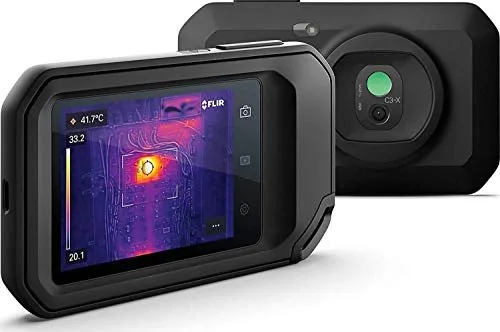
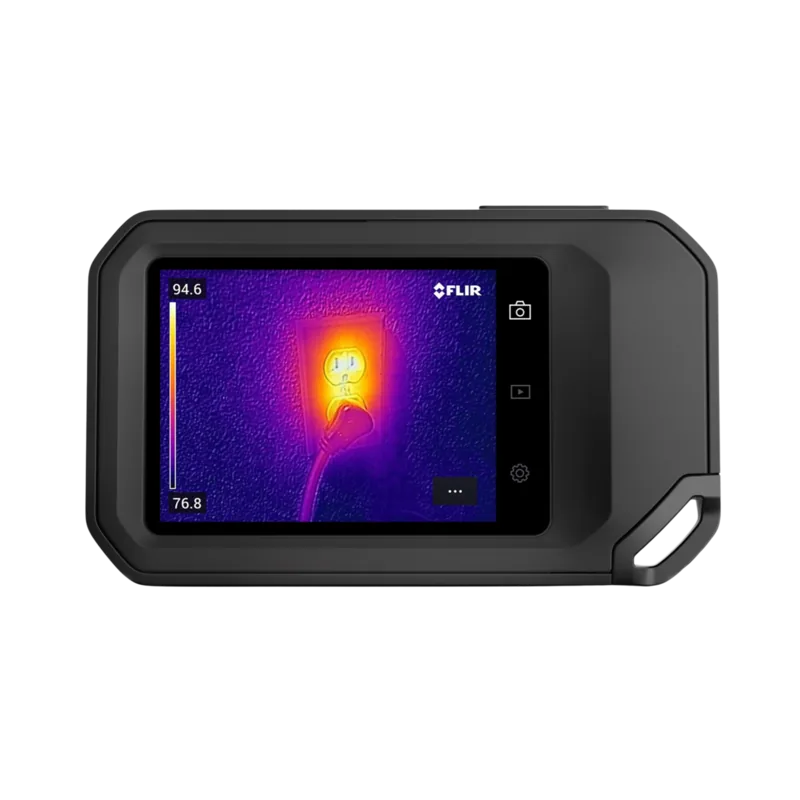
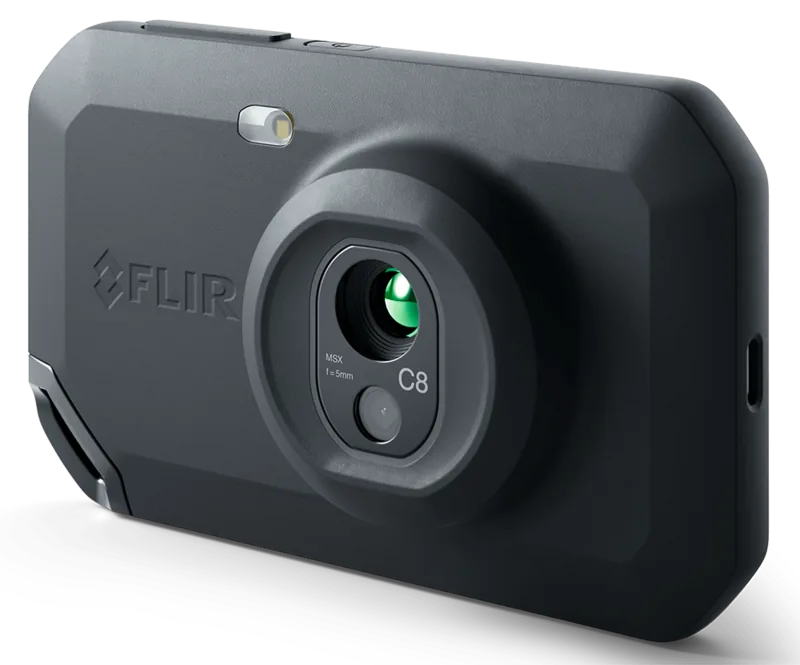
The FLIR C3-X Thermal Imaging Camera is a compact inspection tool designed to help users identify temperature differences that may be difficult to see with the naked eye. It combines infrared imaging with a visual camera, making it useful for building inspections, electrical checks, maintenance work, and troubleshooting tasks. The touchscreen interface provides access to live thermal views, saved images, settings, and measurement tools in a portable format.
Clearer Views for Practical Inspections
The camera supports several viewing options, including thermal, digital camera, picture-in-picture, and Thermal MSX modes. Thermal MSX adds visible edge detail to the infrared image, helping users recognize object outlines while still viewing heat patterns. Picture-in-picture places a thermal frame over the visual image, while thermal-only mode keeps attention on infrared data. Color palettes and adjustable temperature scales can further improve contrast when examining an area of interest.
For dependable observations, the FLIR C3-X Thermal Imaging Camera provides a spotmeter and hot or cold spot boxes. These tools display temperatures directly on screen and can be moved or resized to focus on specific components. Users can also adjust measurement parameters such as emissivity, reflected temperature, humidity, atmospheric temperature, and distance when conditions require greater measurement accuracy.
Save, Organize, and Share Findings
Captured images retain thermal and visual information in supported thermal modes, allowing later adjustments to palettes, image modes, and measurement tools. Notes can be added to images to record inspection conditions, locations, or follow-up details. The built-in gallery supports folders, image organization, renaming, moving, and deletion for better project management.
Wi-Fi connectivity allows the camera to pair with a FLIR Ignite account for online image storage. Automatic upload can send new captures when an internet connection is available, while manual upload offers more control. In FLIR Ignite, users can view, organize, search, download, and share inspection results. USB-C file transfer is also available for moving saved images to a computer.
Designed for Everyday Field Use
The camera includes a rechargeable battery, camera lamp, tripod mount, and USB-C connection. Its interface includes battery, storage, Wi-Fi, Bluetooth, and upload indicators, making key status details easy to check. Firmware updates can be installed online or through a USB connection to help keep the camera current.
Note: Accurate thermal interpretation depends on proper settings, target surface properties, distance, and environmental conditions. Allow the camera to stabilize before critical measurements, avoid strong energy sources, and clean the infrared lens carefully to protect its coating.
Search for 67,706 Manuals online


Type-in Brand or Model