
Flex ID 1/4 18.0 Manual
PDF manual · 242 Pages
English



Quick check
Incorrect answer, please try again.
Chat with your Flex ID 1/4 18.0 manual using AI
Get instant AI answers from your Flex ID 1/4 18.0 manual
Ask anything about the Flex ID 1/4 18.0. Answers come from this manual, with the pages they are based on.
ID 1/4 18.0 Maintenance Schedule
Blow out the housing interior and motor with dry compressed air while keeping the tool running. Frequency depends on material machined and duration of use.
Remove dirt and dust from the charger housing with a brush or dry cloth. Do not use water or liquid detergents.
Ask a Question
Do you recommend ID 1/4 18.0?
Yes NoFrequently Asked Questions
The Flex ID 1/4 18.0 Impact Wrench provides a maximum torque of 180 Nm, making it suitable for tightening and loosening large nuts and bolts in industrial settings.
Is this answer helpful?
The product description mentions the solo version. Typically, batteries may be sold separately or included depending on the specific bundle configuration purchased from the retailer.
Is this answer helpful?
Press the button on the side of the battery to view the LED indicators. A steady light shows the current level, while flashing lights indicate low charge or a fault.
Is this answer helpful?
The tool is designed for indoor use only. It should not be exposed to rain or moisture. Always store the device and batteries in dry rooms to prevent damage.
Is this answer helpful?
It is strongly recommended to use only original Flex batteries. Using non-original batteries can void warranties and poses risks of explosion or equipment damage.
Is this answer helpful?
Clean the housing interior and ventilation slots regularly, especially after working with metals. Use dry compressed air while the tool is running to remove conductive dust.
Is this answer helpful?
Advantages and Disadvantages
Advantages

- Delivers high torque of 180 Nm for demanding applications
- Lightweight and ergonomic design reduces operator fatigue
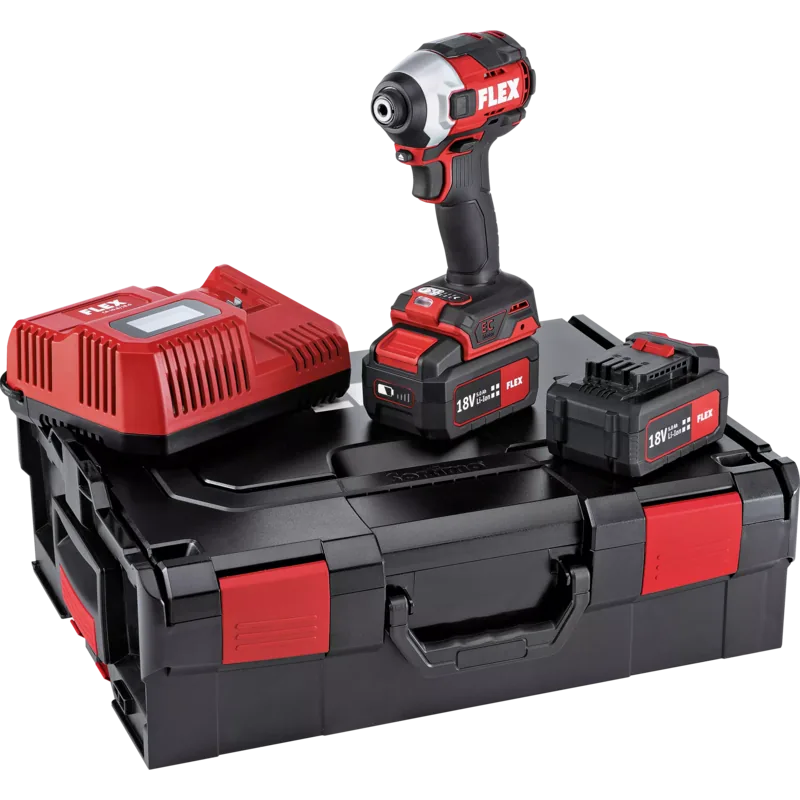
- Includes organized L-Boxx storage for convenient transport
- Fast charging capability with clear LED status indicators
- Integrated brake stops the tool immediately after release
Disadvantages

- Requires separate purchase of compatible batteries for full capacity
- Noisy operation requires mandatory hearing protection
- Limited to 1/4 inch drive size restricting large bolt applications
- Battery life depends heavily on usage intensity and conditions
- Charging time varies significantly based on current battery state
Product Specification
Type
Impact wrench
Battery
18V, Li-ion
No-load speed
0-2300 rpm
No-load impact rate
0-3200 bpm
Chuck size
1/4" square
Torque
15.9 ft-lb
Drive size
1/4" square
Features
Forward/reverse, variable speed, variable impact rate, battery indicator, LED work light, soft grip, restart protection, quick stop, motor brake, belt clip, bit storage
Weight
2.65 lbs (without battery)
Package contents
Without charger and battery, includes L-Boxx
Product Description
Elevate Your Workshop with the Flex ID 1/4 18.0 Impact Wrench
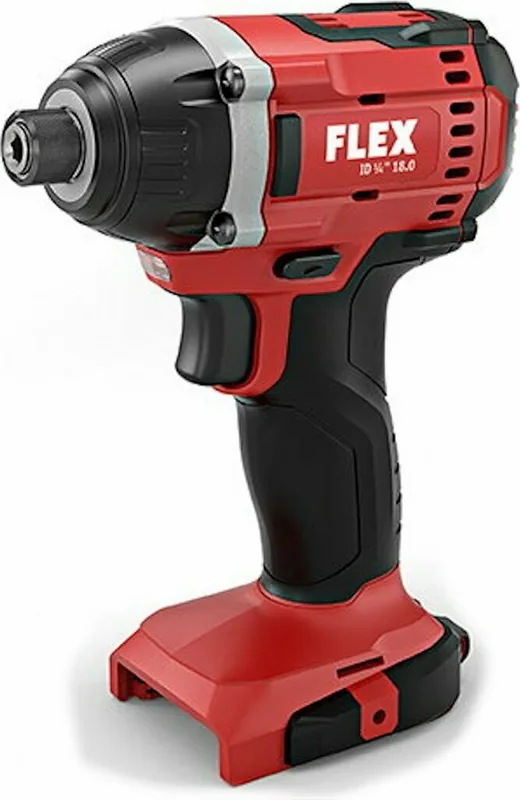
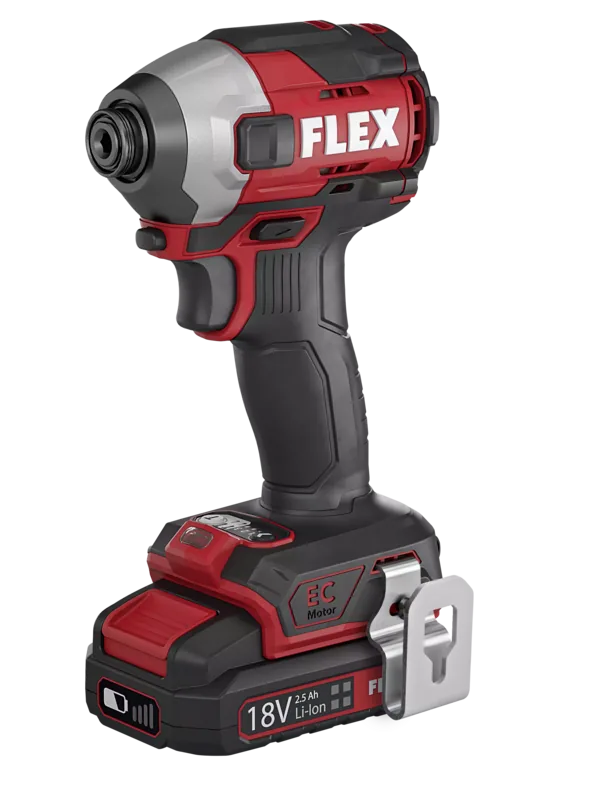
The Flex ID 1/4 18.0 Impact Wrench Solo incl. L-Boxx is a powerhouse designed for professionals who demand reliability and performance in industrial and trade environments. This compact yet robust tool is specifically engineered for tightening and loosening nuts and screws of various dimensions, making it an essential addition to any serious toolkit. Whether you are working on automotive projects, assembly lines, or construction sites, this impact wrench delivers consistent torque without the bulk of traditional models.
Equipped with a durable lithium-ion battery system, users can enjoy extended runtimes and quick charging capabilities. The tool features a 1/4-inch hexagonal drive that accepts standard bits and bit holders securely, ensuring efficient workflow. The included L-Boxx storage case provides organized transport and protection for the device and its accessories, keeping your workspace tidy and your tools ready for immediate use. Safety is paramount, with insulated grip surfaces and clear indicators for battery status to prevent accidents during operation.
The ergonomic design reduces user fatigue during long shifts, while the integrated brake stops the tool instantly upon releasing the trigger. With a maximum torque of 180 Nm, this machine handles demanding tasks with ease. The manual provides comprehensive guidance on usage, maintenance, and safety protocols to ensure optimal performance and longevity. Experience the perfect blend of power, precision, and portability with the Flex ID 1/4 18.0 Impact Wrench.
Key Features at a Glance
- High Torque Output: Delivers up to 180 Nm for heavy-duty fastening tasks.
- Compact Design: Lightweight at just 1.15 kg, reducing strain on the operator.
- Smart Battery Management: LED indicators show charge levels accurately.
- Secure Tool Retention: Quick-change mechanism for fast bit swaps.
- Professional Storage: Comes with a durable L-Boxx for safe transport.
Important Notes
Always wear appropriate hearing protection when using the tool for extended periods. Ensure the battery is fully charged before starting critical tasks. Store the device in a dry environment to maintain electrical integrity.
Search for 67,732 Manuals online


Type-in Brand or Model