
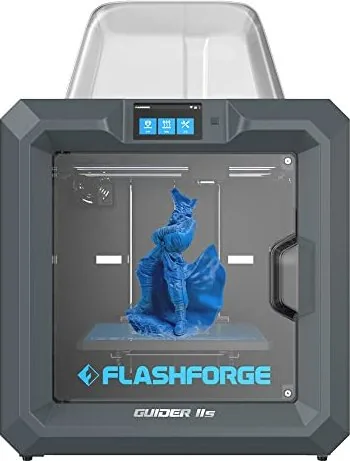
Flashforge Guider IIS Manual
PDF manual · 82 Pages
English



Quick check
Incorrect answer, please try again.
Chat with your Flashforge Guider IIS manual using AI
Get instant AI answers from your Flashforge Guider IIS manual
Ask anything about the Flashforge Guider IIS. Answers come from this manual, with the pages they are based on.
Ask a Question
Do you recommend Guider IIS?
Yes NoFrequently Asked Questions
The Guider IIS offers a substantial build volume of 280mm by 250mm by 300mm, allowing users to create large objects without needing to split them into smaller parts.
Is this answer helpful?
You can connect the Guider IIS using a USB cable, Wi-Fi hotspot, Ethernet cable, or through Polar Cloud services. Ensure both devices are on the same network for wireless connections.
Is this answer helpful?
Yes, you can use third-party filaments, but the Filament Check feature works best with FlashForge branded filament inside the specific cartridge. Inferior filaments may cause jams.
Is this answer helpful?
FlashPrint is the primary slicing software recommended for the Guider IIS. It is available for Windows, Mac, and Linux. The printer also supports Simplify3D, though it may require separate registration or fees.
Is this answer helpful?
Use the three-point intelligent leveling system. Tap Tools on the screen, select Level, and follow the on-screen prompts to adjust the knobs under the platform until the distance is verified correctly.
Is this answer helpful?
Never touch the hot nozzle or build plate during printing. Work in a ventilated area, avoid flammable liquids, and keep the device out of reach of children. Do not modify the device yourself.
Is this answer helpful?
Advantages and Disadvantages
Advantages

- Large build volume of 280x250x300mm accommodates big projects
- High-temperature extruder reaches 300°C for diverse material compatibility
- Built-in camera enables real-time remote monitoring of prints
- Three-point intelligent leveling system simplifies bed calibration
- Multiple connectivity options including WiFi, Ethernet, and USB
Disadvantages

- Heavy net weight of 30kg makes portability difficult
- Requires specific FlashForge filament for optimal Filament Check function
- Firmware updates should ideally be handled by engineers to avoid errors
- Touch screen screws may need adjustment if functionality becomes erratic
- X-axis timing belt loosening can cause shifting artifacts on prints
Product Specification
Process
Fused Filament Fabrication (FFF)
Recommended Materials
1.75mm filament, open system, ABS, ASA PLA, PET/PETG, HIPS, PC
Print Volume
11.02x11.81x9.84 in (WxDxH)
Layer Height
0.00-0.02 in
Build Plate
heated
Interfaces
USB 2.0, Wi-Fi
Dimensions
21.61x22.09x19.29 in (WxDxH)
Weight
66.14 lbs (empty)
Product Description
Flashforge Guider IIs - Read, Download & Print Free
The Flashforge Guider IIS series represents a robust leap in Fused Filament Fabrication technology, designed for users seeking precision and reliability in their 3D printing journey. This comprehensive guide covers every aspect of the machine, from unpacking to advanced cloud connectivity. Whether you are a hobbyist or a professional, understanding the intricacies of this device ensures optimal performance and longevity.
Unboxing and Setup
Upon receiving your unit, carefully remove the protective foam and packaging materials. The Guider IIS arrives pre-assembled but requires filament installation and build plate leveling before operation. The box includes essential accessories such as a spool holder, power cable, USB stick with software, tools like Allen wrenches and a stamping wrench, solid glue stick, and grease. Safety is paramount; always work in a well-ventilated area free from flammable substances and keep children away during operation.
Hardware and Software Integration
Equipped with a 5-inch full-color IPS touch screen, the Guider IIS offers an intuitive interface for controlling print jobs. The printer supports a massive build volume of 280x250x300 mm, allowing for large-scale projects. It utilizes FlashPrint software, which can slice models into G-code files compatible with the machine. Users can connect via USB, Wi-Fi, Ethernet, or utilize Polar Cloud services for remote monitoring and printing. The built-in camera allows real-time observation of prints, adding a layer of convenience for long-duration jobs.
Advanced Features and Maintenance
The Guider IIS features a three-point intelligent leveling system that simplifies the setup process. It also includes a high-temperature extruder capable of reaching 300 degrees Celsius, enabling the use of various engineering-grade filaments. Regular maintenance involves cleaning the nozzle, checking filament flow, and ensuring the Z-axis rods are lubricated. By following the detailed troubleshooting steps provided in the manual, common issues like clogged nozzles or loose belts can be resolved efficiently.
Search for 67,706 Manuals online


Type-in Brand or Model