
Flashforge Finder 3 Manual
PDF manual · 40 Pages
English



Quick check
Incorrect answer, please try again.
Chat with your Flashforge Finder 3 manual using AI
Get instant AI answers from your Flashforge Finder 3 manual
Ask anything about the Flashforge Finder 3. Answers come from this manual, with the pages they are based on.
Finder 3 Maintenance Schedule
Ensure regular maintenance by using a dry cloth to remove dust and adhered residues from the printer.
The adhesion of the glass build plate may decrease after long-time use. Apply proper amount of glue to keep and improve adhesion.
The lubricity of the X-axis guide rail will decrease after long-time use. Apply an appropriate amount of grease to increase lubricity.
Ask a Question
Do you recommend Finder 3?
Yes NoFrequently Asked Questions
Navigate to Control and select Level. Place an A4 paper on the plate and use the touchscreen arrows or physical nuts to adjust the distance until you feel slight friction without scratching the paper. Repeat for three points.
Is this answer helpful?
Yes, but it is not recommended for extremely cold environments. To prevent warping, ensure the room temperature is between 18 and 30 degrees Celsius and apply glue to the build plate for better adhesion.
Is this answer helpful?
The Finder 3.0 supports STL, OBJ, AMF, 3MF, FPP, BMP, PNG, JPG, and JPEG files for slicing and input. Output files include GX, G, and GCODE formats compatible with standard slicers.
Is this answer helpful?
First, go to Settings and enable Wi-Fi. Enter your network password and note the IP address shown in the Info menu. Then open FlashPrint on your computer, select Connect Machine, enter the IP address, and click connect.
Is this answer helpful?
Heat the nozzle to the appropriate temperature for your filament. Use the provided needle to gently clean the tip. If the issue persists, check the extruder gears and ensure the filament path is clear of obstructions.
Is this answer helpful?
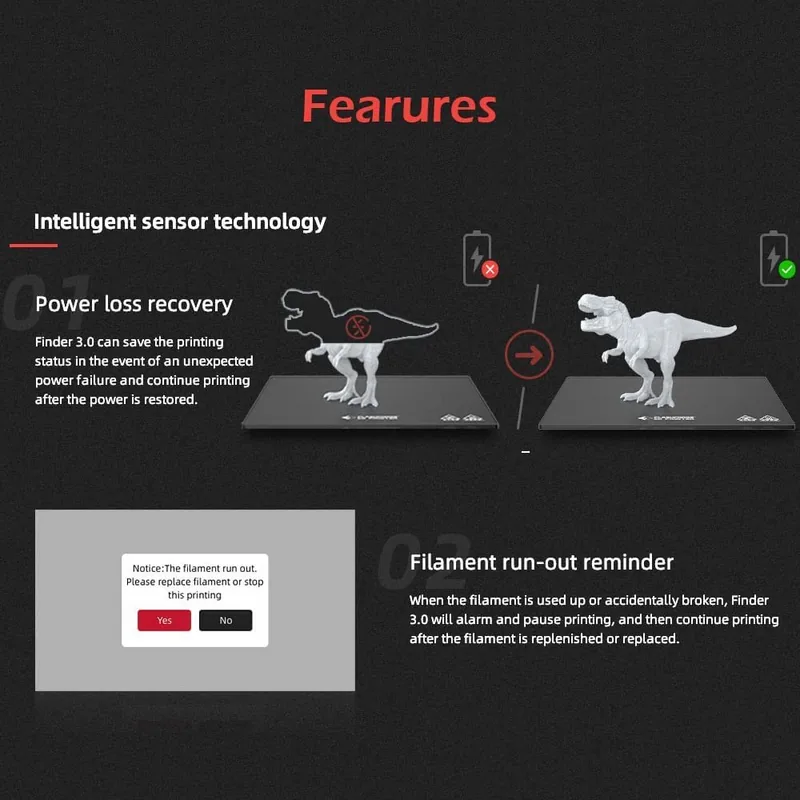
Yes, the Finder 3.0 is equipped with a filament detection sensor that alerts you when the material runs out during a print job, helping to prevent failed prints.
Is this answer helpful?
Advantages and Disadvantages
Advantages

- Intuitive touchscreen interface simplifies operation for all skill levels
- Dual build plate options (glass and flexible) provide versatile adhesion solutions
- Multiple connectivity methods including Wi-Fi, USB, and internal memory printing
Disadvantages

- Build volume is limited compared to larger industrial-grade machines
- Requires manual bed leveling which can be time-consuming for beginners
- ABS printing may face warping issues in environments below 18 degrees Celsius
Product Specification
Process
Fused Filament Fabrication (FFF)
Configuration
1x moving print head (forward/backward, left/right), 1x moving print bed (up/down)
Construction
Finished model, open build chamber/partially closed build chamber, all-metal frame, onboard controller, integrated filament holder
Manufacturer Material Recommendations
1.75mm filament, open system, PETG/PET, PLA, TPC, TPE, TPU, Flex
Build Volume
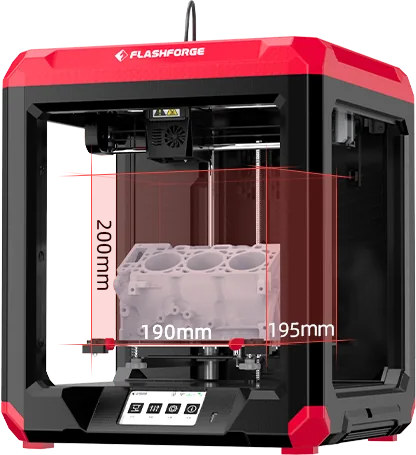
7.68 x 7.87 x 7.68 in (WxDxH)
Nozzle Configuration
1x print head (1x mono-feed nozzle, 0.4mm, brass, interchangeable, 122-500°F), 1x direct extruder
Layer Height
0.004-0.016 in
Accuracy X
0.00043 in
Accuracy Y
0.00043 in
Accuracy Z
0.00010 in
Speeds
max. 7.09 in/s printing (2.0-3.15 in/s recommended)
Print Bed
square (7.87 x 7.87 in), 1x coated glass, 1x plastic, heated (32-230°F), removable (magnetic latch), flexible (plastic coating), supported auto-bed leveling
Interfaces
1x USB-B 2.0 (Host), WLAN
Display
4.3" diagonal, color, touchscreen
Control
touchscreen, 8GB built-in storage, optional via computer, optional via cloud
Power Supply
115/230V, 350W
Dimensions
16.0 x 18.5 x 16.4 in (WxDxH)
Weight
27.01 lbs (empty)
Color
red/black (housing), black (print bed)
Package Contents
1x printer, 1x 50g PLA filament, tool kit, cleaning kit, adhesion stick, 1x safety glasses, 1x spare nozzle, 16GB USB drive
Features
filament sensor, auto-resume after power outage, build chamber lighting
Manufacturer Warranty
one year
Product Description
Flashforge Finder 3.0: Your Gateway to Effortless 3D Printing
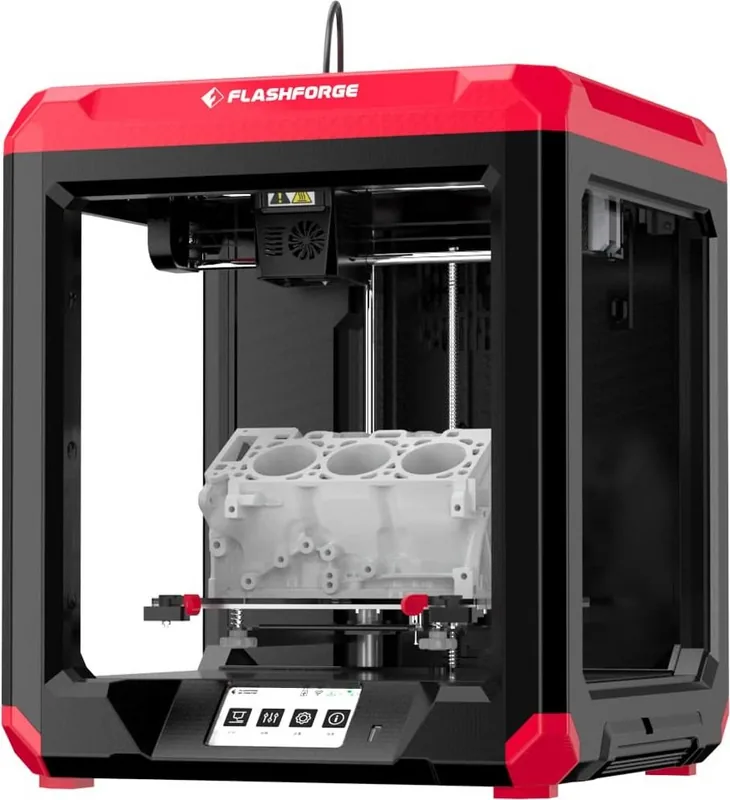
The Flashforge Finder 3.0 stands as a premier choice for hobbyists and professionals seeking reliability in their desktop manufacturing journey. This compact yet powerful machine bridges the gap between complex industrial equipment and user-friendly home printers. Designed with an intuitive interface, it simplifies the intricate process of additive manufacturing into a seamless experience. Whether you are prototyping a quick idea or producing functional parts, the Finder 3.0 delivers consistent results with minimal setup time.
At the heart of this device is its robust FDM technology, capable of handling a variety of materials including PLA, PETG, and TPU. The printer features a generous build volume of 190 by 195 by 200 millimeters, allowing for substantial projects without compromising on precision. Users appreciate the dual options for build plates; the default glass platform offers superior flatness for high-detail prints, while the optional flexible magnetic plate ensures easy model removal. This versatility caters to diverse printing needs, from delicate miniatures to durable mechanical components.
Connectivity plays a pivotal role in modern workflows, and the Finder 3.0 excels here too. It supports internal memory printing, USB stick operations, and wireless connectivity via Wi-Fi. This flexibility allows users to print directly from their computers using popular slicing software like FlashPrint, Cura, or Simplify 3D. The inclusion of a 4.3-inch colorful touchscreen further enhances usability, providing clear visual feedback and easy navigation through settings for language, leveling, and firmware updates.
Safety and maintenance are prioritized in the design philosophy. The enclosed structure protects users from hot nozzles and moving parts, while built-in sensors detect filament presence and nozzle temperature anomalies. Regular maintenance is straightforward, requiring only occasional cleaning and lubrication of the guide rails. With support for multiple languages and a comprehensive troubleshooting section, the Finder 3.0 ensures that every user can achieve success right out of the box.
Search for 67,706 Manuals online


Type-in Brand or Model