
Flashforge Creator 3 V2 Manual
PDF manual · 77 Pages
English



Quick check
Incorrect answer, please try again.
Chat with your Flashforge Creator 3 V2 manual using AI
Get instant AI answers from your Flashforge Creator 3 V2 manual
Ask anything about the Flashforge Creator 3 V2. Answers come from this manual, with the pages they are based on.
Ask a Question
Do you recommend Creator 3 V2?
Yes NoVideo Manual
Flashforge Creator 3 In-Depth Review: Professional Dual-Extruder FDM 3D Printer
Frequently Asked Questions
The Creator 3 V2 provides a build volume of 300 × 250 × 200 mm, suitable for medium to large prototypes and parts.
Is this answer helpful?
Use FlashPrint to prepare models. It supports STL, OBJ, 3MF and image-to-relief tools, and exports .g or .gx files for the printer; FlashPrint also handles dual-extruder assignments, supports, and advanced slicing options.
Is this answer helpful?
You can connect via USB stick, Ethernet, or Wi‑Fi (AP or STA mode). In FlashPrint, choose Connect Machine, pick the connection mode, enter the printer IP when needed, then send the sliced .g/.gx file to start printing.
Is this answer helpful?
Perform Z‑axis calibration, then X and Y axis calibrations to align the two nozzles. These automated calibration routines in the touchscreen/FlashPrint ensure lines from each extruder coincide for cooperative or mirrored prints.
Is this answer helpful?
Use 1.75 mm filament (±0.07 mm). FlashForge-approved filaments are recommended for best results. Store filament dry and sealed. Typical starting extruder temp around 220°C; platform temps and fan settings depend on material.
Is this answer helpful?
Follow proper unload procedures, heat the extruder to recommended temperatures, and use the unclogging pin or cleaning routines. If blockage persists, contact FlashForge support for guided cleaning steps; avoid forceful filament removal.
Is this answer helpful?
Use the three-point intelligent leveling routine on the touchscreen: Home, select an extruder, then follow on-screen Verify prompts for each point. Repeat Verify if needed and finish when all three points report proper nozzle-to-plate distance.
Is this answer helpful?
Advantages and Disadvantages
Advantages

- Dual independent extruders enable duplicate, mirror, and cooperative multi-material prints.
- Large 300×250×200 mm build volume suitable for sizable prototypes and functional parts.
- Integrated Wi‑Fi, Ethernet and USB print methods for flexible workflow integration.
- FlashPrint slicing provides multi-extruder control, support generation, and preview tools.
- Automated calibration routines (Z/X/Y) and touchscreen controls simplify setup and maintenance.
Disadvantages

- Dual-extruder workflows require careful calibration and occasional tuning to align nozzles precisely.
- Heavier machine (approx. 40 kg) and sizable footprint demand a dedicated, well-ventilated workspace.
- Some advanced print optimization may need trial-and-error to dial in temperatures and speeds for different filaments.
- Filament cartridges and certain features work best with FlashForge-approved filaments; third-party spool setups may require adjustments.
- Extruder clogs can occur if switching materials improperly; proper unloading and cleaning procedures are necessary.
Product Specification
Method
Fused Deposition Modeling FFF
Arrangement
2x moving print head (forward/backward, left/right), 1x moving print bed (up/down)
Construction
Ready-made model, enclosed print chamber (with viewing window lid, with viewing window front, door lid, door front), full metal frame, control unit in device, integrated filament holder
Manufacturer's recommended materials
0.07in Filament, open system (2.09in spool inner diameter), PLA, ABS, PVA, PETG, HIPS, PA, PC, Wood, ASA, Carbon
Print size
11.81x7.87x9.84in (WxHxD)
Extrusion system
2x print head (1x print nozzle with mono-feed, 0.016in, stainless steel, exchangeable, 122-572°F), 2x direct extruders, 2x print nozzle cleaning device (brush)
Layer height
0.002-0.016in
Accuracy X
11µm
Accuracy Y
11µm
Accuracy Z
2.5µm
Speeds
0.79-7.87in/s printing (max. 3.94in/s recommended)
Print bed
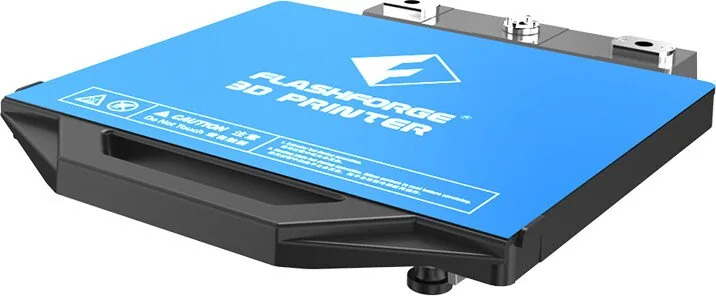
rectangular (11.81x9.84in WxD), heated (32-248°F), removable, flexible, automatic print bed leveling
Interfaces
USB-A 2.0, WLAN, 1x RJ-45 (10/100/1000Base-T)
Camera
1280x800 pixels, with web interface
Scanner
N/A
Other functions
N/A
Display
4.5" diagonal, color, touchscreen, IPS
Control
Touchscreen, 8GB integrated memory, optional via computer, via cloud
Sound pressure
55dB(A)
Power supply
100-240V, 500W
Operating environment
64-86°F
Dimensions
24.69x24.21x19.09in (WxHxD)
Weight
88.18 lb (empty)
Color
black (housing), blue (print bed)
Scope of delivery
1x printer, 1x 14.11 oz PLA filament, tool set
Special features
Print chamber lighting, print chamber ventilation, IDEX 3D printer
Manufacturer's warranty
one year
Product Description
Flashforge Creator 3 V2 — Powerful Dual‑Extruder Workhorse
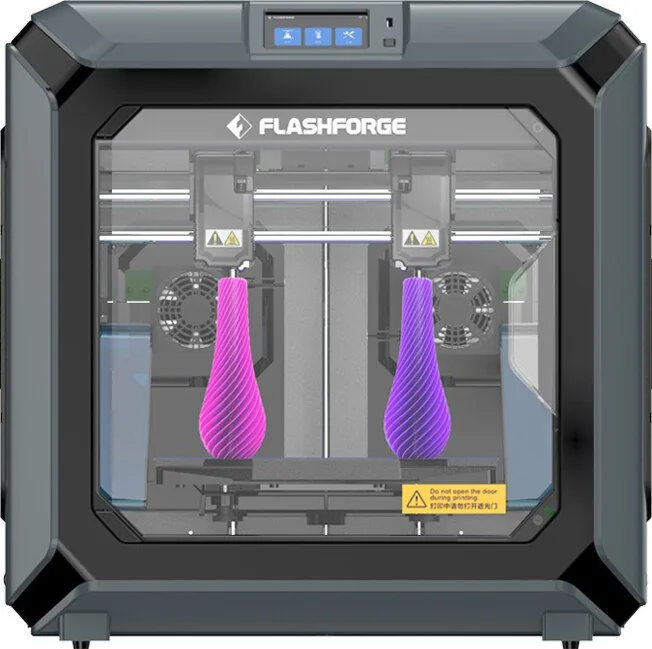
The Flashforge Creator 3 V2 is a professional-grade Fused Filament Fabrication (FFF) 3D printer designed for reliable, high-quality multi-material and dual-color printing. With a dual-extruder setup, a 300 × 250 × 200 mm build volume, and robust hardware features, the Creator 3 V2 targets makers, engineers, educators, and small production shops that need consistent results and flexible material support.
Key Features and What to Expect
Equipped with two independently controlled extruders, the Creator 3 V2 supports simultaneous dual-printing modes: duplicate, mirror, and cooperative dual-extruder workflows. This enables faster production of identical parts, mirrored pairs, or complex models that require support or soluble materials. The printer uses 1.75 mm filament and a standard 0.4 mm nozzle, delivering layer resolutions from 0.05 mm to 0.4 mm and position accuracies suitable for detailed prototypes and functional parts.
A responsive 4.5-inch IPS touchscreen gives direct control over printing, preheating, filament management, leveling, and calibration routines. Networked printing options include USB stick, Ethernet, and Wi-Fi (including AP and STA modes), letting you send jobs from FlashPrint or print directly from removable media. The machine also offers preheat presets, filament detection, door-open pause, and customizable lighting.
The Creator 3 V2 pairs with FlashPrint slicing software for streamlined model preparation. FlashPrint supports standard model formats (STL, OBJ, 3MF) and exports .g/.gx files, with advanced tools for supports (tree and linear), multi-extruder assignment, calibration wizards, and preview/slicing controls. Calibration tools include automated Z, X, and Y axis calibration to align dual extruders for precise multi-head printing.
Maintenance and usability are prioritized with included accessories: filament cartridges, nozzle cleaning tools, wrenches, solid glue, and spare brushes. The machine emphasizes safety and environment recommendations—ventilation, stable temperature and humidity ranges, and placement clearances—to ensure optimal print quality and longevity.
Ideal Uses
The Creator 3 V2 excels at prototyping, small-batch manufacturing, educational labs, and creative studios where multi-material prints, soluble supports, or dual-color parts are required. Its combination of dual-extruder flexibility, networked workflow, and FlashPrint integration makes it a practical choice for users moving beyond basic single-extruder machines.
Notes
- Recommended filament diameter: 1.75 mm (±0.07 mm). Use quality filament and store spools dry.
- Suggested printing temps often start around 220°C for typical PLA/engineering filaments; platform heating and fan controls improve adhesion and surface finish.
- Perform Z, X, and Y calibrations before attempting dual-extruder cooperative prints.
Search for 67,706 Manuals online


Type-in Brand or Model