
Fenix BC25R Manual
PDF manual · 2 Pages
English



Quick check
Incorrect answer, please try again.
Chat with your Fenix BC25R manual using AI
Get instant AI answers from your Fenix BC25R manual
Ask anything about the Fenix BC25R. Answers come from this manual, with the pages they are based on.
Ask a Question
Do you recommend BC25R?
Yes NoFrequently Asked Questions
Press and hold the single switch for about 0.5 seconds to turn the light on or off. If you are already on, you can then use single clicks to cycle brightness levels or use a double-click for Flash mode.
Is this answer helpful?
With the light on, single-click the switch to cycle Low -> Med -> High -> Turbo. To enter Flash, double-click while the light is on. Single-click again to return from Flash to the general constant modes.
Is this answer helpful?
Yes for constant (General) modes. The BC25R memorizes the last selected brightness level and starts at that level next time you turn it on. Flash mode is not saved in memory.
Is this answer helpful?
With the light switched off, remove the dust cover to access the charging port. Plug the Micro USB end into the light, then connect the other end of the cable to a USB power adaptor. Charging status is shown by indicators near the switch.
Is this answer helpful?
Typical charge time is about 2.5 hours from fully depleted to fully charged when the light is off. During charging, only Low output can be used, so charge time may be prolonged.
Is this answer helpful?
One indicator flashes when the battery level is critical. As voltage drops below a preset level, the light steps down to lower brightness levels until it reaches Low output. It continues operating until the battery is fully depleted.
Is this answer helpful?
Turbo can build up significant heat. When the light gets too warm, it automatically steps down a few lumens to reduce temperature. If needed, you can manually reselect Turbo after the temperature is controlled.
Is this answer helpful?
Advantages and Disadvantages
Advantages

- Up to 600 lumens neutral white CREE XP-G3 output for strong visibility
- Anti-glare cut-off beam pattern improves safety for oncoming riders
- Intelligent memory stores the last constant brightness mode
- Battery level indicator plus low-voltage warning with step-down protection
- Overheat protection helps prevent discomfort and maintains safer temperatures
Disadvantages

- Turbo can step down automatically due to heat buildup
- Charging typically takes about 2.5 hours (light off)
- Only Low output is available while the light is charging
- For storage, you need periodic recharging to maintain battery performance
Product Specification
Type
Front Light
Colors
black, silver
Max. light output
600lm
Light source
1x Cree XP-G3 LED
Max. run time
36h
Min. run time
2h
Charging time
2.5h
Light mode
Continuous light (2 levels)
Power supply
Rechargeable battery (2600mAh)
Mounting
Mount
Dimensions
4.45x1.26x1.22in
Weight
0.34lb
Special features
waterproof, USB port (Micro)
Product Description
Fenix BC25R Front light (Fenix BC25R Front light Manual)
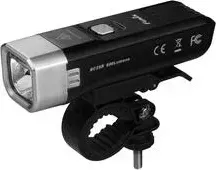
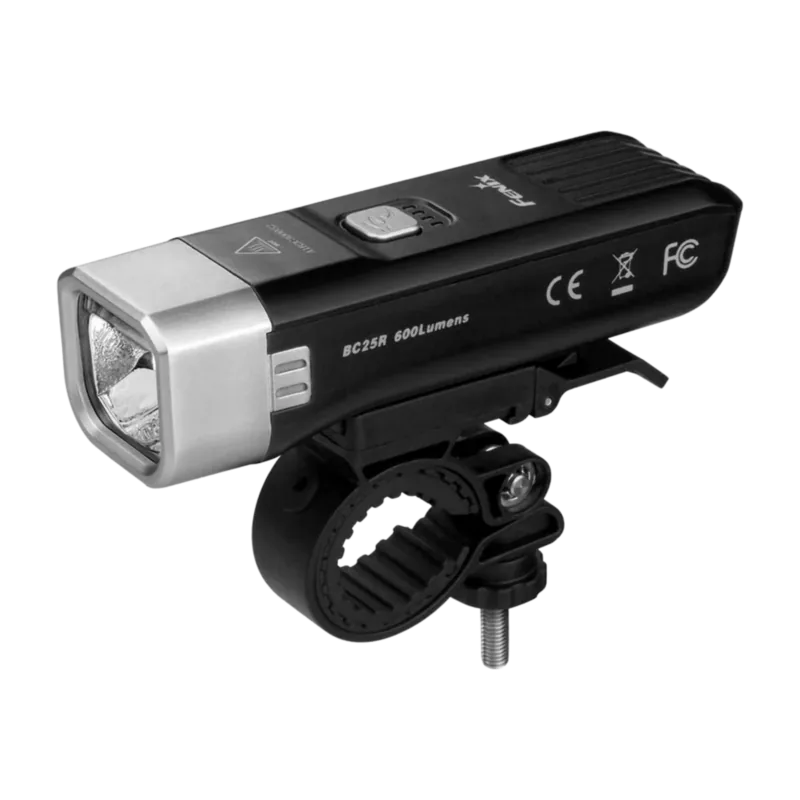
The Fenix BC25R Front light is built for confident urban riding with a neutral-white CREE XP-G3 LED and a practical, rider-friendly control system. With up to 600 lumens on Turbo, it helps you see the road and stay visible, while an anti-glare cut-off light pattern reduces glare for oncoming people. The compact all-metal head includes heat-dissipating fins and is designed for steady performance on daily commutes.
At the core is a built-in 2600mAh Li-ion battery, rechargeable via Micro USB. You get clear battery level indication and a low-voltage warning that not only alerts you, but also steps brightness down gradually until Low output is reached, helping the light continue working normally until the battery is fully depleted. For convenience, the BC25R uses one switch control and includes intelligent memory: it recalls the last selected brightness level in General (constant) modes, while flash mode is not remembered.
Operation is simple. Press and hold the switch for 0.5 seconds to turn the light on or off. With the light on, single-click cycles Low -> Med -> High -> Turbo. Double-click activates Flash, and a single click returns to general constant modes. Turbo performance is supported by thermal management: when the light accumulates too much heat on Turbo, it automatically steps down a few lumens to reduce temperature. If you still need maximum output, you can manually reselect Turbo.
Mounting is quick and tool-light. The quick-release bike mount locks the light in place with a distinct click. Use the included shims to match handlebar diameters: thick plus thin for 22-28mm bars, or thin only for 28-32mm bars. You can also detach and use the light as a handheld flashlight when needed.
Key results
- Up to 600 lumens neutral white illumination with anti-glare cut-off for safer commuting
- 2600mAh Micro USB rechargeable battery with 2.5 hours typical charging time (light off)
- One-switch control with mode cycling, Flash, and intelligent memory for last constant brightness
- Battery and low-voltage warnings with automatic step-down to Low until the battery is depleted
Notes
- Charging uses the dust cover and reveals the port; remove the cable afterward and close the cover securely.
- While charging, only Low output is available, which can extend charge time.
- Avoid disassembling the sealed head to prevent damage and warranty loss.
Pros and Cons (based on the provided manual)
Pros
- Up to 600 lumens maximum output with neutral white CREE XP-G3 LED
- Anti-glare cut-off facula line helps reduce glare during city rides
- Intelligent memory recalls last selected constant brightness
- Battery level indication and low-voltage warning with automatic step-down
- Built-in thermal protection on Turbo to control overheating
Cons
- Turbo generates significant heat and may step down automatically when hot
- Turbo runtime is limited (Turbo is listed with about 2 hours in specified conditions)
- During charging, only Low output can be used and charging time can be longer
- For best battery health, recharge about every three months if stored long-term
Search for 67,732 Manuals online


Type-in Brand or Model