
Fellow Ode Manual
PDF manual · 9 Pages
English



Quick check
Incorrect answer, please try again.
Chat with your Fellow Ode manual using AI
Get instant AI answers from your Fellow Ode manual
Ask anything about the Fellow Ode. Answers come from this manual, with the pages they are based on.
Ode Maintenance Schedule
If used daily, clean burrs at least every three months using cleaning tablets or a stiff brush. Do not wash burrs with water.
Wipe the grinder body, load bin, and magnetic catch with a soft, damp cloth. Dry thoroughly before storage.
Free maintenance reminders
Timed to your purchase date. Always free, unsubscribe anytime.
Ask a Question
Do you recommend Ode?
Yes NoDo you recommend Ode?
Yes NoFrequently Asked Questions
Use only whole roasted coffee beans. Do not add pre-ground coffee, unroasted beans, food, spices, or foreign materials. Re-grinding coffee that is already ground can increase wear and may void the warranty.
Is this answer helpful?
No. The Ode Brew Grinder is designed for brewed coffee and cannot grind fine enough for most espresso machines. It is better suited to filter-focused methods such as pour-over, French press, cold brew, AeroPress, Prismo, cupping, and electric coffee makers.
Is this answer helpful?
The single-dose load bin holds up to 80 g, or 2.8 oz, of whole beans. Do not grind more than 80 g without emptying the catch, because an overfilled catch can cause grounds to back up and jam the grinder.
Is this answer helpful?
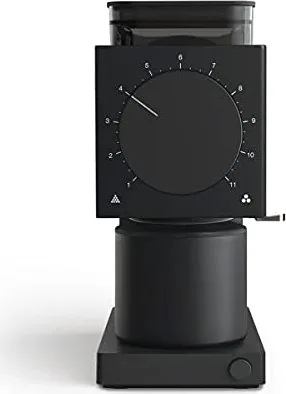
Turn the grind dial between 1 and 11, where 1 is fine and 11 is coarse. Choose a setting based on your brew method, then adjust gradually to match your preferred flavor and brew time. Avoid setting 1 during the first 10 pounds of use.
Is this answer helpful?
For daily use, clean the burrs at least every three months. Brush the burrs dry, wipe the exterior with a soft damp cloth, and keep water away from internal parts. Cleaning tablets may be used according to their directions.
Is this answer helpful?
First, make sure the catch is empty, set the dial to 11, tap the grinder's side firmly, and restart it. If it remains jammed, unplug it, remove and inspect the burr assembly as directed, clear trapped coffee or debris, then reassemble and test.
Is this answer helpful?
Advantages and Disadvantages
Advantages

- Single-dose design and 80 g capacity support both individual brews and larger batches.
- Grind settings cover common filter methods, including pour-over, French press, cold brew, AeroPress, and cupping.
- Automatic stopping simplifies operation after the beans have finished grinding.
- Magnetically aligned catch and grinds knocker support a tidy, practical workflow.
- Burr access and cleaning guidance help users maintain consistent performance over time.
Disadvantages

- It is designed for brewed coffee and does not grind fine enough for most espresso machines.
- Setting 1 should be avoided for the first 10 pounds of coffee while the burrs season.
- The catch can overfill and jam the grinder if more than 80 g is ground without emptying it.
- Burr cleaning requires careful handling and partial disassembly because the burrs are sharp.
- Household-only 120 V operation limits use to compatible USA and Canada electrical setups.
Product Specification
Operating mode
Mains powered (140 W)
Grinder
Adjustable burr grinder (31 settings)
Capacity
2.82 oz (ground)
Special features
Collection container
Product Description
Fellow Ode - Read, Download & Print Free
A focused grinder for better brewed coffee
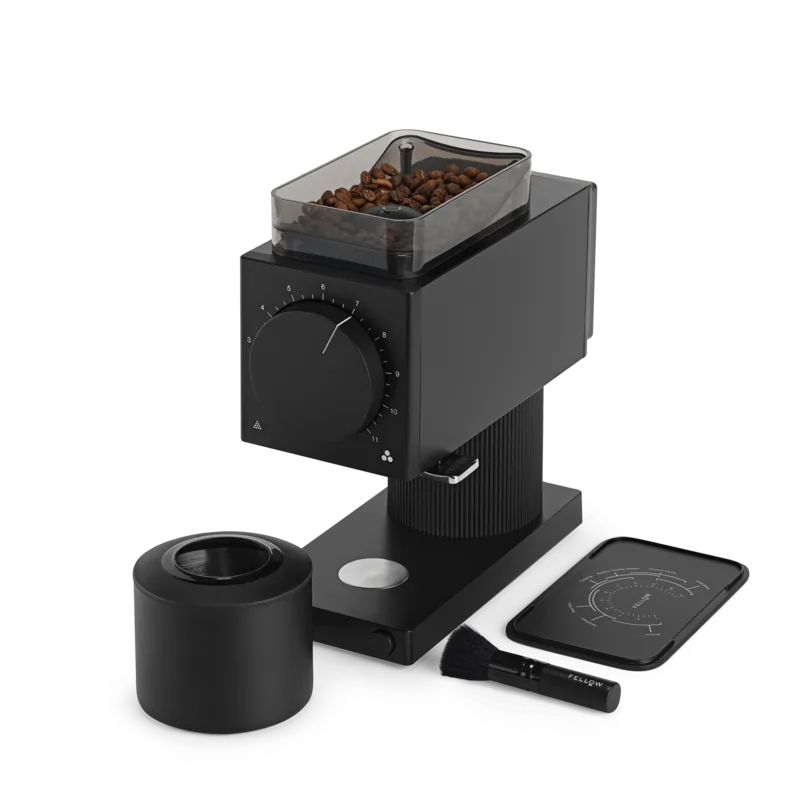
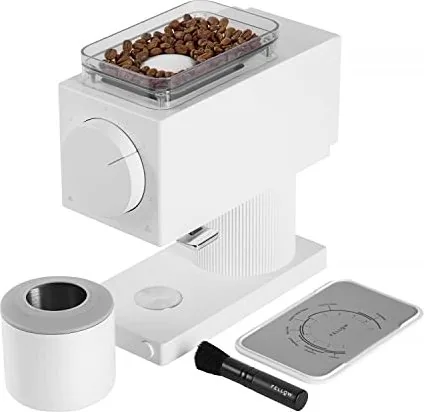
The Fellow Ode Brew Grinder is designed for coffee drinkers who want a streamlined, consistent way to prepare beans for filter brewing at home. With a compact countertop footprint, a modern single-dose workflow, and a generous 80 g load-bin capacity, it supports everything from a single morning cup to a larger batch for sharing. Its 150 W motor and automatic stop function help make each grinding session simple: choose a setting, add whole roasted beans, position the catch, and press the power button.
Built for a range of brew methods
A numbered grind dial offers settings from fine to coarse, allowing users to tailor particle size for pour-over, French press, cold brew, cupping, AeroPress, Prismo, and electric coffee makers. The Ode is made specifically for brewed coffee rather than most espresso machines. Its burrs arrive calibrated with the zero point at setting 1, although users are advised not to use that setting during the first 10 pounds of coffee because the burrs may touch and chirp while seasoning.
The grinder's single-dose bin makes it easy to measure beans before grinding, while the magnetically aligned catch sits beneath the chute to collect grounds. A built-in grinds knocker helps move retained grounds from the chute into the catch. The catch should be emptied before it overfills, since excess grounds can create a jam.
Care, cleaning, and everyday use
Routine care is straightforward but important for flavor and performance. The exterior, load bin, and catch can be wiped with a soft damp cloth, while the burrs should stay dry and can be brushed clean. For daily use, Fellow recommends cleaning the burrs at least every three months. Grinder-cleaning tablets can also help remove coffee oils, odors, and particles from the grinding path; after using them, grind and discard about 30 g of coffee to clear residue.
For safety, use only whole roasted coffee beans and operate the grinder on a dry, level surface. It is intended for household use in the USA and Canada with a grounded 120 V outlet. Avoid water immersion, dishwasher cleaning, foreign objects in the load bin, and operation beyond the stated duty limits. If a minor jam occurs, switching to the coarsest setting, tapping the side, and restarting may clear it. Larger jams require unplugging the unit and cleaning the burr chamber.
Notes
- Maximum bean capacity is 80 g or 2.8 oz.
- The grinder weighs 4.5 kg or 9.9 lb.
- It includes a one-year limited warranty for eligible purchases through authorized retailers.
- Service beyond the listed cleaning and maintenance steps should be handled by authorized support.
Search for 67,732 Manuals online


Type-in Brand or Model