
Faller Oskar SV-100 Manual
PDF manual · 56 Pages
English



Quick check
Incorrect answer, please try again.
Chat with your Faller Oskar SV-100 manual using AI
Get instant AI answers from your Faller Oskar SV-100 manual
Ask anything about the Faller Oskar SV-100. Answers come from this manual, with the pages they are based on.
Ask a Question
Do you recommend Oskar SV-100?
Yes NoFrequently Asked Questions
The battery lasts up to 16 hours on a full charge depending on volume settings. Charging takes approximately four hours to reach full capacity. It is recommended to charge before first use.
Is this answer helpful?
Yes, there is a headphone jack for private listening. You can connect external headphones when needed. This is useful for late night viewing without disturbing others. The volume should be set low before connecting headphones.
Is this answer helpful?
The package includes an optical audio cable and a 3.5mm audio cable. Both are provided to ensure compatibility with various televisions. An optical cable is recommended for better sound quality. Always check your TV inputs first.
Is this answer helpful?
Yes, it is designed primarily for people with hearing loss. The speech filtering technology minimizes noise and amplifies voices. It helps improve understanding of dialogue significantly during television watching.
Is this answer helpful?
The maximum distance is around 30 meters indoors. Radio interference may reduce this range in some environments. Keep the device close to the base station for best performance.
Is this answer helpful?
The warranty covers two years in most regions. It is one year in North America and Australia. The warranty covers manufacturing faults but excludes batteries.
Is this answer helpful?
Keep the device away from Wi-Fi routers to avoid interference. Microwaves and phones also emit radio waves that may cause disruptions. Position the base station away from such devices for optimal signal.
Is this answer helpful?
Advantages and Disadvantages
Advantages

- Wireless freedom allows listening from another room without wires.
- Speech filtering technology improves dialogue understanding significantly.
- Long battery life supports up to 16 hours of continuous use.
- Flexible connection options with optical and 3.5mm cables.
Disadvantages

- Maximum wireless range is limited to approximately 30 meters.
- Setup requires checking TV settings for PCM audio output.
- Battery cannot be replaced by the user easily at home.
- Potential radio interference from microwaves or Wi-Fi devices.
Product Specification
Power
4 W RMS
Display
No
Tuner
No
Connections
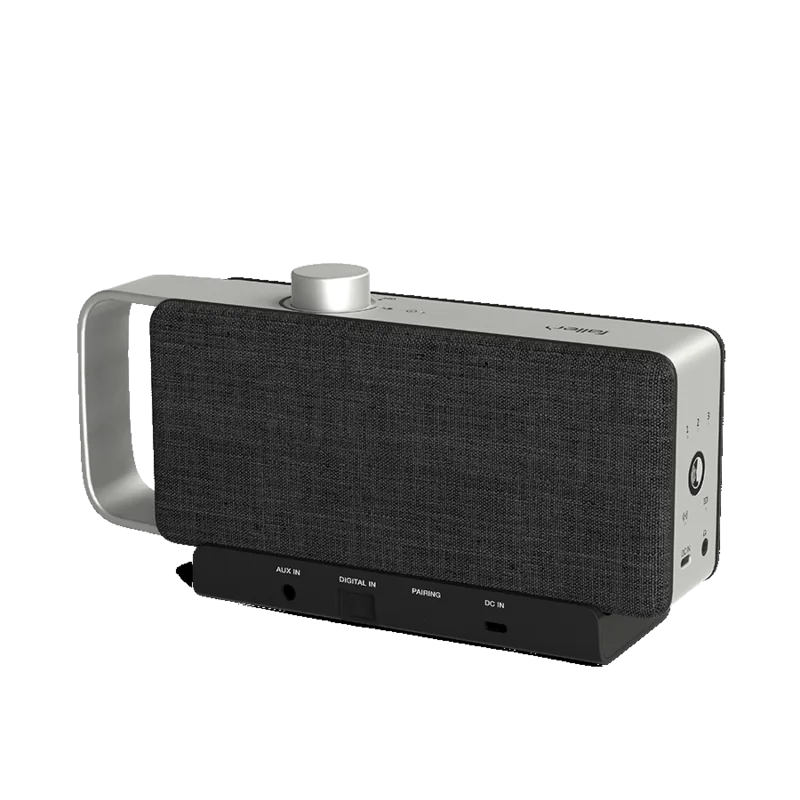
AUX In (3.5mm Jack), Digital Audio In (optical)
Power Supply
Li-Ion Battery (3350mAh), USB-C
Playback Time
16 h
Color
gray, black
Dimensions
9.45x4.02x2.36 in (WxHxD)
Weight
1.70 lbs
Product Description
Discover the Faller Audio Oskar Experience
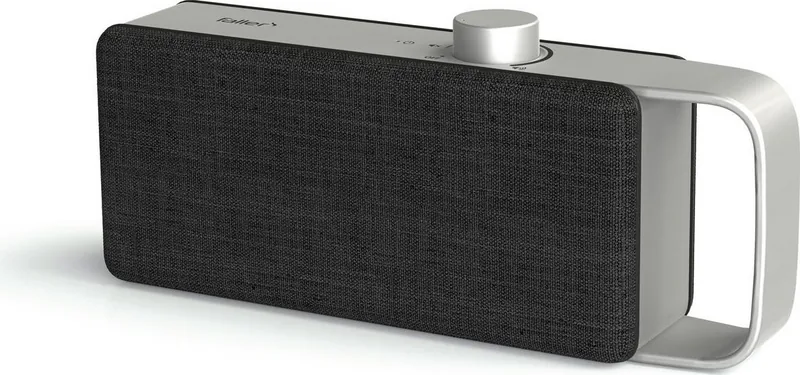
Watching television should be an enjoyable experience for everyone without strain. The Faller Audio Oskar serves as a wireless TV voice enhancer designed to bridge the gap between audio clarity and user comfort. This portable device utilizes innovative technology to optimize dialogue, ensuring that every word is understood without straining your ears. If you are looking to improve your home entertainment setup, this device offers a practical and effective solution for clarity. It is manufactured by a German company proud of their customer service dedication.
How The Technology Functions
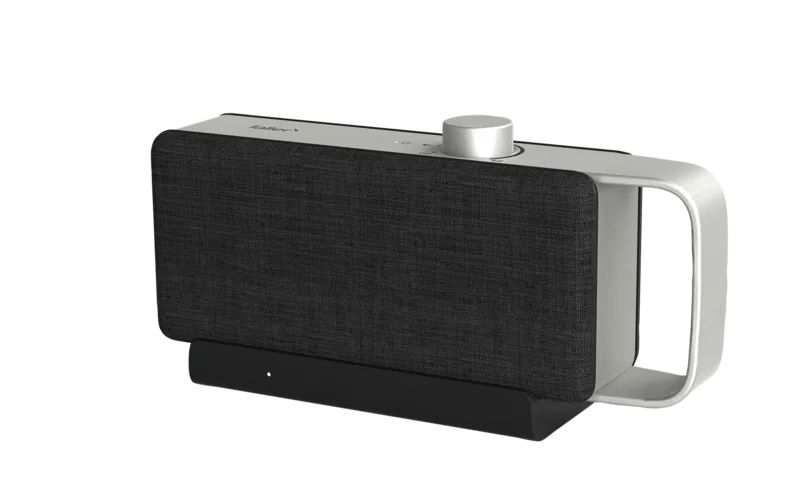
The system connects directly to your television through either an optical audio cable or a standard 3.5mm audio cable. The base station transmits the sound wirelessly to the portable amplifier unit. You can place this unit anywhere in your room or even take it to another room without worrying about tangled wires. For those with hearing loss, the speech filtering feature is particularly useful. It minimizes ambient noise while amplifying human voices, making conversations crystal clear regardless of background chatter in the room. The device automatically switches to standby mode to save energy if the TV is off.
Essential Setup and Usage
To get the most out of your device, consulting the Faller Audio Oskar Manual is highly recommended during the initial setup. It details the charging process, connection steps, and safety features regarding batteries. The battery lasts up to 16 hours on a full charge, ensuring long viewing sessions without interruption. You can also connect external headphones for private listening when neighbors are asleep. Safety notes advise keeping the device away from water and moisture to prevent damage. Charging takes approximately four hours to achieve full capacity.
Component Overview and Maintenance
The package includes the main unit, base station, and necessary cables. This ensures you have everything needed to start immediately upon opening the box. Troubleshooting common issues is also vital for a smooth experience if connectivity drops. Regular cleaning ensures the product remains in good condition for years. The LED indicators show charging status clearly with red for charging and green for full. The warranty covers two years in most regions, providing peace of mind for the buyer. Always ensure your television settings match the output requirements for the best results. Enjoy clear sound with this modern enhancement tool for your home. The system requires specific PCM audio settings on older televisions to function correctly.
Important Notes
Please remember to keep the product away from open flames and heat sources. Do not expose the battery to extreme temperatures to avoid hazards. Ensure the USB adapter is firmly connected to the wall socket. These steps guarantee safe operation for the Faller Audio Oskar system. Keep the device out of reach of children and pets to prevent accidents during use. This ensures longevity for the lithium-ion battery technology employed inside.
Search for 67,706 Manuals online


Type-in Brand or Model
Joshua Gray
6 months ago
Does this audio enhancer help with understanding TV dialogue without turning the volume up too loud?
Manual.ly
6 months ago
Yes, the OSKAR hearing amplifier is specifically designed to improve speech clarity while keeping background noise and volume manageable. Users frequently mention that they can finally understand dialogues in movies, news, and documentaries much better. It offers adjustable settings to customize the voice enhancement level and can be moved to different rooms. It is also considered beginner-friendly for seniors.