
Extech HDV600 Manual
PDF manual · 11 Pages
English



Quick check
Incorrect answer, please try again.
Chat with your Extech HDV600 manual using AI
Get instant AI answers from your Extech HDV600 manual
Ask anything about the Extech HDV600. Answers come from this manual, with the pages they are based on.
Ask a Question
Do you recommend HDV600?
Yes NoFrequently Asked Questions
The HDV600 is used for remote visual inspection in tight or hard-to-reach spaces. It is commonly applied in HVAC, automotive, cable routing, marine, and aircraft inspection tasks.
Is this answer helpful?
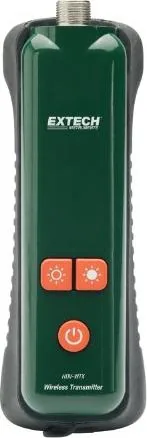
Yes. The system supports wireless operation when paired with the wireless transmitter. For best performance, the battery should be fully charged before use.
Is this answer helpful?
Yes. It can capture still images and record video, including audio. Photos save as JPEG files and videos save as AVI files on an SD card.
Is this answer helpful?
Common probe accessories include an anti-snag tip, a magnet, and a 45° mirror. These help users inspect, retrieve, and view from different angles.
Is this answer helpful?
The monitor has an IP67 rating when the bottom access cover is fully installed. If that cover is removed for audio recording or access, the waterproof protection is reduced.
Is this answer helpful?
A fully charged battery can provide about five hours of continuous use. For best battery health, the unit should be charged while powered off.
Is this answer helpful?
Advantages and Disadvantages
Advantages

- 5.7" LCD with 640x480 resolution for clear close-range inspection viewing.
- Supports direct and wireless operation for flexible job-site use.
- Records photos and video with audio, plus SD card and USB transfer options.
- Includes useful accessories and articulating probe choices for tough angles.
Disadvantages

- Wireless use depends on a fully charged battery, which can limit uptime.
- The best focus range is very close, so it is less suited for distant viewing.
- Maximum SD card capacity is limited to 2GB in the listed specifications.
- Audio recording requires removing the bottom access cover, reducing waterproof protection.
Product Specification
Suitable for
Inspection camera
Product Description
Extech by FLIR HDV600 VideoScope Monitor for Inspection Camera
The Extech by FLIR HDV600 VideoScope Monitor for Inspection Camera Manual points to a versatile inspection system built for professionals who need clear viewing in hard-to-reach places. Designed as a remote inspection monitor, the HDV600 helps users see inside tight spaces, capture still images, and record video with audio. It is a practical choice for HVAC work, automotive diagnostics, cable routing, and inspections across marine or aircraft applications.
At the center of the system is a 5.7-inch LCD monitor with a 640x480 display, giving users a dependable image for detailed viewing. The monitor supports both direct and wireless input, making it easier to adapt to different work environments. Whether the probe is connected by cable or used with the wireless transmitter, the HDV600 is built to keep inspection work flexible and efficient. It also includes left- and right-handed controls, which adds comfort during longer jobs.
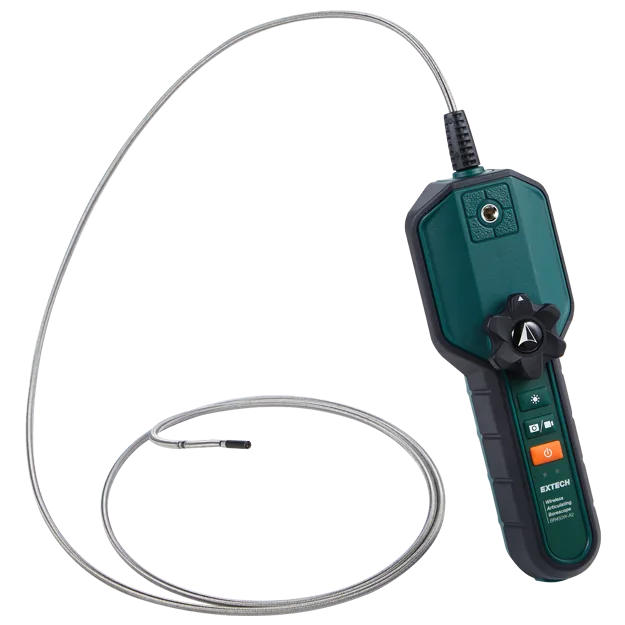
The HDV600 series stands out because of its probe options. Depending on the model, users can choose flexible, semi-rigid, articulating, or wireless articulating probes, each designed for different inspection needs. The articulating tip improves viewing angles in awkward locations, while the supplied accessories like the magnet, mirror, and anti-snag tip help expand what the camera can reach and retrieve. With a typical focus range of 2 to 6 cm, the system is well suited to close-up inspection tasks.
Storage and workflow are straightforward. Images save in JPEG format and videos in AVI format to an SD card, while USB and AV output support simple file transfer and external display use. The built-in menu makes it easy to manage settings such as language, date and time, video format, and auto power off. A rechargeable lithium-polymer battery provides around five hours of operation, supporting field use without constant charging.
Notes
- IP67 protection applies when the bottom cover is fully installed.
- Wireless use requires a fully charged battery.
- The rear stand supports bench viewing or hanging.
- Additional probe lengths and configurations are available.
Overall, the HDV600 is a dependable inspection monitor that blends portability, image capture, and probe flexibility into one professional tool. It is especially appealing for users who want a rugged, feature-rich visual inspection solution with broad accessory support and practical everyday usability.
Search for 67,706 Manuals online


Type-in Brand or Model