
Extech EX330 Manual
PDF manual · 14 Pages
English



Quick check
Incorrect answer, please try again.
Chat with your Extech EX330 manual using AI
Get instant AI answers from your Extech EX330 manual
Ask anything about the Extech EX330. Answers come from this manual, with the pages they are based on.
EX330 Maintenance Schedule
Check the condition of test leads and the meter itself for possible damage before using the device.
Test the AC voltage probe on a known live circuit before every use to ensure it works correctly.
Disconnect all test leads from any voltage source before opening the battery or fuse cover to avoid electric shock.
Replace the 9V batteries immediately when the low battery symbol appears on the display.
Remove and replace damaged batteries to prevent leakage that could damage the device.
Replace fuses with the correct type and rating (500mA/600V fast or 10A/600V fast) when they blow.
Wipe the device occasionally with a damp cloth. Do not use chemicals or cleaning fluids.
Ask a Question
Do you recommend EX330?
Yes No
Ludie Stoltenberg
7 months ago
Is this multimeter easy to use for basic household or hobby electrician work, and does it include temperature measurement?

Manual.ly
7 months ago
Yes. Reviewers found it straightforward to handle and suitable for hobby electrical tasks, including quick measurements of voltage and resistance. It also includes a temperature measurement function, which many buyers consider a key feature for everyday checks and projects. If you notice any damage on arrival (for example, a defective or cracked rubber button), please contact our support team as soon as possible so we can arrange a replacement or solution.
Frequently Asked Questions
It is best for everyday electrical troubleshooting, including checking AC/DC voltage, current, resistance, continuity, diodes, capacitance, frequency, duty cycle, and temperature. It suits technicians, DIY users, and maintenance work.
Is this answer helpful?
Yes. The meter can detect AC voltage without direct probe contact. It is designed to sense live AC sources in the 100 to 600VAC range when held very close to the source.
Is this answer helpful?
Yes. The EX330 measures both AC and DC current in microamp, milliamp, and 10A ranges. Users must choose the correct jack and function before testing.
Is this answer helpful?
Yes. It supports contact temperature measurement with a Type-K thermocouple probe. This is useful for HVAC work, equipment checks, and general temperature readings.
Is this answer helpful?
Disconnect power from the circuit, discharge capacitors, and remove any batteries or line cords if needed. These tests should never be performed on energized circuits.
Is this answer helpful?
Auto-ranging automatically selects the most suitable measurement range, which simplifies operation and reduces the chance of choosing the wrong range manually.
Is this answer helpful?
Advantages and Disadvantages
Advantages

- Wide measurement range covers voltage, current, resistance, capacitance, frequency, duty cycle, and temperature.
- Non-contact voltage detection adds speed and an extra layer of convenience for quick live-circuit checks.
- Auto-ranging, HOLD, and REL modes make routine testing faster and easier to interpret.
- CAT III 600V rating and fuse protection support safer use in common electrical environments.
Disadvantages

- 10A current testing is time-limited, so it is not ideal for long high-current measurements.
- Temperature reading depends on a Type-K probe, which may need careful handling and placement.
- NCV detection should be verified on a known live source, so it is not a standalone safety guarantee.
- Accuracy and performance are best in the stated conditions, so extreme environments may reduce reliability.
Product Description
Extech by FLIR EX330 Multimeter: A Practical Choice for Everyday Electrical Testing
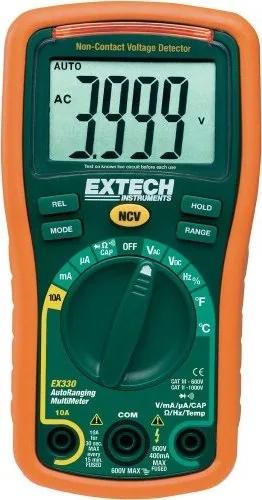
The Extech by FLIR EX330 Multimeter Manual points to a meter designed for users who need flexibility, safety, and clear readings in a compact format. The EX330 brings together essential electrical test functions in one handheld device, making it useful for home repairs, HVAC checks, electronics work, and general troubleshooting. Instead of carrying multiple tools, users get a single multimeter that handles voltage, current, resistance, continuity, diode testing, capacitance, frequency, duty cycle, and temperature.
One of the standout features is the built-in non-contact AC voltage detection. This makes it easier to spot live circuits without direct probe contact, which is especially helpful when checking outlets, wiring runs, or equipment panels. The meter also includes auto-ranging, relative mode, display hold, and a 4000-count LCD, giving it a good balance of convenience and control for different measurement situations.
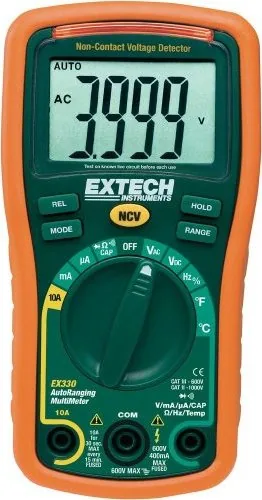
The EX330 is built with practical use in mind. Its rotary dial and clearly labeled input jacks make setup straightforward, while the rubber holster adds protection during daily use. The meter’s temperature function, using a Type-K thermocouple, expands its usefulness beyond standard electrical checks and into applications where heat readings matter. That makes it a smart option for technicians who need a budget-friendly tool with broad capability.
Safety is a major theme throughout the EX330’s design and operation. The meter is rated for CAT III 600V indoor use and includes fuse protection, overload warnings, and clear guidance for testing live circuits. It also reminds users to discharge capacitors, avoid measuring current incorrectly, and replace batteries or fuses only when the leads are disconnected. These details reflect a tool intended for careful, informed operation.
Overall, the EX330 is best described as a reliable all-rounder. It offers enough measurement range and function variety for most routine electrical jobs, while remaining compact enough for a toolbox or service bag. For users who want a dependable multimeter with NCV detection and temperature support, this model delivers strong value and everyday practicality.
Notes
- Always verify battery health before using NCV detection.
- Use the correct jack and range before measuring current.
- Discharge capacitors before resistance, continuity, or capacitance tests.
- Replace fuses with the proper rated type only.
Search for 67,706 Manuals online


Type-in Brand or Model
Marta Kowalski
8 months ago
I want a simple multimeter for home/hobby electronics. Does it include temperature measurement, and is it easy to use?
Manual.ly
8 months ago
Yes. The multimeter is intended for straightforward home and hobby use, and it supports temperature measurement. Users typically find the controls and operation easy to handle. If you receive the device with any visible damage (for example, a defective or broken rubber button), please contact our support as soon as possible so we can arrange a replacement or solution for the affected part.