

Exsys EX-6071B Manual
PDF manual · 2 Pages
English



Quick check
Incorrect answer, please try again.
Chat with your Exsys EX-6071B manual using AI
Get instant AI answers from your Exsys EX-6071B manual
Ask anything about the Exsys EX-6071B. Answers come from this manual, with the pages they are based on.
Ask a Question
Do you recommend EX-6071B?
Yes NoFrequently Asked Questions
It adds a wired Gigabit Ethernet connection to a desktop PC through a PCI-Express slot. It is useful when a system needs a new network port, a faster LAN connection, or a replacement for an existing adapter.
Is this answer helpful?
It supports PCI-Express slots from x1 to x16. This makes it flexible for many desktop motherboards and helps simplify installation in different PC builds.
Is this answer helpful?
No. I/O addresses and IRQ settings are handled automatically by the BIOS and operating system. In most cases, the adapter can be installed without manual tuning.
Is this answer helpful?
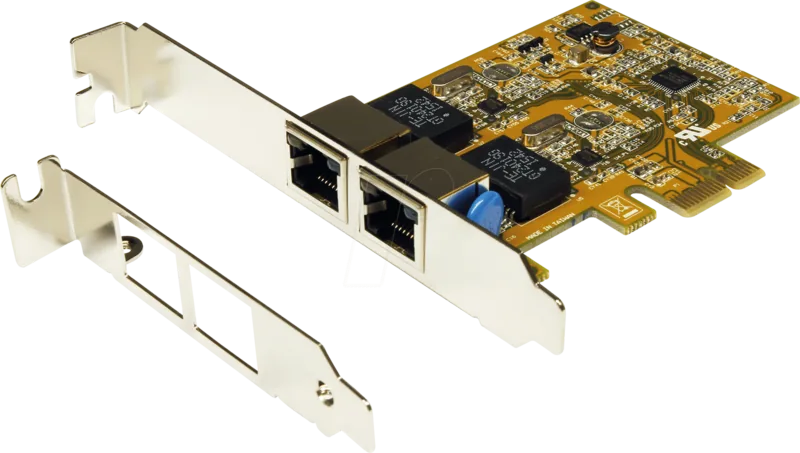
Yes. The package includes a low-profile bracket, which makes the card a good fit for compact desktops and slim tower cases where space is limited.
Is this answer helpful?
The adapter is listed as compatible with many systems, including Windows, Mac, Linux, Unix, and server versions. Driver availability may vary depending on the exact OS version.
Is this answer helpful?
On Windows, open Device Manager and look under Network adapters. If the adapter appears there without errors, the installation was successful.
Is this answer helpful?
Advantages and Disadvantages
Advantages

- Supports Gigabit Ethernet speeds up to 1000 Mbit/s for fast, stable wired networking.
- Fits PCI-Express slots from x1 to x16, giving it broad desktop compatibility.
- Includes a low-profile bracket for slim cases and compact PC builds.
- Works across many operating systems, making it practical for mixed environments.
Disadvantages

- No manual I/O or IRQ tuning, so advanced configuration options are limited.
- Driver installation may differ by operating system and version.
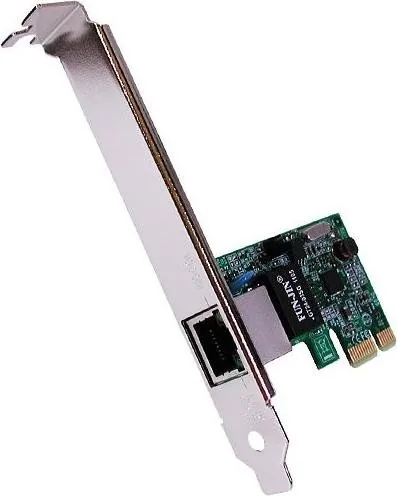
- Only one RJ-45 port is provided, so it is not a multi-port expansion card.
- Older systems may need manual driver steps instead of automatic detection.
Product Specification
Type
LAN Adapter
Form Factor
1x PCIe card (full height bracket)
Interface
1x PCIe x1
Connection
1x RJ-45
Transmission
1x RJ-45 (10/100/1000Base-T)
Power Supply
Power supply only via interface
Chipset
Realtek RTL8111E (LAN adapter, RJ-45)
Dimensions
2.56x1.57in (WxH, without bracket)
Compatibility
universal
Special Features
VLAN, Wake on LAN
Product Description
Exsys LAN Adapter, RJ-45, PCIe x1: A Compact Upgrade for Reliable Gigabit Networking
The Exsys LAN Adapter, RJ-45, PCIe x1 is a practical way to add fast wired networking to a desktop PC. Built around the Realtek 8111E chipset, it focuses on steady performance, easy integration, and wide compatibility rather than complicated extras. With one external RJ-45 Gigabit port, it is a simple upgrade for home offices, business machines, and older systems that need a modern network connection.
What makes this adapter especially useful is its flexible PCI-Express support. It works in slots from x1 up to x16, so it can fit into many different desktop layouts without forcing a specific motherboard design. That makes it a smart choice for system builders who want a dependable Ethernet solution that can move between machines. The card supports transfer speeds up to 1000 Mbit/s, which is ideal for file transfers, cloud work, media streaming, and any task that benefits from a stable LAN connection.
Built for straightforward installation
The adapter is designed for plug-and-play use in many environments. In supported systems, the operating system detects it automatically and handles the setup process. If manual installation is needed, the included driver package and Exsys LAN Adapter, RJ-45, PCIe x1 Manual help guide users through the steps. This keeps the experience accessible even for people who are not building PCs every day. The card also avoids manual I/O or IRQ configuration, because those settings are managed automatically by the BIOS and operating system.
A smart fit for many setups
Another strong point is the included low-profile bracket, which makes the card suitable for slim cases and compact towers. That detail is often overlooked, but it matters when space is limited. Link and activity LEDs on the RJ-45 port also make it easier to confirm that the network connection is active and transferring data. For support teams and everyday users alike, those indicators can save time during installation and troubleshooting.
For broader compatibility, the adapter supports a wide range of operating systems, including Windows, Mac, Linux, Unix, and server editions. That versatility makes it attractive for mixed environments where one hardware standard needs to work across multiple platforms. Combined with CE, FCC, RoHS, and WHQL-related certifications, the card presents itself as a solid, no-nonsense networking upgrade.
Notes
- Best suited for stable wired networking rather than wireless use.
- The low-profile bracket is useful for slim or compact cases.
- Driver behavior can vary slightly by operating system version.
- The built-in LEDs help confirm link and data activity at a glance.
Search for 67,706 Manuals online


Type-in Brand or Model