
Exsys EX-60315 Manual
PDF manual · 2 Pages
English



Quick check
Incorrect answer, please try again.
Chat with your Exsys EX-60315 manual using AI
Get instant AI answers from your Exsys EX-60315 manual
Ask anything about the Exsys EX-60315. Answers come from this manual, with the pages they are based on.
Ask a Question
Do you recommend EX-60315?
Yes NoFrequently Asked Questions
The device supports up to 95W using LTPoE++ standard compatibility for high performance needs.
Is this answer helpful?
Yes, the extended temperature range allows operation from negative forty to eighty degrees Celsius.
Is this answer helpful?
You can use the included DIN rail kit or the wall mounting bracket for flexible installation.
Is this answer helpful?
No, moisture near connectors can cause electrical shorts. Use only a dry nonfibrous cloth.
Is this answer helpful?
No, you must connect an optional external power supply with twelve to forty-eight volts.
Is this answer helpful?
It works with IP telephones, cameras, and wireless access points requiring PoE power delivery.
Is this answer helpful?
Yes, green power and PoE LEDs show connection and activation status for troubleshooting.
Is this answer helpful?
Advantages and Disadvantages
Advantages

- Supports high power up to 95W LTPoE++ for demanding devices
- Operating range from -40 C to 80 C for extreme environments
- Includes preassembled DIN rail kit and wall mounting brackets
- Robust metal housing ensures durability and stability
Disadvantages

- Requires external power supply connection via terminal block
- Needs strict polarity adherence to avoid internal damage
- Cleaning requires dry cloth only to prevent short circuits
- Power device connection must be managed carefully
Product Specification
Function
PoE Injector (1x Data, 1x Data/LTPoE++)
Type
Standalone, DIN Rail (TS 35), Wall Mount (via Mounting Bracket)
Network Ports
1x RJ-45
Data Rates
1x RJ-45 (10/100/1000Base-T)
PoE
1x RJ-45 LTPoE++ (1x 90W), Total: 90W
Backplane
N/A
Officially Supported Standards
802.3, 802.3ab, 802.3af, 802.3at, 802.3bt, 802.3u
Configuration
unmanaged
Cooling
passive
Dimensions (WxHxD)
1.10x3.74x2.66in
Weight
0.82lbs
Color
black
Features
IP40, Metal Housing, Removable Mounting Brackets, Screw Terminals (12-48V), Power Supply Only via Remote Power, Extended Operating Range (Temperature: -40F to 176F, Humidity: 5% to 95%)
Product Description
Exsys PoE-Injector Overview
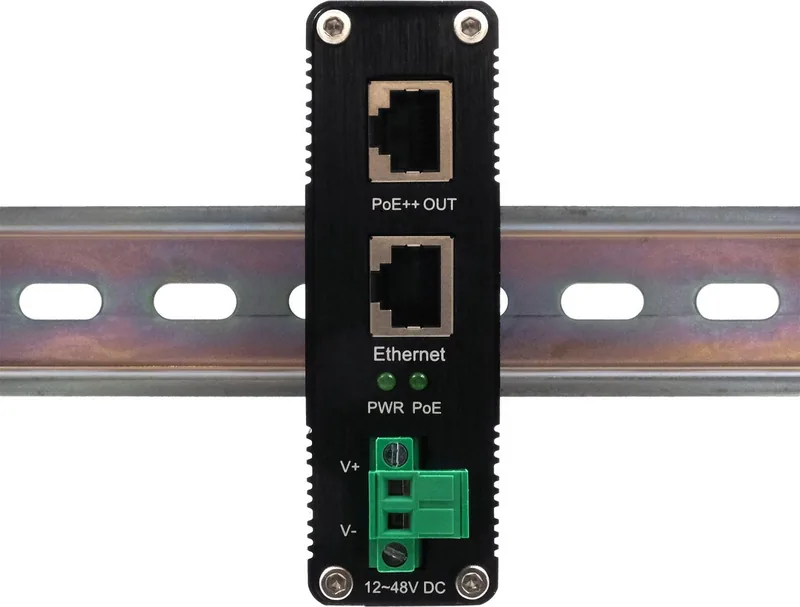
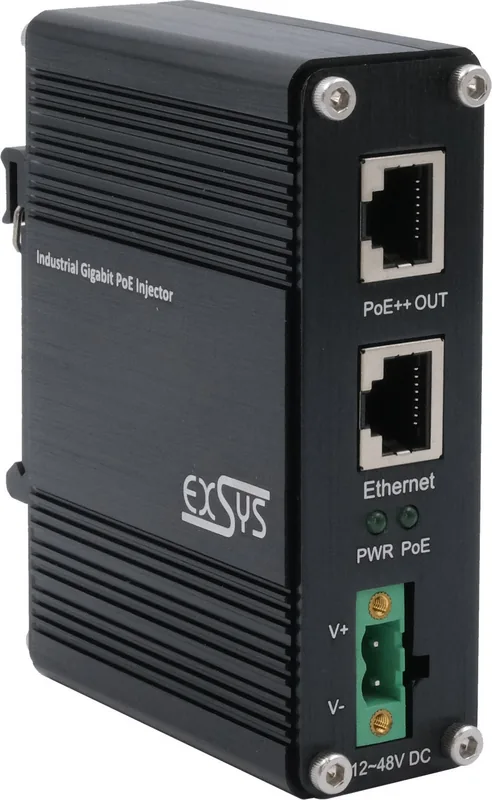
When deploying complex network infrastructure in demanding industrial environments, reliable power delivery is just as critical as data speed and integrity. The Exsys Industrial Railmount Gigabit PoE-Injector serves as a robust and professional solution for powering network devices directly through standard Ethernet cables. This device supports the advanced PoE Plus standard IEEE 802.3bt, ensuring that modern highpower devices receive the necessary energy without the need for additional power outlets near the installation point. This system is designed for stability.
Designed specifically for harsh industrial settings, the unit features a heavy-duty metal housing capable of withstanding extreme conditions and temperature fluctuations. The extended operating temperature range spans from negative forty degrees Celsius to eighty degrees Celsius. This makes it ideally suited for outdoor cabinets, manufacturing floors, or unheated buildings where standard consumer electronics would inevitably fail. Users can seamlessly power a variety of equipment including IP telephones, highdefinition IP cameras, and wireless access points. Each port delivers significant data performance up to one thousand megabits per second. It prevents network interruptions during operation.
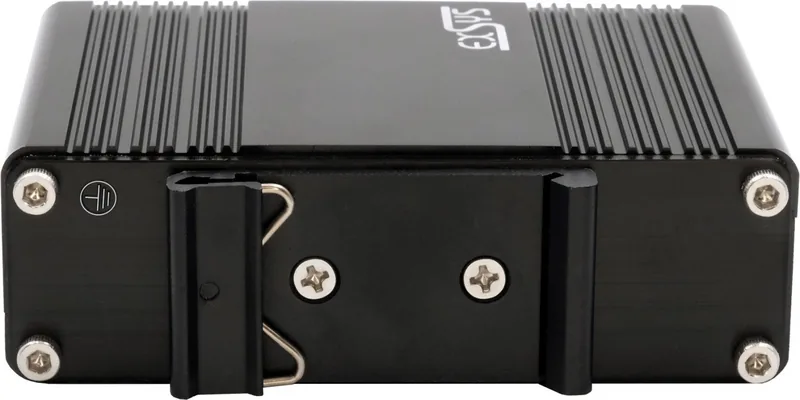
Power injection capabilities are truly substantial with support for LTPoE at ninety-five watts. This ensures compatibility with power hungry devices such as PTZ cameras or thermal printers that require more energy than basic phones or sensors. The unit allows for multiple flexible installation options to fit any cabinet design. A DIN rail kit comes preassembled for easy mounting on standard industrial rails inside control cabinets. Alternatively, the provided wall mounting bracket allows for secure attachment to vertical surfaces in tight spaces.
Installation requires an external power supply connected via a dedicated terminal block. This block accepts voltage between twelve and forty-eight volts which provides flexibility for different power sources. Proper polarity is critical during setup to avoid damaging the internal circuitry. Once connected, status LEDs provide instant feedback on power and link states for quick troubleshooting. This setup ensures minimal downtime during connection procedures. Green lights indicate active connections while blinking signals a detected power device on the downstream port.
Summary
Maintenance is straightforward but requires specific care to ensure longevity. Cleaning must always be done with a dry nonfibrous cloth to prevent static build or residue inside the ports. Moisture must be avoided at all costs near the connectors as electrical shorts can occur. Follow the manufacturer guidelines strictly for best results. Overall, this injector offers a secure and highperformance method for integrating power into data networks. It ensures that your network stays online even when infrastructure gets tough.
Search for 67,706 Manuals online


Type-in Brand or Model