
Exsys EX-13001 Manual
PDF manual · 2 Pages
English



Quick check
Incorrect answer, please try again.
Chat with your Exsys EX-13001 manual using AI
Get instant AI answers from your Exsys EX-13001 manual
Ask anything about the Exsys EX-13001. Answers come from this manual, with the pages they are based on.
Ask a Question
Do you recommend EX-13001?
Yes NoFrequently Asked Questions
The EX-13001 converts a USB 2.0 A connection to a DB9 RS-232 serial port, enabling communication between modern PCs and legacy serial devices such as modems, plotters and industrial controllers.
Is this answer helpful?
The adapter supports a broad range of systems including Windows (older releases through Windows 11 and Server variants), Linux and macOS. If automatic drivers are not installed by the OS, drivers can be downloaded from the Exsys support site.
Is this answer helpful?
Yes, it is hot-pluggable and designed for plug-and-play. Most systems will automatically detect and install the adapter. If not, manually install the driver from Exsys and restart the computer.
Is this answer helpful?
The DB9 follows standard RS-232 pin assignments: 1 DCD, 2 RXD, 3 TXD, 4 DTR, 5 GND, 6 DSR, 7 RTS, 8 CTS, 9 RI — matching typical serial device wiring for direct compatibility.
Is this answer helpful?
Open Device Manager and look under 'Ports (COM & LPT)' and 'USB controllers' for a new entry corresponding to the EX-13001. If present, the adapter is installed correctly; otherwise reinstall drivers and reboot.
Is this answer helpful?
No. The EX-13001 provides RS-232 voltage levels. TTL-level serial devices require a separate TTL-to-RS232 level shifter or an adapter specifically designed for TTL signals.
Is this answer helpful?
Use a dry, lint-free cloth and apply gentle pressure to remove dirt. Avoid moisture and ensure no fibers remain in the connector area. Do not use wet cloths or liquids near the connectors.
Is this answer helpful?
Advantages and Disadvantages
Advantages

- Plug-and-play hot-pluggable USB-to-RS232 conversion for quick connectivity.
- Wide OS compatibility: Windows (legacy to 11), Linux and macOS supported.
- Standard DB9 pinout ensures compatibility with most serial peripherals.
- Uses FIFO 16C550 UART to support stable high-speed serial transfers.
- Compact, no jumper configuration required — settings handled by BIOS/OS.
Disadvantages

- Requires driver download on some systems if not auto-detected by OS.
- Limited to RS-232 signaling; cannot directly interface with TTL serial without level shifting.
- Physical DB9 connector still bulky compared with purely USB-native devices.
- No external power option — relies on USB VCC which may limit some bus-powered devices.
- Documentation recommends manual driver installation steps which can confuse novice users.
Product Specification
Type
Adapter
Connectors
USB-A 2.0, RS-232
Cable length
70.87 in
Color
black
USB notation
Link
Product Description
Exsys EX-13001 USB-A 2.0 to RS-232 (serial) Adapter Manual
The Exsys EX-13001 USB-A 2.0 to RS-232 (serial) Adapter bridges modern USB hosts with legacy RS-232 serial devices, offering a reliable, plug-and-play solution for connecting modems, plotters, industrial controllers and other serial peripherals. Compact and straightforward, the EX-13001 converts a USB 2.0 A connection to a standard 9-pin DB9 RS-232 port using a FIFO 16C550 UART to maintain stable high-speed serial communication.
Key features and usage
Designed for compatibility and ease of use, the EX-13001 supports USB 1.1, 2.0 and 3.2 hosts and works across major operating systems including Windows (classic through Windows 11 and Server variants), Linux and macOS. The unit is hot-pluggable — simply connect to a PC USB A port and the adapter is recognized by modern OS installers. If automatic drivers are not provided by the system, Exsys supplies drivers for manual installation.
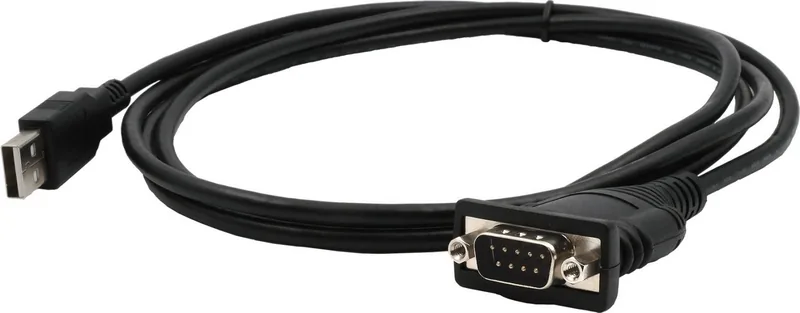
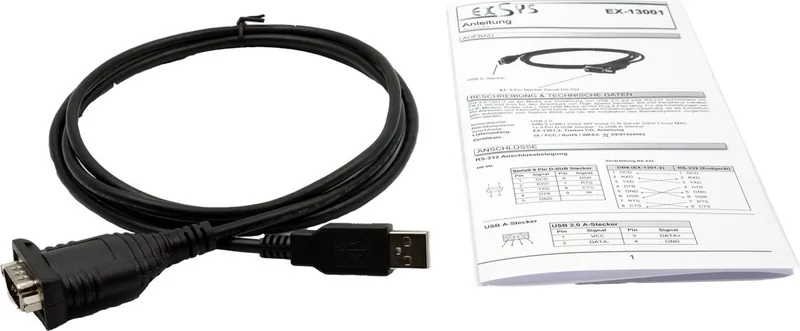
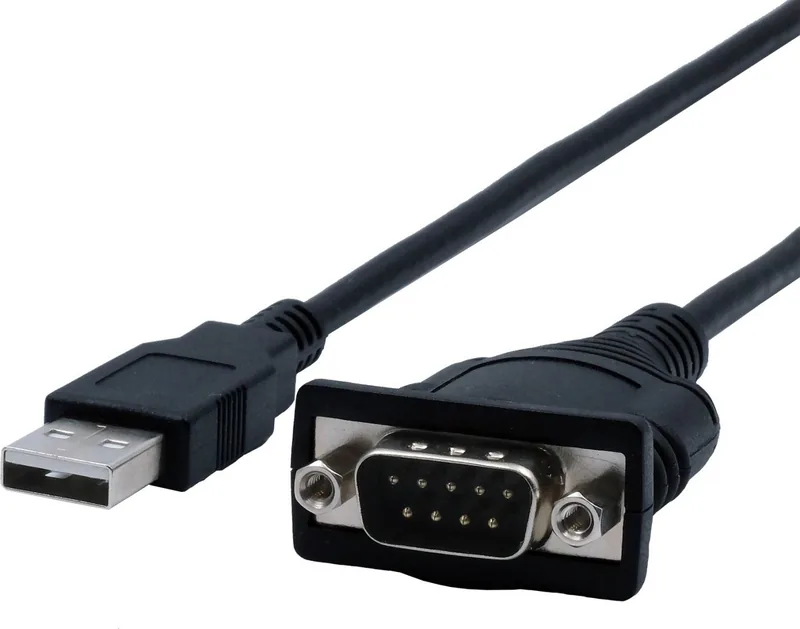
Physically, the adapter provides a USB 2.0 A plug on one end and a DE-9 (DB9) male serial connector on the other. The DB9 pinout follows standard RS-232 assignments (DCD, RXD, TXD, DTR, GND, DSR, RTS, CTS, RI), making it compatible with a wide range of serial devices without rewiring.
Installation is intentionally simple: connect the adapter to a USB port, allow the OS to install drivers, or download drivers from the Exsys site if needed. After installation, verify the adapter appears under Ports (COM & LPT) and USB controllers in Device Manager (Windows). For longevity, clean the adapter with a dry, lint-free cloth and avoid moisture near connectors.
Practical scenarios
- Field service technicians can use the EX-13001 to access legacy equipment from modern laptops.
- Makers and developers benefit from serial console access to embedded devices.
- Small offices and labs can connect older instrumentation or POS hardware to new PCs without changing infrastructure.
Notes
- No jumper setting is required; I/O addresses and interrupts are managed by the BIOS and OS.
- Restart your PC after driver installation to ensure correct enumeration.
- Use only dry, non-fibrous cloths for cleaning and avoid inserting cloth fibers into the connectors.
Search for 67,706 Manuals online


Type-in Brand or Model