
Exsys EX-12011 Manual
PDF manual · 2 Pages
English



Quick check
Incorrect answer, please try again.
Chat with your Exsys EX-12011 manual using AI
Get instant AI answers from your Exsys EX-12011 manual
Ask anything about the Exsys EX-12011. Answers come from this manual, with the pages they are based on.
Ask a Question
Do you recommend EX-12011?
Yes NoFrequently Asked Questions
The Exsys EX-12011 supports data transfer rates of up to 20Gbit per second, utilizing the USB 3.2 Gen2x2 standard for maximum efficiency.
Is this answer helpful?
No, the card provides up to 3A of power at the external port using the power drawn directly from the PCI-Express slot, eliminating the need for extra cabling.
Is this answer helpful?
This card is fully compatible with Windows 8.x, Windows 10, Windows Server 2012 R2, 2016, and 2019, as well as most Linux distributions.
Is this answer helpful?
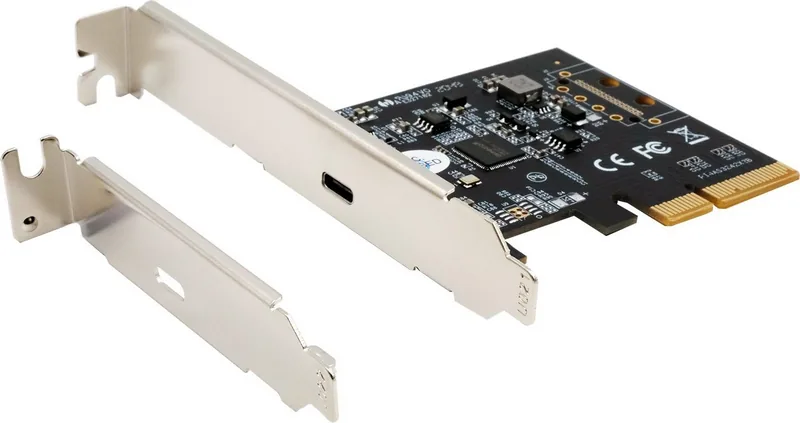
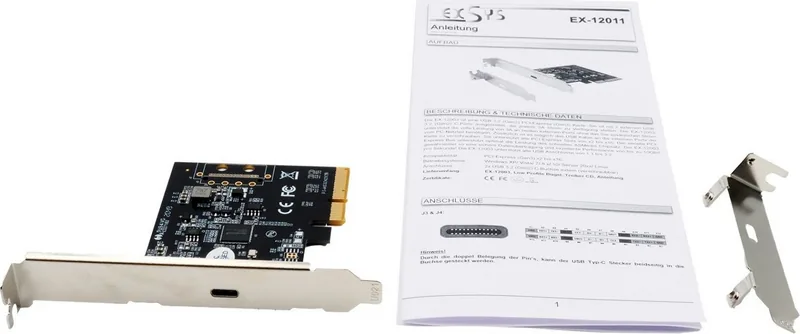
Yes, provided your motherboard has an available PCI-Express slot. The package includes a low-profile bracket suitable for smaller chassis designs.
Is this answer helpful?
Yes, the card features a dual-pin assignment on the USB Type-C port, allowing you to insert the connector in either orientation.
Is this answer helpful?
Absolutely. The card is backward compatible and supports all USB versions from 1.1 up to 3.2, ensuring your old peripherals will function correctly.
Is this answer helpful?
Advantages and Disadvantages
Advantages

- Delivers ultra-fast data transfer speeds up to 20Gbit/s
- Provides up to 3A power output without needing extra PSU cables
- Compatible with USB 1.1 through 3.2 standards for broad peripheral support
- Fits into any PCI-Express slot from x4 to x16 for maximum flexibility
- Features reversible USB Type-C connector for easy plug-in usage
Disadvantages

- Requires an available PCI-Express expansion slot inside the case
- May not fit in very small form factor cases without specific brackets
- Driver installation might require a reboot on some Linux distributions
- Single port limits simultaneous connections compared to multi-port cards
- Performance depends on the host system's BIOS and chipset capabilities
Product Specification
External
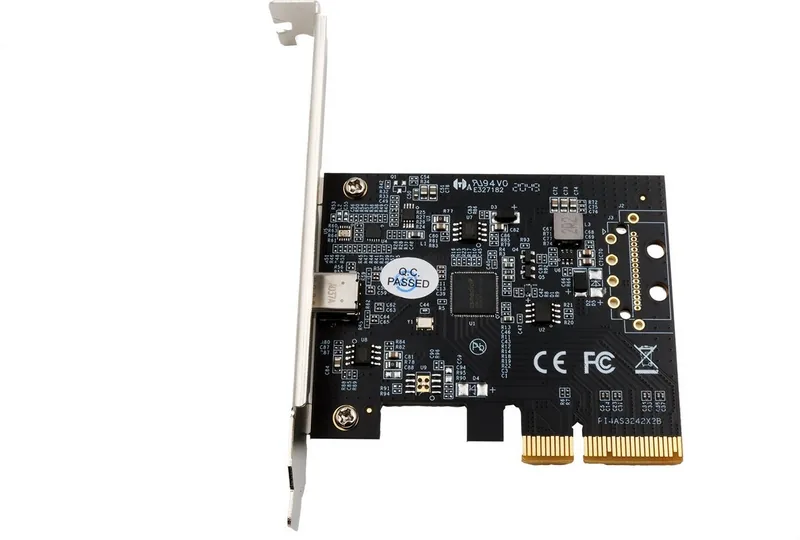
1x USB-C 3.2 (Socket, 20Gb/s, max. 3.2W)
Internal
1x PCIe (PCIe x4)
Interface
PCIe 3.0 x4
Chipset
ASMedia ASM3242 (USB Hub, USB 3.2 20Gb/s)
Power Supply
Power supply only via connection
Features
low profile bezel
USB Notation
Link
Product Description
Boost Your PC Speed with the Exsys EX-12011
Upgrading your computer's connectivity is essential for modern workflows, and the Exsys 1 Port USB 3.2 Gen2x2 PCIe Card stands out as a powerful solution. This expansion card transforms standard PCI-Express slots into high-speed data highways, delivering transfer rates of up to 20Gbit per second. Designed for professionals who need reliability and speed, this card utilizes the advanced ASMedia chipset to ensure seamless performance without requiring additional power from your system's main supply.
High Performance Connectivity
The core strength of this device lies in its ability to support full USB 3.2 Gen2x2 speeds through a single external port. Whether you are transferring large video files or backing up critical data, the Exsys card handles the load effortlessly. It is compatible with all PCI-Express slots ranging from x4 to x16, making it versatile for various motherboard configurations. The card also maintains backward compatibility, supporting older USB standards from 1.1 up to 3.2, ensuring your legacy peripherals continue to function correctly.
Easy Installation and Compatibility
Installing the Exsys EX-12011 is a straightforward process designed for both novice and experienced users. The card features a plug-and-play architecture that works seamlessly with Windows 8.x, 10, Server versions 2012 R2 through 2019, and Linux operating systems. Once physically installed in an available slot, the operating system automatically recognizes the hardware and installs the necessary drivers. The package includes a low-profile bracket, allowing for flexible installation in different case sizes. A key feature of the USB-C connector is its dual-pin assignment, enabling reversible insertion so you can plug the cable in either way without frustration.
Why Choose This Card?
For users seeking to expand their I/O capabilities without buying a new computer, this PCIe card offers an excellent upgrade path. It delivers consistent power delivery of up to 3A, which is crucial for charging devices while transferring data. The secure data transmission provided by the serial PCI-Express bus ensures that your information remains safe during high-speed operations. With its robust design and comprehensive driver support, the Exsys EX-12011 is a top choice for enhancing desktop functionality.
Note: Always ensure your computer is powered off before installing internal components to prevent electrical damage.
Search for 67,706 Manuals online


Type-in Brand or Model