
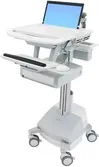

Ergotron StyleView SV44 Manual
PDF manual · 28 Pages
English



Quick check
Incorrect answer, please try again.
Chat with your Ergotron StyleView SV44 manual using AI
Get instant AI answers from your Ergotron StyleView SV44 manual
Ask anything about the Ergotron StyleView SV44. Answers come from this manual, with the pages they are based on.
StyleView SV44 Maintenance Schedule
Check for wear, pinching, or bad connectors.
Check for wear and debris that would prevent smooth travel.
Check for dust at intake and vacuum as required using an ESD-safe vacuum cleaner.
Check for wear, cracking, pinching, or other damage.
If StyleLink is not used, conduct a monthly discharge test to determine runtime loss.
If voltage drops below 12.5VDC during storage, fully recharge the battery.
Test that mains power lines are adequately insulated from earth ground.
Test safety grounding between the power cord ground connection and accessible metal parts.
Free maintenance reminders
Timed to your purchase date. Always free, unsubscribe anytime.
Ask a Question
Do you recommend StyleView SV44?
Yes NoFrequently Asked Questions
Plug the power cord into a wall outlet. Wait until the indicator light stops flashing which indicates a full charge taking approximately seven hours.
Is this answer helpful?
Yes, you can use the cart while charging, but ensure the battery charge is adequate to avoid frequent low battery alarms.
Is this answer helpful?
Exceeding the maximum listed weight capacity can cause serious injury or property damage. Always check the specifications provided.
Is this answer helpful?
Enter a valid User PIN using the keypad. The drawers will unlock only for the specific row number entered.
Is this answer helpful?
Yes, diluted non-abrasive solutions like bleach or alcohol solutions are compatible with the antimicrobial finish.
Is this answer helpful?
Visit the Ergotron website for the latest installation guide and software downloads related to your product.
Is this answer helpful?
Yes, the cart complies with UL 60601 and CAN/CSA standards suitable for clinical environments.
Is this answer helpful?
Advantages and Disadvantages
Advantages

- Electric height adjustment reduces physical strain.
- Integrated power system with two sealed batteries.
- Automatic locking security drawer system.
- Antimicrobial surface for hygiene standards.
Disadvantages

- Requires frequent battery replacement over time.
- Tension adjustments needed after weight changes.
- Strict weight capacity limits must be followed.
- PIN setup initial configuration can be complex.
Product Specification
Type
Mobile Workstation
Shape
Rectangular
Material
Tabletop: Plastic, Frame: Steel/Aluminum
Color
Tabletop: Gray, Frame: Gray
Tabletop Dimensions (WxD)
22.13x19.65 in
Tabletop Height
30.98-50.98 in
Height Adjustable
Electric
Table Legs
4 Legs (4 Casters)
Storage
N/A
Weight Capacity
20.06 lbs
Features
Cable Management, Notebook Holder, Keyboard Holder
Weight
70.55 lbs
Manufacturer Warranty
5 Years
Product Description
Transforming Clinical Workflow Efficiency
Modern healthcare environments demand mobile workstations that balance mobility with stability. The Ergotron StyleView SV44 Laptop Trolley with Drawer Electric Height Adjustable Mobile Workstation 56x50cm Grey/Grey Manual outlines the capabilities of this robust tool. Designed for point-of-care computing, the cart provides electrical AC power for connected equipment within a clinical setting. It is vital to note that the outlets are intended for IT equipment only to ensure safety.
This unit features an electric height adjustment mechanism that reduces physical strain on medical professionals. The worksurface measures 56x50cm and offers a stable platform for laptops and monitors. An integrated power system houses two 33 Ah sealed lead acid batteries, ensuring the cart remains operational away from wall outlets. The User Interface allows monitoring of battery charge remaining and includes a low battery audible alarm. Ergonomics are prioritized with a sliding keyboard tray that tilts for right or left mousing.
Security features include an Auto-Lock Drawer system managed via PIN codes. Staff can personalize access levels for pharmacy or user entries. The system automatically locks drawers after a set duration of inactivity to prevent items from falling out during movement. Cable management solutions are included to route power cords and USB connections neatly away from moving parts. This organization prevents tripping hazards and equipment damage from pinched wires.
Battery and Maintenance Requirements
Maintaining optimal performance requires daily attention to the power system. The battery takes approximately seven hours to charge fully from a wall outlet. Users should avoid letting the charge drop below thirty percent to preserve battery life. Cleaning must use non-abrasive diluted solutions like quaternary ammonia compounds. Harsh solvents are prohibited as they damage the surface finish. The cart must be moved with the worksurface lowered to ensure stability during transit.
Safety protocols mandate checking weight capacity limits regularly. Exceeding the maximum load can cause serious injury or property damage. The lift mechanism is under tension, so equipment must be removed only when the surface is at the highest position. Replacement parts should only be serviced by certified entities to maintain warranty coverage. This workstation supports a wide range of accessories including scanner holders and keyboard lights.
Operational Safety and Compliance
The StyleView cart complies with Class A digital apparatus standards and European medical electrical equipment regulations. Users must operate the equipment in commercial environments where interference is managed. Residential use may cause harmful interference requiring correction at the user expense. The system is certified to UL 60601 standards ensuring safety for patients and staff during operation. Tension adjustments are necessary whenever equipment weight changes occur on the riser or tower. Proper tension prevents the lift from crashing down if power fails.
Maintenance and Storage
Long term storage requires disconnecting the power system. If idle for more than three months, batteries should be removed and recharged. Batteries should be checked monthly for voltage levels. If the voltage drops below 12.5VDC, the battery must be recharged immediately. This attention protects the warranty and ensures reliability.
Search for 67,706 Manuals online


Type-in Brand or Model