
Ergotron HX Dual Manual
PDF manual · 50 Pages
English



Quick check
Incorrect answer, please try again.
Chat with your Ergotron HX Dual manual using AI
Get instant AI answers from your Ergotron HX Dual manual
Ask anything about the Ergotron HX Dual. Answers come from this manual, with the pages they are based on.
Ask a Question
Do you recommend HX Dual?
Yes NoFrequently Asked Questions
If the arm moves too easily, increase the friction and lift strength adjustments according to the provided instructions. Add weight screws if necessary to match the monitor weight.
Is this answer helpful?
Ensure your wall structure supports four times the total weight of your equipment. Drilling into solid concrete is recommended. Drywall alone may not be sufficient without proper anchors.
Is this answer helpful?
The arm mechanism is under tension. It moves up rapidly when equipment is removed unless moved to the highest position first. This is a safety warning to read.
Is this answer helpful?
Mounting holes must be at least 80 mm deep. They must be located within solid concrete, not mortar or covering material, to support the weight.
Is this answer helpful?
Yes. You must adjust lift strength and friction levels after installation. If movements are too easy or hard, follow the adjustment steps to create smooth movement.
Is this answer helpful?
Wall Track and Brackets are sold separately. Ensure compatibility with your specific wall type. Check documentation for accessory requirements.
Is this answer helpful?
Fasteners may loosen due to vibration. Inspect mounting solutions regularly for loose screws. Use thread locking adhesive if desired to prevent backouts.
Is this answer helpful?
Advantages and Disadvantages
Advantages

- Constant Force technology allows smooth lifting and positioning of monitors without excessive effort. This improves user experience during daily setup adjustments.
- Wall mounting frees up significant desk surface area for other tools and paperwork, maximizing workspace efficiency for the user.
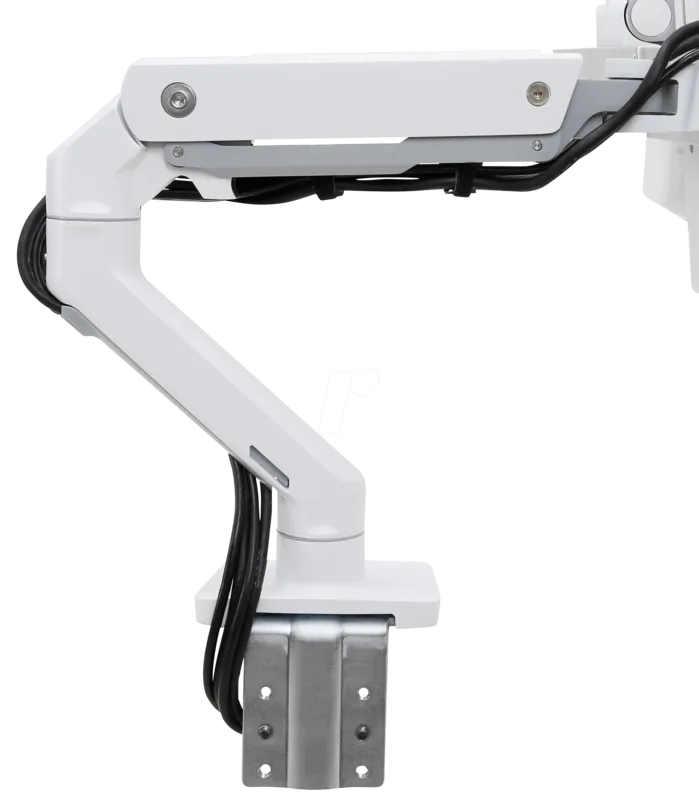
- Included cable management pathways keep wires organized and hidden from view reducing visual clutter on the primary desk area.
Disadvantages

- Installation requires drilling into solid concrete or wall structures capable of supporting heavy loads safely. This is not suitable for drywall only.
- Monitors move rapidly during removal if not secured at the highest position, creating a safety hazard if not handled correctly.
- Adjusting lift strength and friction requires specific steps after installation which may be complex for some first-time installers.
Product Specification
Type
Wall Mount
Number of Monitors
2
Screen Size
up to 32"
Adjustability
tiltable (-5°, +70°), rotatable (360°), pivotable (180°), extendable, height-adjustable
Max Load
35.05 lbs
VESA
75x75, 100x100
Features
Cable Management
Color
White
Weight
18.74 lbs
Product Description
Transform Your Workspace with the Ergotron HX Wall Dual Monitor Arm
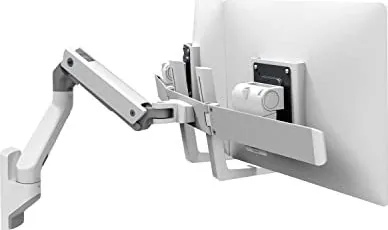
Are you looking to maximize your desk space while improving your posture? The Ergotron HX Wall Dual Monitor Arm is a powerful solution designed for productivity in modern home offices. This mount allows you to position two screens effortlessly using innovative technology. By moving monitors off your desk, you reclaim valuable surface area. This setup is essential for multitasking professionals who need screen visibility. Review the Ergotron HX Wall Dual Monitor Arm Manual specifications for torque settings.
Key Features and Technology
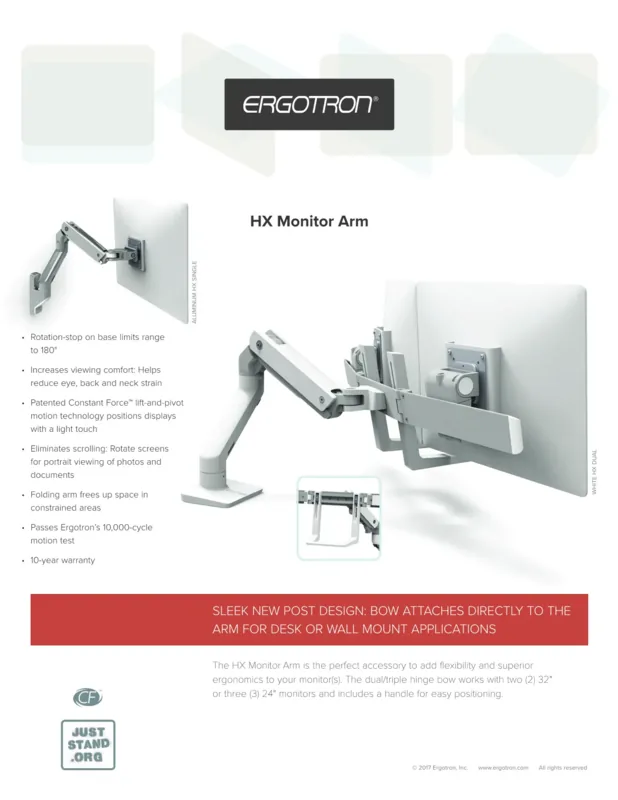
The arm utilizes Constant Force technology to allow smooth movement throughout the full range of motion. You can lift, lower, tilt, and rotate your monitors easily without excessive force. This frees up your desk surface for other tools and paperwork. The dual monitor capability supports various screen sizes up to the maximum weight capacity specified. It offers near 180-degree rotation for flexible viewing angles. Cable management pathways keep wires organized and hidden from view reducing clutter significantly.
Installation and Safety Precautions
Proper installation is crucial for stability. Ensure your wall structure supports four times the total weight. Drilling into solid concrete is recommended for anchors. Mounting holes must be at least 80 mm deep in solid material. Follow cable routing to avoid pinching cables. Safety alerts indicate the arm moves up rapidly if equipment is removed. Always move the arm to the highest position before detaching monitors to prevent injury.
Ergonomics and Adjustment Procedures
Height adjustments help reduce fatigue during long work sessions. Position the screen top below eye level to maintain a neutral neck posture. Keep your keyboard at elbow height with wrists flat. After installation, adjust lift strength and friction levels manually. If the arm moves too easily, increase friction. Add weight screws based on monitor weights and setup configuration.
Maintenance and Longevity Tips
Fasteners may loosen over time due to constant movement and vibration from daily use. Inspect mounting solutions regularly for loose screws or bolts. Use thread locking adhesive if desired to prevent backouts during operation. Check that monitors are fully secured to the crossbar before daily use begins. Ensure the wall track and brackets are compatible if using accessories sold separately for your specific wall type.
Conclusion
This ergonomic setup helps create a healthier work environment for standing or sitting. Whether you are coding, designing, or managing tasks, the arm adapts to your needs easily. Enhance your workflow with flexible screen positioning options today. Remember to consult a construction professional if you are unsure about wall strength capabilities. Proper usage ensures a safe and efficient space for years of productive work days.
Search for 67,732 Manuals online


Type-in Brand or Model